
If your iPhone keeps sending calls directly to voicemail, don’t panic. Most issues are quick to so...


Mobile Internet
At Harry Reid International Airport in Las Vegas, free WiFi is available throughout all terminals and lounges, keeping you connected while you wait for your flight. For travelers who want a more reliable or secure connection, options like an eSIM, a local SIM card, or pocket WiFi can be great alternatives.

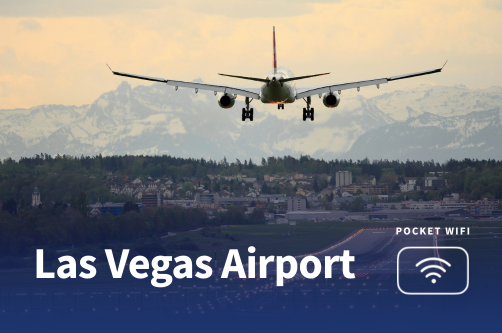
Flying into Las Vegas and curious about how reliable the Las Vegas Airport WiFi really is?
With so many travelers depending on mobile internet for everything from messages to Google Maps, it helps to know what to expect before you arrive.
This guide explains how to connect to the free WiFi at Harry Reid International Airport, what speeds you can expect, the security risks to consider, and the alternative internet options that may be a better fit for your trip.
Yes, Harry Reid International Airport offers free WiFi throughout all public areas, including Terminal 1 and Terminal 3.
The network SSID is reported as “LAS-WIFI,” and you can connect in concourses, gate areas, lounges, and even the rental car center.
| WiFi name | Availability | Time limit | Avg. speed |
| LAS-WIFI | All terminals (Terminals 1 & 3), concourses, gate areas | Unlimited | ~5–10 Mbps |
Here’s a simple guide to help you get connected to the free WiFi at Harry Reid International Airport:
If you have trouble connecting, try forgetting the network in your WiFi settings and reconnecting. Restarting your device can also help.
If the problem continues, check with airport staff to make sure the SSID has not changed, since network names may be updated during system upgrades.
If you have access to one of the airport’s VIP lounges, you’ll typically find faster, more reliable private WiFi in these spaces. Some of the lounges at Harry Reid International Airport include:
Access conditions: usually reserved for premium ticket holders, lounge members, or those who buy a day-pass. Lounges also provide amenities such as food, drinks, showers, and dedicated workspaces.
Typical speeds on the free airport WiFi are around five to 10 Mbps. At that speed, you can comfortably browse web pages, check email, and use social media.
However, if you plan on streaming HD videos, large downloads, or video conferencing, you may experience slower connection or buffering during peak times.
Factors that influence speed include:
When using the free public WiFi, you should be aware of the following security risks:
Recommendations: use a VPN, avoid logging into highly sensitive accounts while on public WiFi, ensure your device’s operating system and security patches are up to date, and always verify you’re connecting to the correct network SSID.
If you prefer a more reliable or secure connection while travelling through the U.S., here are some great alternatives.
eSIMs are digital SIM cards built into many modern phones, allowing easy activation without needing a physical card.
They offer instant connectivity and greater security than public networks.
Here are three popular providers for the U.S.:
1. Holafly: Unlimited data for the U.S. via eSIM, ideal for travellers who want to stay connected without swapping SIMs.
2. Nomad: eSIM provider offering data plans for visitors to the U.S. and other countries with flexible durations.
2. Maya Mobile: Offers eSIM data plans aimed at travellers in the U.S. and internationally, with a focus on ease and convenience.
See also: Best eSIM for the U.S.
If you prefer a physical local SIM card instead of an eSIM, several major carriers offer convenient prepaid options:
If you are comparing whether a local SIM card is the right choice for your trip, the table below outlines the main pros and cons to help you decide:
| Pros of local SIM cards | Cons of local SIM cards |
| Works with your own mobile numberMore reliable than public WiFi | May require a passport or IDPhone may need to be unlockedSetup takes time, and you may temporarily lose access to your main number |
A pocket WiFi device is a portable hotspot you can rent for your trip.
| Pros of pocket WiFi | Cons of pocket WiFi |
| Can support multiple devicesProvides a private and secure connectionEasy to share with travel companions | Rental cost can be highYou need to keep the device chargedRequires carrying an extra device |
See also: Pocket WiFi in the USA: Your complete 2025 guide
Using your home carrier’s international roaming works instantly, but is often very expensive. Check your carrier’s roaming plans and data rates before relying on this.
Overall, the Las Vegas Airport WiFi is suitable for everyday activities such as browsing the web, checking email, and using messaging apps while waiting for your flight.
Travelers who need a faster or more stable connection, particularly for work, video calls, or streaming, will find that WiFi in airport lounges provides better reliability and performance along with a quieter atmosphere.
For those looking for the best combination of speed, security, and convenience during their trip, an eSIM is the most practical choice. It offers instant connectivity, wide coverage throughout the United States, and removes the need to depend solely on public networks.

The best global eSIM provider
From $2.3/week
A reliable eSIM provider for budget travelers
From $2.4/week
The best global eSIM provider
From $2.3/week
A reliable eSIM provider for budget travelers
From $2.4/week


Our mission is simple: to make sure you never have to ask, “What’s the WiFi password?” again. All our tips come straight from personal experience — because we’d never recommend something we haven’t put to the test ourselves.
Reviews