
Apple is positioning the iPhone 16 as its first AI-native device, powered by a new system-wide frame...


Mobile Internet
You can rent pocket WiFi at London airports from providers such as Hippocketwifi, Travel WiFi Router or Budget Mobile WiFi with pre-booked pickup points or delivery to any UK address. This 2026 guide covers rental prices, available plans, and step-by-step instructions on how to book and collect your device. Alternatively, you can look at eSIMs like Holafly for instant access.


Unlike some destinations where airport pickup counters are common, pocket WiFi at London airports typically works through online pre-booking with delivery to your airport terminal, hotel, or accommodation address.
Below, we break down every option, compare pricing, and explore eSIM alternatives for travelers who prefer a lighter setup.
England does not have the same density of walk-up airport rental counters you'll find in places like Japan. Instead, most providers operate online - you pre-book your device, and it's either delivered to a pickup point at the airport, your hotel, or your accommodation.
A couple of providers do offer physical pickup at Heathrow Airport. Below are the best available options for travelers, followed by a detailed breakdown of each.
| Provider | Pickup/Delivery | Data | Speed | Battery | Devices | Price | Best for |
| Hippocketwifi | Delivery to home, hotel, or pickup point | 1 GB/day or Unlimited | 4G LTE / 5G | 10–12 hours (5G Pro). Optional power bank adds ~15 hours | Up to 10 (4G) – 20 (5G Pro) | From €4.95/day (~£4.20) for Europe | Europe-wide trips, multi-country coverage |
| Travel Wi-Fi Router | Heathrow T3 & Heathrow T5 post offices, Gatwick area or delivery to any UK address | Unlimited (no daily caps) | 4G (up to 60 Mbps) | 12–24 hours (depending on usage) | Up to 10 | From £25 for 3 days | Multiple airport pickup points, truly unlimited data with no daily caps |
| Budget Mobile WiFi | All London airports | 500 MB/day or unlimited | Not specified | Not specified | Up to 5 | £11.20/day (Mobile WiFi) | Travellers already renting a Budget car |

Hippocketwifi is a French company that has been operating for over 10 years and is one of the most popular pocket WiFi rental services in Europe. Their devices cover 98% of Europe across more than 40 countries, making them an excellent choice if your trip extends beyond England.
They offer three device tiers:
Delivery can be arranged to your home address 3–5 days before departure, or to your hotel, Airbnb, or a pickup point in London 1–2 days before your rental begins.

Travel Wifi is a UK-based company that offers pocket WiFi rentals with unlimited data across the United Kingdom and Europe. They stand out for offering airport collection at multiple locations, including Heathrow Terminal 3, Heathrow Terminal 5, and a collection point near London Gatwick Airport.
Their devices provide truly unlimited data with no daily caps, running on 4G networks with download speeds of up to 60 Mbps. Unlike providers with staffed airport desks, Travel Wifi uses Post Office collection points inside airport terminals.

Budget, the car rental company (part of Avis) offers a portable WiFi device as an optional add-on when hiring a vehicle from one of their UK rental stations. This is the only pocket WiFi option available at all London airports, but it comes with a significant caveat: you must be renting a car to get it.
Budget currently markets two related connectivity products. Their original Mobile WiFi provided 500MB of data per day, while their newer "Travel Companion" offers unlimited data along with GPS navigation and free international calls.
You can rent pocket WiFi online before your trip and either pick it up at the airport or have it delivered to your accommodation in England. Unlike destinations such as Japan where walk-up airport counters are common, most UK pocket WiFi rentals require online pre-booking.
Here is a step-by-step guide to renting your pocket WiFi:
If you'd prefer not to carry an extra device, an eSIM is a great alternative. An eSIM is a virtual SIM card that you install directly on your smartphone. Once activated, it connects to UK mobile networks and provides data just like a regular SIM.
You can also use your phone's hotspot feature to share your eSIM connection with other devices, essentially turning your phone into a pocket WiFi. This works well for couples or small groups, though some providers cap hotspot data.
Here are three popular eSIM providers for England:

Holafly is one of the most widely used eSIM brands, offering unlimited data plans for the UK with instant delivery via email. Their plans connect through major UK networks and provide 4G/5G coverage across England, Scotland, Wales, and Northern Ireland.

Airalo is a popular eSIM marketplace with a range of UK data plans from budget-friendly capped options to larger allowances. Their app makes it easy to manage, top up, and monitor your eSIM usage during your trip.
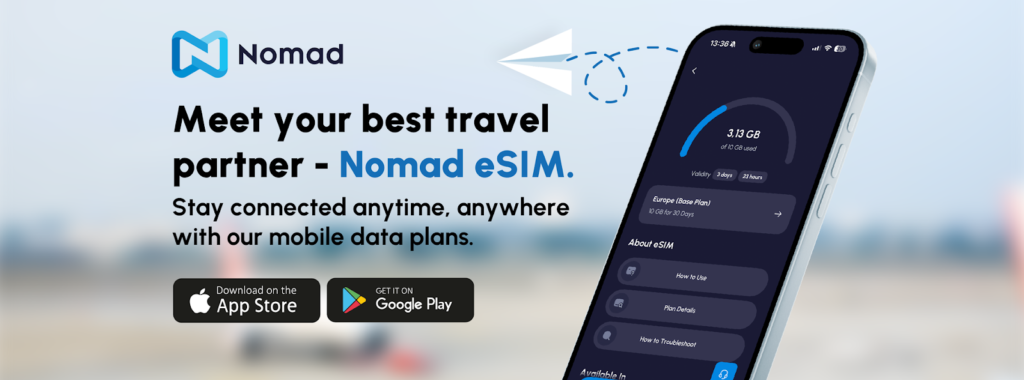
Nomad offers clean, transparent eSIM plans for the UK with no hidden fees. They use major UK networks and provide reliable 4G coverage across England and the rest of the United Kingdom.
Setting up an eSIM is quick and can be done before you board your flight. Here's how:
On iPhone (XS or later):
On Android (Google Pixel 3+, Samsung Galaxy S20+, and other compatible models):
Important: Install the eSIM while connected to stable WiFi (ideally at home before your trip). Most plans activate automatically when you first connect to a UK mobile network after landing.
There’s no single “best” option, but Hippocketwifi is the strongest choice for multi-country trips, while Travel WiFi Router stands out if you want truly unlimited data with Heathrow pickup. If you’re renting a car, Budget Mobile WiFi can be convenient since you return it with the vehicle.
Yes, pocket WiFi is available in London, but most providers don’t operate walk-up airport counters. Instead, you usually pre-book online and choose airport delivery, hotel delivery, or a local pickup point. A few options, like Travel WiFi, offer collection at Heathrow post offices.
Yes, pocket WiFi is widely available across the UK and works on major networks like EE, Vodafone, O2, or Three. Most rentals cover the entire country, including England, Scotland, Wales, and Northern Ireland. Just book online before your trip to make sure the device is ready when you arrive.
Yes, London airports offer free public Wi-Fi, but it’s best for short-term use like checking messages or directions. Speeds and reliability can vary, especially during busy periods. For consistent connection throughout your trip, a pocket WiFi or eSIM is a better option.
Prices typically range from about £4–£12 per day depending on the provider, data allowance, and rental length. Unlimited plans usually cost more, while longer rentals bring the daily price down. For example, some Heathrow-compatible rentals start around £25 for three days.



Our mission is simple: to make sure you never have to ask, “What’s the WiFi password?” again. All our tips come straight from personal experience — because we’d never recommend something we haven’t put to the test ourselves.
Reviews