

Before you snap a photo of the pyramids, make sure your camera actually turns on. Egypt uses the sam...


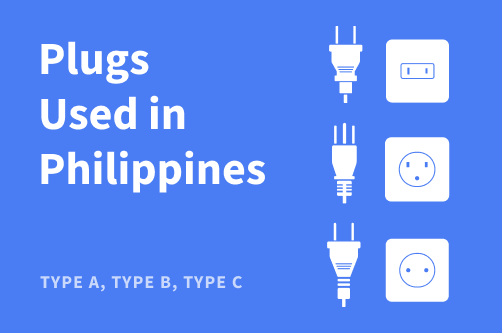
The Philippines uses plug types A, B, and C with a 220V, 60Hz power supply, meaning travelers from the US and Canada can often plug in directly but may need a voltage converter as part of their travel essentials, while those from the UK will need a plug adapter as well.
In this guide, I cover everything you need to know about plug types in the Philippines, tips for mobile internet in the country, and different plug types across the world.
The Philippines uses plug types A, B, and C with a 220V, 60Hz power supply. Devices from the US and Canada usually fit types A and B without an adapter, but still need voltage support. Meanwhile, travelers from the UK need a plug adapter because the UK uses a different type G plug shape.
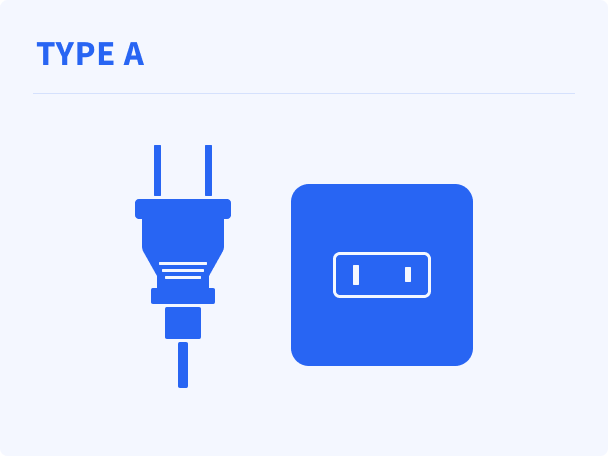
Type A has two flat parallel pins and matches the standard plug in the US and Canada, so many North American devices plug in directly. It’s also the most common plug type in the Philippines. Check the device label for 100–240V support or use a voltage converter.
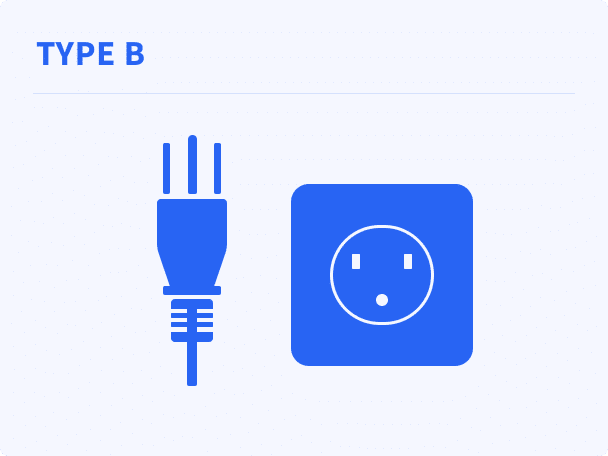
Type B includes two flat pins and one round grounding pin, which is also similar to grounded plugs in the US and Canada. This plug often appears on laptop chargers and larger electronics, and the same voltage check applies before use.
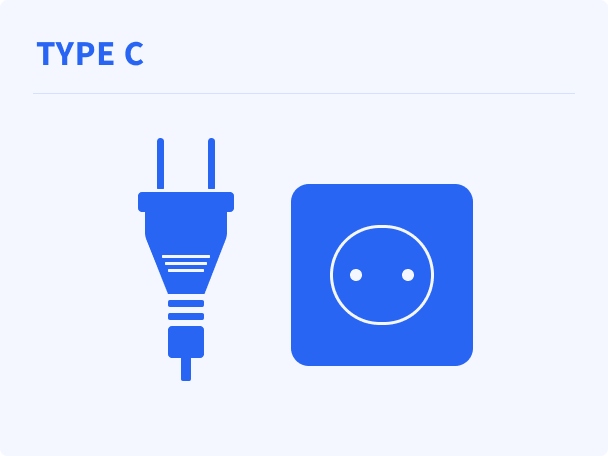
Type C uses two round pins and appears across Europe and many other regions, but UK plugs do not fit without an adapter because the UK standard is type G. Most small electronics work if they support 100–240V.
If you’re traveling to the Philippines soon, below are some trusted adapter brands compatible with Philippines plug types.
The Tessan Universal Travel Adapter Worldwide is a compact, rectangular plug adapter measuring 5 x 5.3 x 7.1 cm and weighing 149 g, designed for easy portability. It features a universal front socket and four USB ports (2 USB-C and 2 USB-A), with four built-in sliding plug types that extend from the sides for use in different countries.
The sturdy outer casing houses dual 10A fuses for added protection, and it functions as a plug adapter only, not a voltage converter.
The Ceptics Philippines Travel Plug Adapter is a compact, lightweight option built for easy use in the Philippines. It measures 1.9 × 1.6 × 2.1 inches, weighs 2.1 oz, and includes two US-standard outlets, one USB port, and one USB-C port with 3.1A total output.
It comes with Type A and Type B Swadapt attachments, supports fast 20W PD and QC charging, and features voltage indicator LEDs for added safety. It is also CE certified and RoHS compliant.
The Philippines uses 220V electricity at 60Hz, so travelers from countries that use 110–120V, such as the US or Canada, may need a voltage converter for devices that are not dual-voltage.
If you plug a single-voltage 110V device directly into a 220V outlet, it can overheat, short-circuit, or become permanently damaged within seconds. Travelers from regions that already use 220–240V, such as the UK, most of Europe, or Australia, usually only need a plug adapter because the voltage is compatible.
There are typically four ways to get internet in the Philippines: roaming, eSIM, local SIM cards, and pocket WiFi.
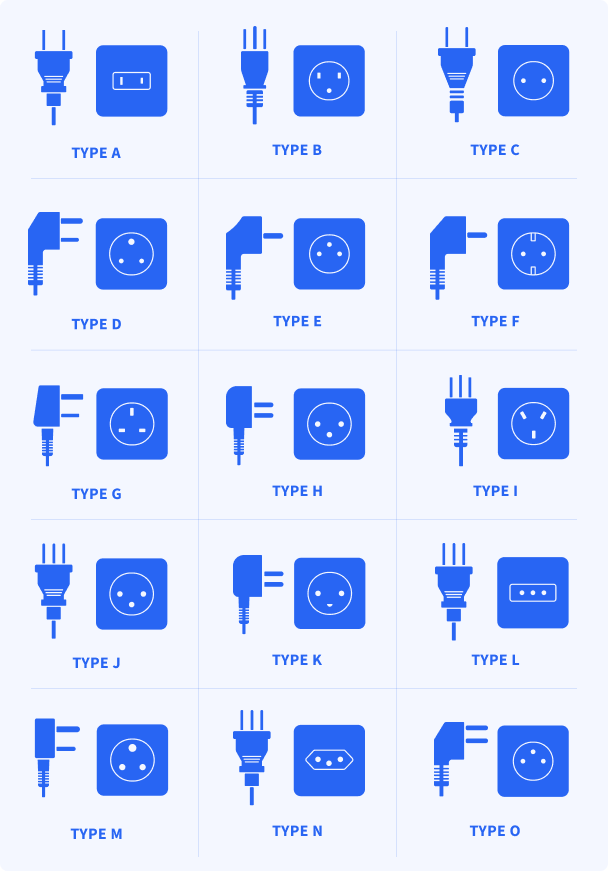
Before traveling to any country, it helps to know which plug types are used so you can bring the right adapter. This table lists common plug types in popular destinations, and the image below shows what each one looks like for easy reference.
| Plug Type | Destinations |
| Type A | US, Canada, Mexico, Japan |
| Type B | US, Canada |
| Type C | France, Germany, Italy, Spain, Thailand, Iceland |
| Type D | India, Nepal |
| Type E | France, Belgium, Poland |
| Type F | Germany, Netherlands, Spain, Indonesia |
| Type G | UK, Cyprus, Singapore, Hong Kong, Ireland |
| Type H | Israel |
| Type I | Australia, New Zealand, China |
| Type J | Switzerland |
| Type K | Denmark |
| Type L | Italy |
| Type M | South Africa |
| Type N | Brazil |
| Type O | Thailand |
Partly. The Philippines uses plug types A and B, which match US plug shapes, so many American devices fit directly. However, the Philippines runs on 220V, so single-voltage US appliances may still need a voltage converter.
You typically need a type A, B, or C compatible plug. Travelers from the US or Canada often do not need a shape adapter, while travelers from the UK and similar regions need a type G-to-A/B/C adapter.
Yes, if the device supports 100–240V dual voltage. If it only supports 110–120V, you must use a voltage converter to avoid damage.
Usually not securely. Type J sockets are recessed and designed for Swiss plugs, so a proper adapter is recommended.
Yes. Type C plugs commonly fit type F sockets because both use two round pins with similar spacing.
Some hotels offer adapters at the front desk, but availability is not guaranteed. Bringing your own adapter is the safest option.
Only if it supports 220V or has a dual-voltage setting. Otherwise, it may overheat or break without a voltage converter.
It has two round pins set close together in a slim, simple plug shape. It is common across Europe and many other regions.

The best global eSIM provider
From $2.3/week
A reliable eSIM provider for budget travelers
From $2.4/week
The best global eSIM provider
From $2.3/week
A reliable eSIM provider for budget travelers
From $2.4/week


Our mission is simple: to make sure you never have to ask, “What’s the WiFi password?” again. All our tips come straight from personal experience — because we’d never recommend something we haven’t put to the test ourselves.
Reviews