
Preparing a trip to Armenia? Then you need to know everything about the eSIM Armenia so you can trav...


eSIM Cards
Realme does not officially confirm eSIM support for its devices, but some newer models such as the GT 7 and 14 Pro+ are reported by third-party sources to include eSIM functionality in certain regions. Because support can vary by market and device variant, users should confirm availability with their local carrier and model version. Below […]

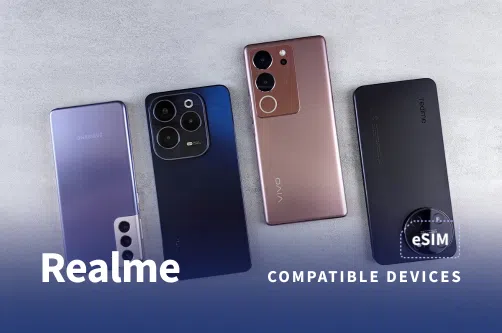
Realme does not officially confirm eSIM support for its devices, but some newer models such as the GT 7 and 14 Pro+ are reported by third-party sources to include eSIM functionality in certain regions. Because support can vary by market and device variant, users should confirm availability with their local carrier and model version. Below is the list of realme phones that are currently reported to support eSIM as of 2026.
Complete list of realme eSIM-compatible phones
Here’s the full list of realme devices that currently support eSIM technology, based on reported third party sources.
Note: A user post on the realme Global Community Forum mentions that realme phones do not support eSIM as of early 2025. However, some users in EU regions report seeing an eSIM option on certain models, and third party listings also indicate possible support. Because of these conflicting reports, availability appears to vary by region and device variant.

You can install an eSIM on your realme device either by scanning a QR code or by entering the activation details manually.
Tip: Keep the phone connected to Wi-Fi during activation.
After installation, follow these steps to activate your eSIM and start using mobile data.
These steps follow the standard Android process, which may vary slightly on realme devices depending on region, model, and firmware.
Note: If you do not see an eSIM option in your settings, your realme model or region variant may not support eSIM, even if it is reported to on other versions.
Because realme has not officially confirmed eSIM support for its devices and availability appears to depend on region and model variant, keep the following points in mind:
Back up your data before performing a reset or switching between eSIM profiles.
eSIM support on realme devices can vary by country, carrier, and specific device variant.
Some realme models may show eSIM options in certain regions (such as parts of the EU) but not in others.
Realme UI generally allows storing multiple eSIM profiles, but only one data SIM can be active at a time.
Make sure your phone is unlocked and updated to the latest software version, since eSIM functionality may depend on firmware.
Some realme devices are reported to support eSIM technology based on third-party sources (e.g., realme 14 Pro+ 5G, realme 14 5G, realme GT 7 Pro, realme GT 7T, realme GT 7). Note: realme itself does not provide a definitive, global official list.
There is no verified information to confirm that the realme 15 supports eSIM. It does not appear on third-party reported lists and there is no official confirmation from realme.
There is no verified information confirming consistent eSIM support for the realme 14 5G. While some third party lists report it as eSIM compatible, user feedback shows that support varies by region and firmware. In short: eSIM support is possible, but not guaranteed.
There is no verified information confirming that the realme 9 Pro supports eSIM. It does not appear on credible third party compatibility lists, and available reports indicate that the realme 9 Pro Plus also lacks eSIM support.
On supported realme models, you can add an eSIM by going to Settings, opening the mobile network menu, and selecting Add eSIM. If the option does not appear, your region or device variant may not support eSIM.



Our mission is simple: to make sure you never have to ask, “What’s the WiFi password?” again. All our tips come straight from personal experience — because we’d never recommend something we haven’t put to the test ourselves.
Reviews