

eSIM Cards
At MyRoami, we don’t rely on claims like “instant activation” or “ready in seconds.” We test activation ourselves. Our Fastest eSIM Activation rankings are based on real-world installation and activation tests conducted by our team.


At MyRoami, we don’t rely on claims like “instant activation” or “ready in seconds.”
We test activation ourselves.
Our Fastest eSIM Activation rankings are based on real-world installation and activation tests conducted by our team.
Every provider is tested using the exact same device setup and activation process: we go to the provider’s website, buy an eSIM, follow the installation steps and time it using a stopwatch. The eSIMs we tested are:
The top 3 fastest eSIMs activation processes, according to our tests, are:

Activation time:
4 minutes

Activation time:
6 minutes

Activation time:
7 minutes
In Cairo, Egypt, Holafly delivered the fastest activation experience overall: instant QR delivery, no extra steps, and working mobile data in 4 minutes. Airalo came in close behind at 6 minutes, while Ubigi, BNESIM and Instabridge all completed the process in around 7-8 minutes.
Here is a table showing the exact times of each provider’s activation times:
| Rank | Provider | Activation Time | |
| 1 | Holafly | | 4 minutes |
| 2 | Airalo | | 6 minutes |
| 3 | Ubigi | | 7 minutes |
| 4 | Instabridge |  | 8 minutes |
| 5 | BNESIM |  | +8 minutes |
| 6 | Saily |  | 9 minutes |
| 7 | Nomad |  | +9 minutes |
| 8 | Jetpac |  | 10 minutes |
| 9 | GoMoWorld |  | +10 minutes |
| 10 | Roamless |  | 11 minutes |
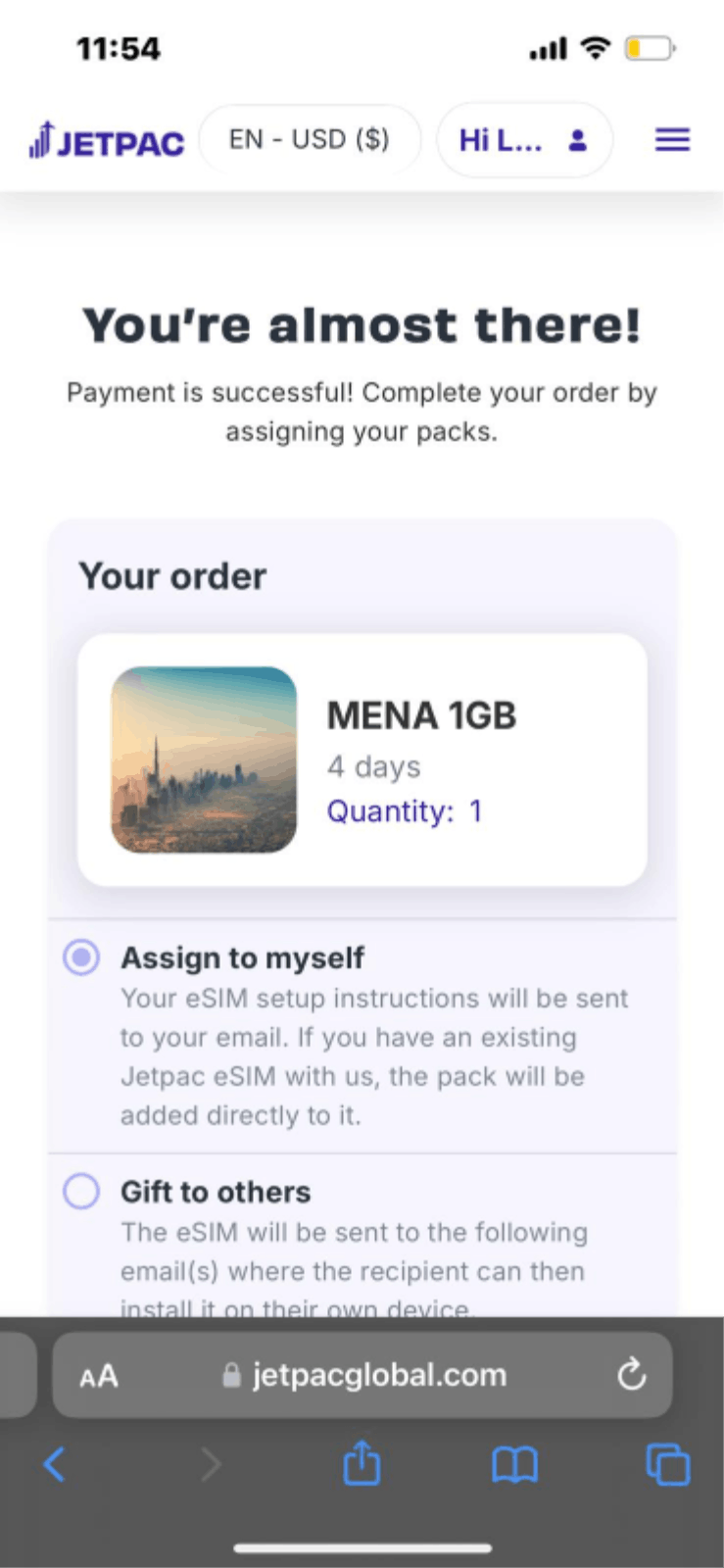
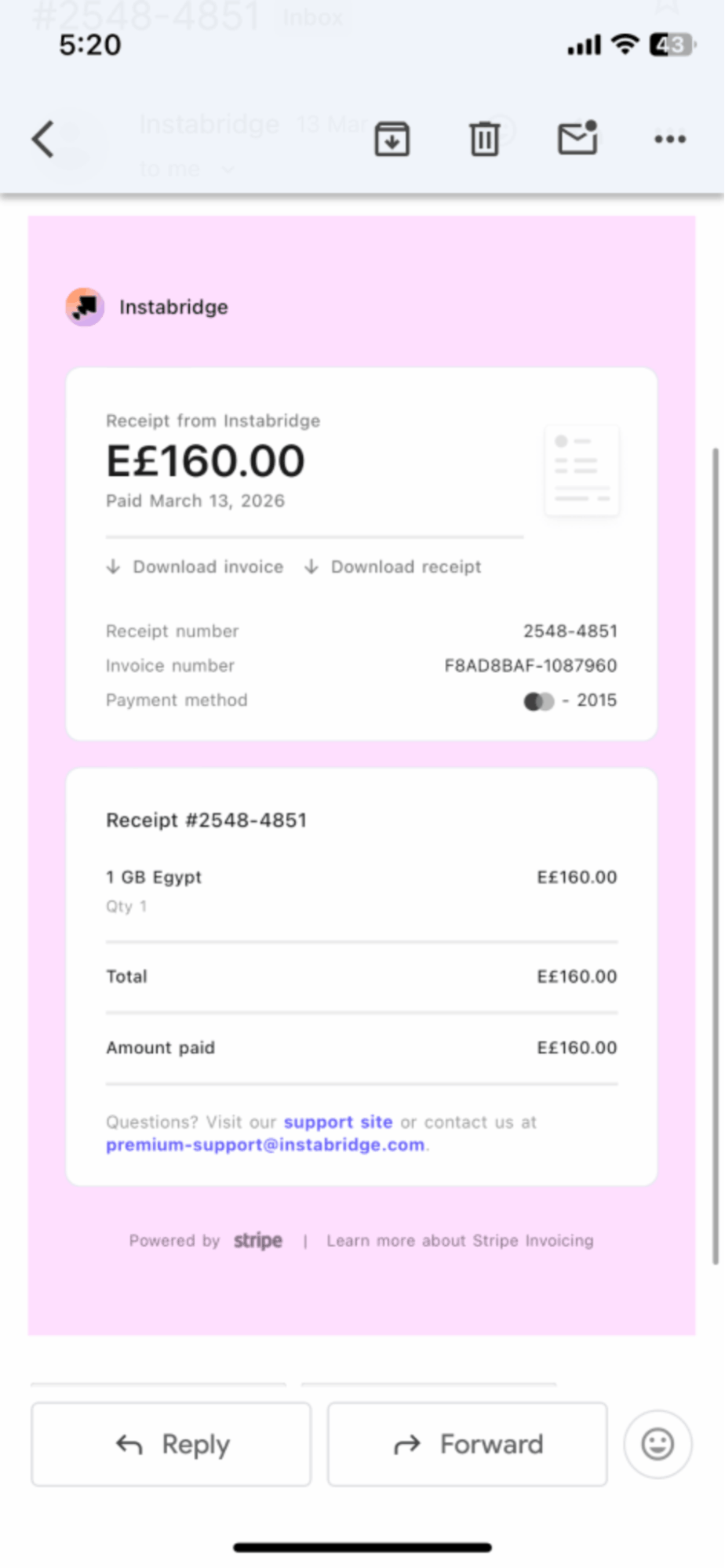
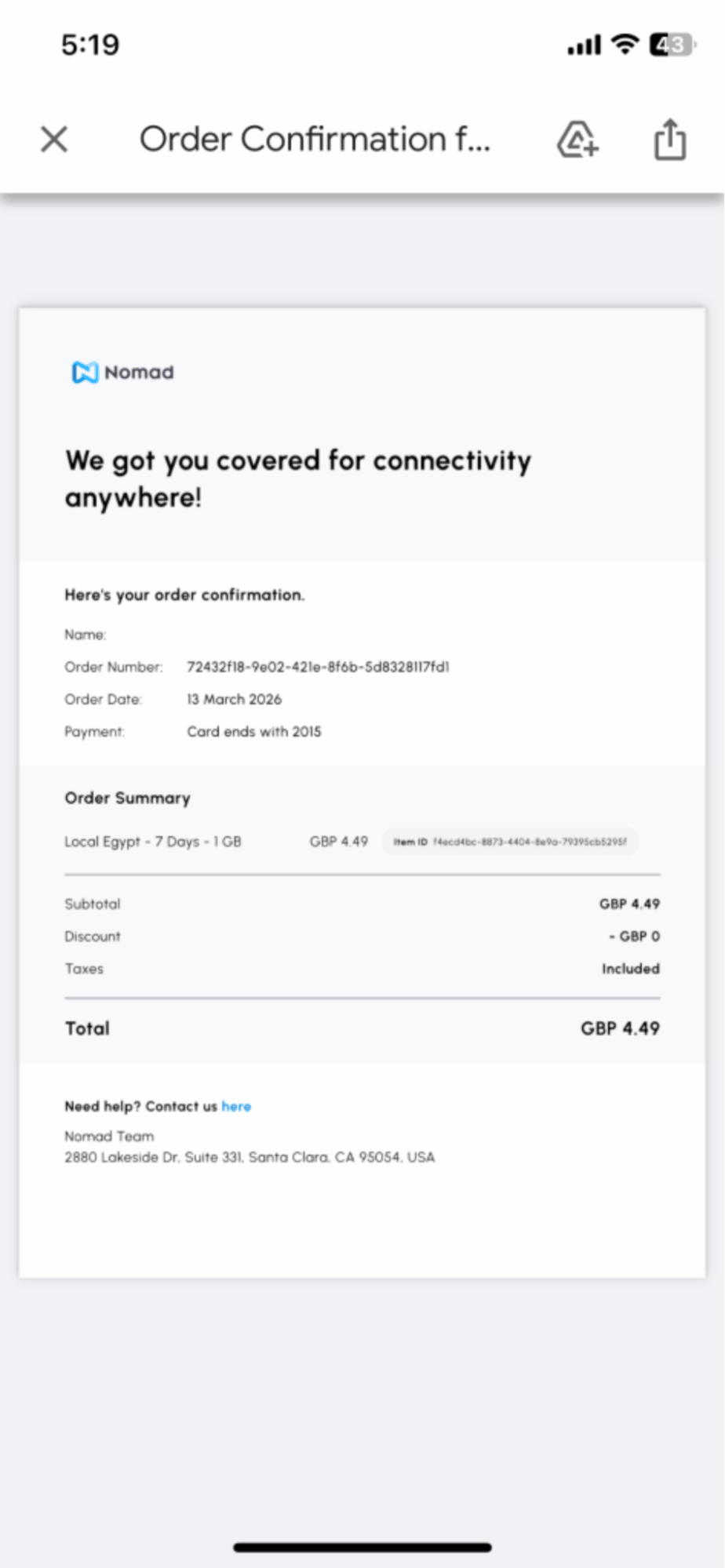
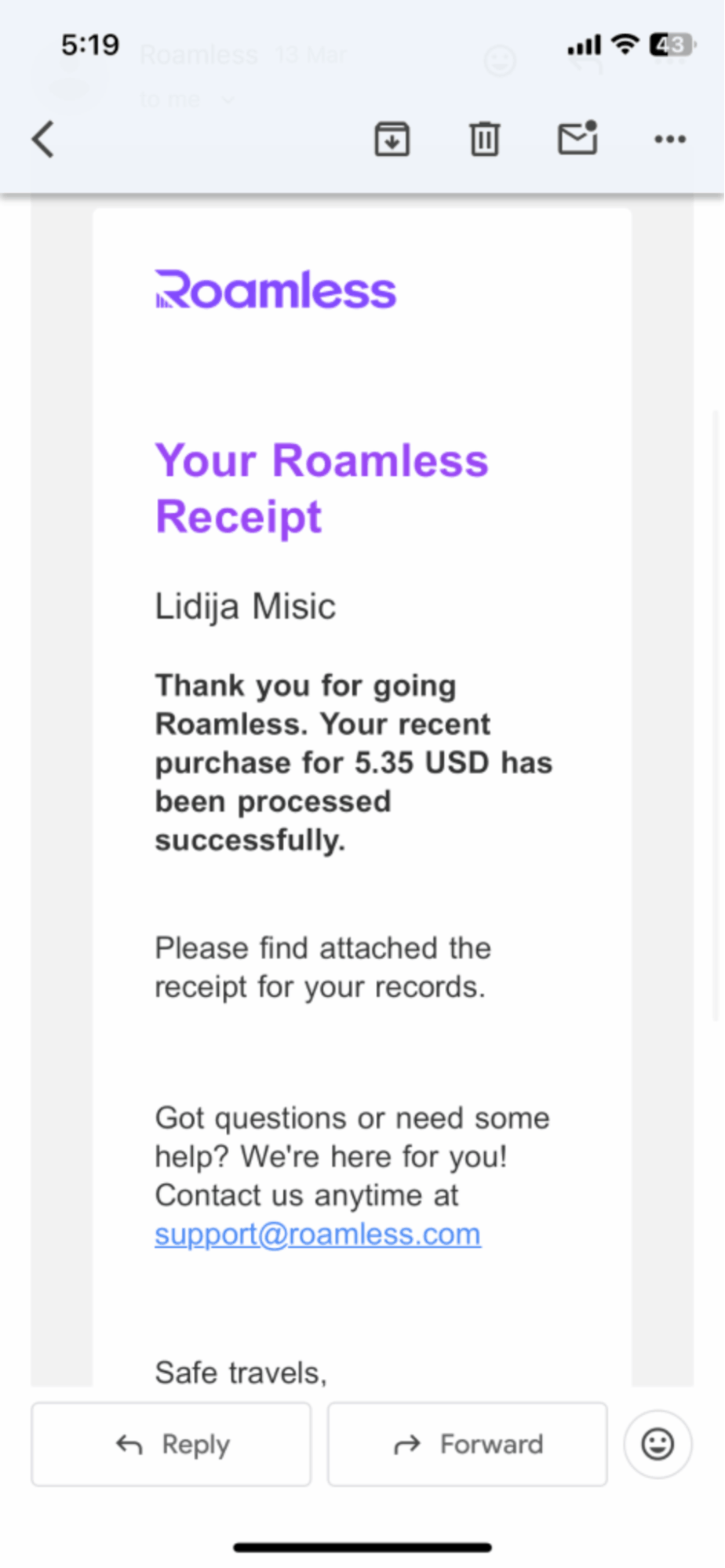
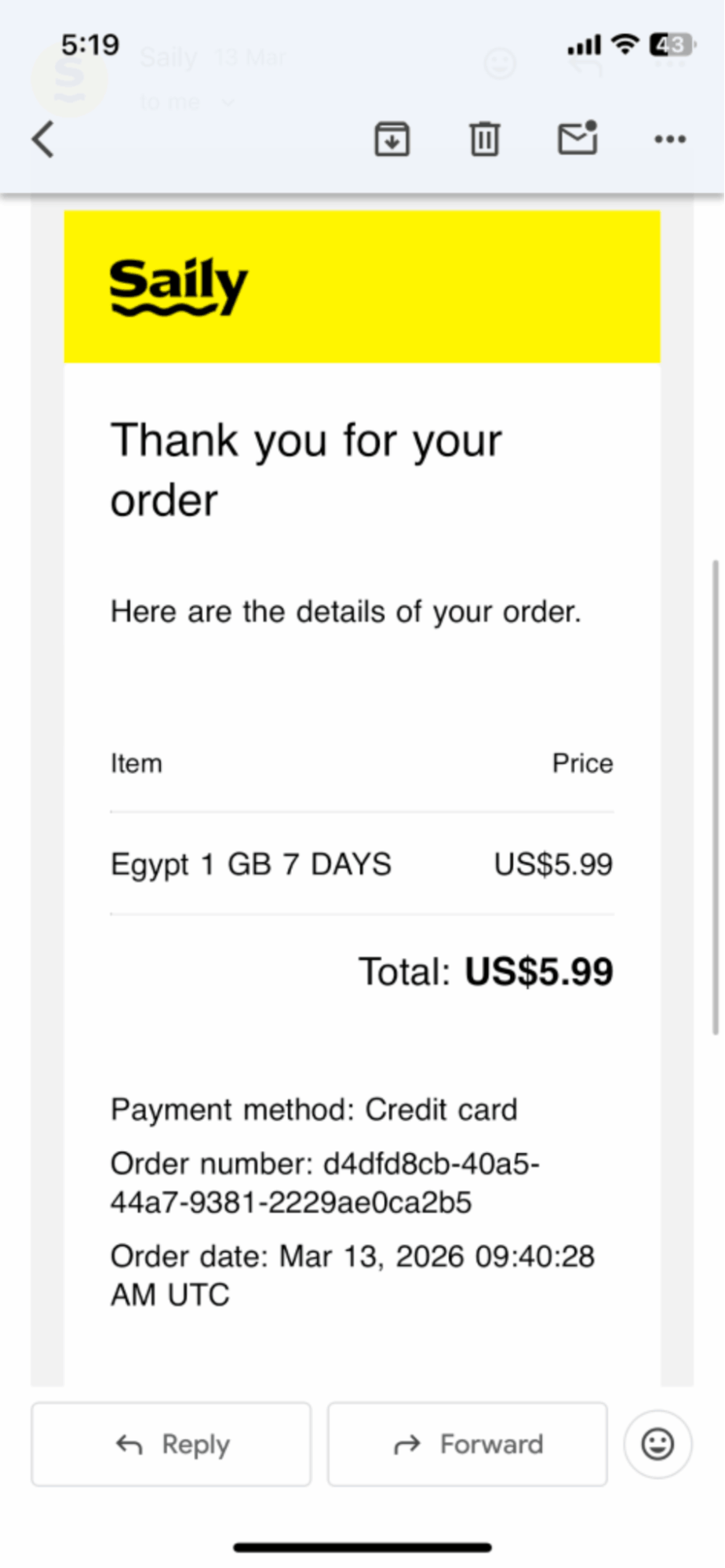
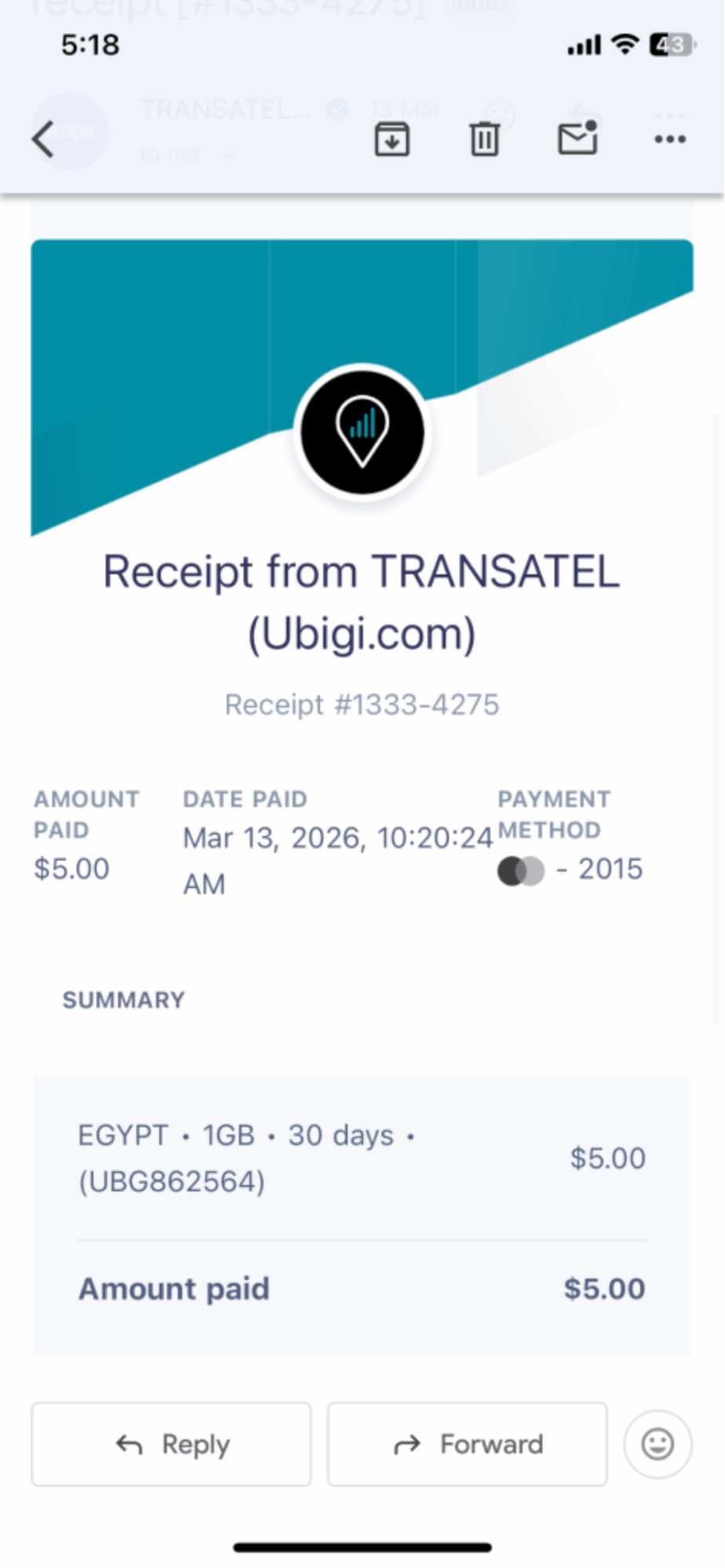
Swipe to see proof of our purchases.
Here is a provider by provider breakdown of the purchasing and installation steps
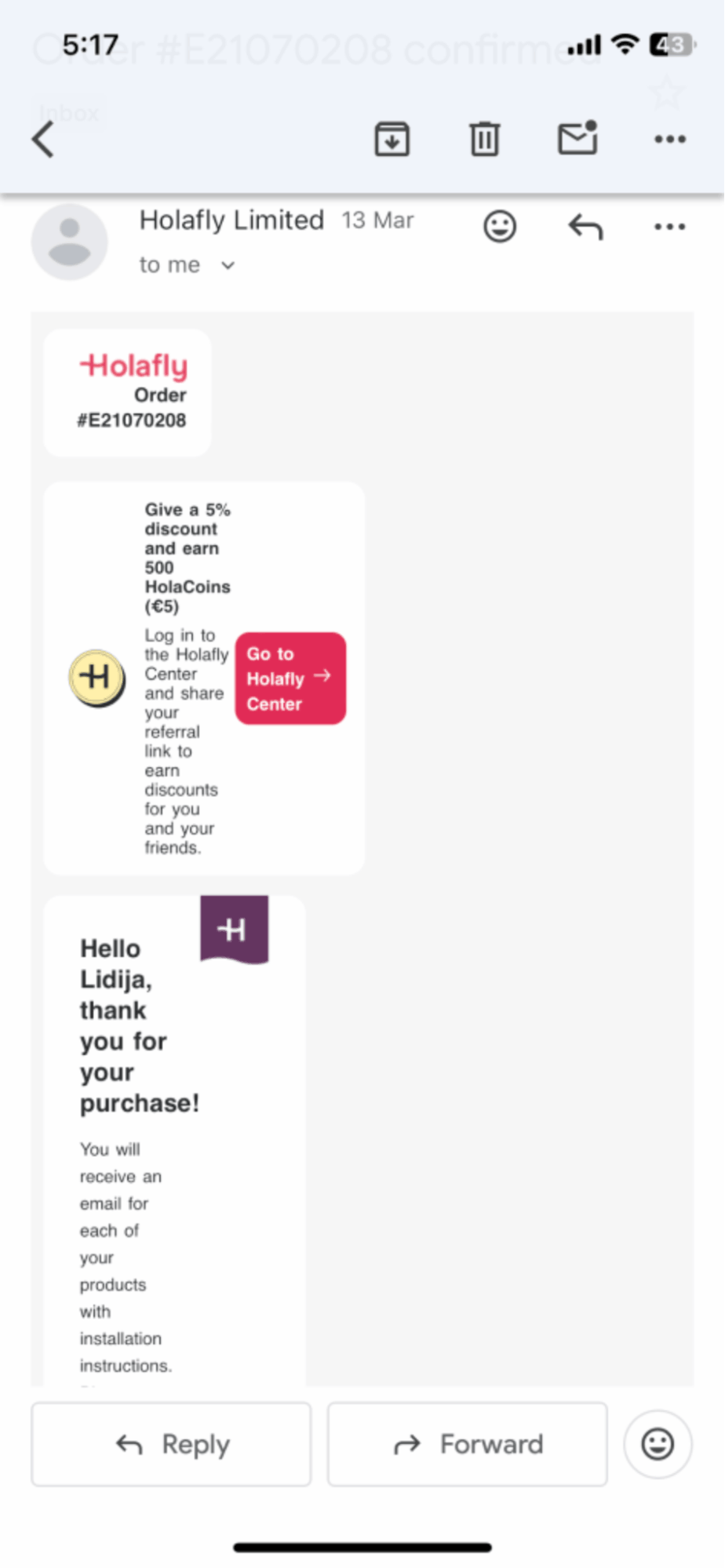
At 11:18, I visited the Holafly website and completed the purchase immediately.
At the very same minute, two emails arrived simultaneously: Email 1 was an order confirmation for Egypt’s unlimited data plan; Email 2 was the eSIM ready notification, containing the QR code, reference number, and full step-by-step installation instructions for both iOS and Android.
I decided to download the Holafly app to manage the installation, which triggered a third email at 11:20 - a security verification code to confirm my account.
Once logged in, everything I needed was laid out conveniently inside the app: the QR code, activation steps, and eSIM management all in one place. I went to Settings > Cellular > Add eSIM, scanned the QR code, and followed the iOS prompts.
As instructed, I then selected the Holafly eSIM and turned on Data Roaming - a step the email noted could take up to 4 minutes. Thanks to how streamlined the app made the process, I was able to activate the eSIM in 4 minutes from start to finish.
Verdict: Holafly ranked first in Egypt with the fastest activation, taking approximately 4 minutes from first visiting the website to fully working mobile data.
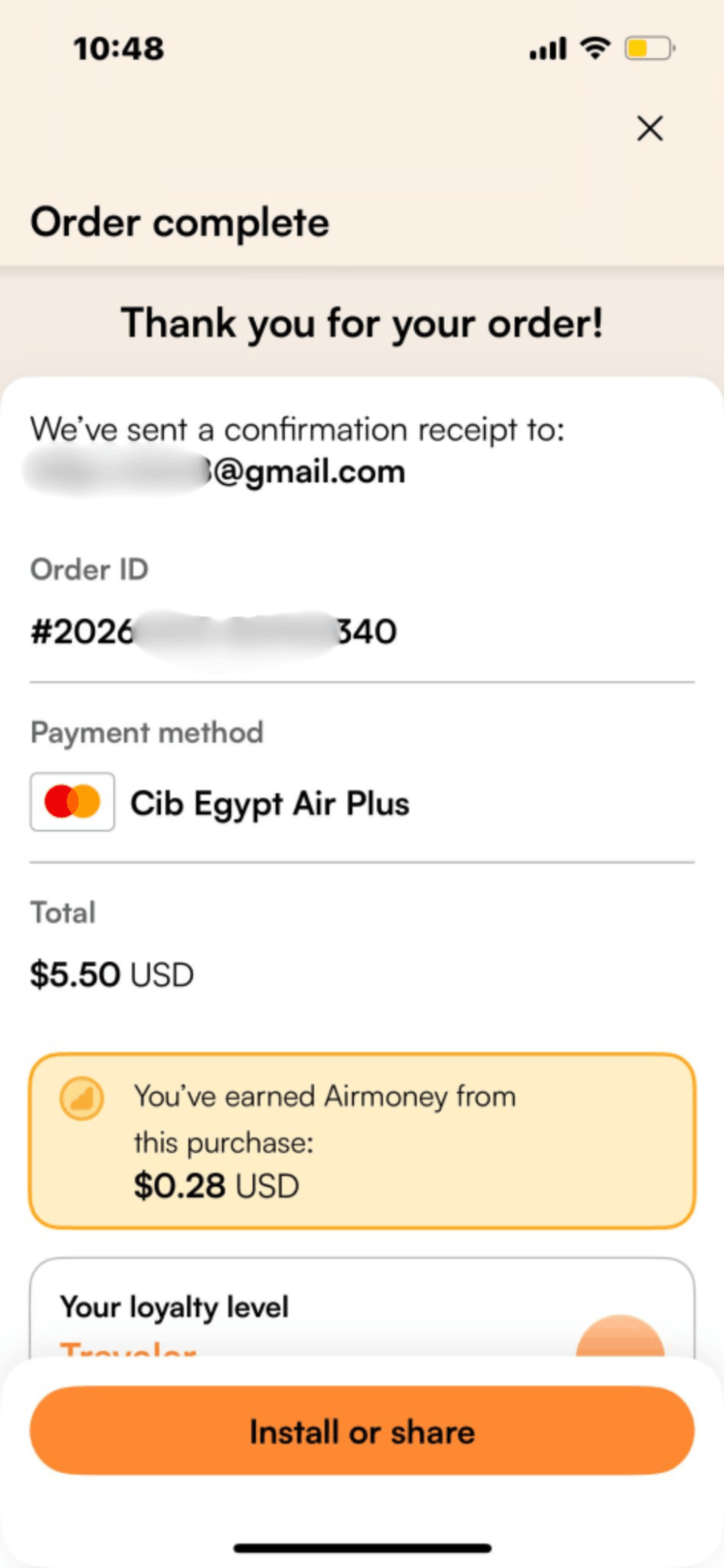
At 10:48 (the same minute payment was completed), I received an email from Airalo confirming the purchase, which also contained the QR code for activation. I went to Settings > Cellular > Add eSIM > Use QR Code, scanned the QR code, and selected Continue until the activation started. I waited for the eSIM to activate, selected Done when prompted, chose a label for the eSIM, and selected it for Cellular Data. No additional steps or APN configuration were required, the APN was set automatically. At 10:54 I switched to the Airlo aline and the network connected within 10 seconds.
Verdict: Airalo had the second-fastest activation in Egypt, making it the #2 best provider in this test. From payment to working mobile data, the process took 6 minutes in total, with the network connection itself taking just 10 seconds once the line was switched on.
At around 11:17, I visited the Ubigi website to purchase the eSIM. At 11:20, I completed the purchase and received the QR code email almost immediately after payment. The email instructed me to hold and press the QR code to install the eSIM, so I went to Settings > Cellular > Add eSIM > Use QR Code, scanned the code, and followed the standard iOS prompts. At 11:22, the "Activate eSIM - Connecting to your carrier" screen appeared. The email also prompted me to create a Ubigi account to link it with the eSIM, switch off data roaming on my primary line, and then switch on the Ubigi line for Cellular Data. By 11:24, the network was connected and mobile data was fully working. No APN configuration was required.
Verdict: Ubigi ranked third fastest in Egypt, with a 40-second network connection time and a smooth overall experience. It took approximately 7 minutes from start to working data - slightly longer than Airalo’s 6 minutes, but still a clean and reliable activation with no friction.
At around 12:33, I went to the Instabridge website to purchase the eSIM, expecting to find a direct QR code or web checkout like other providers. After spending a few minutes looking, I realized there was no direct purchase option available and that the app was required. I downloaded the Instabridge app, created an account, and completed the purchase inside the app. At 12:35, the app confirmed "Mobile data added to your account." I then went to Settings > Cellular, selected Instabridge as the active line, and enabled it for Cellular Data. A receipt email arrived at 12:37. The network (OrangeEgypt) connected at 12:38, with the "Cellular Setup Complete" confirmation appearing at 12:41. No APN configuration was required.
Verdict: Instabridge ranked fourth in Egypt, with a 30-second network connection time and approximately 8 minutes in total from start to working data. The mandatory app download added extra steps compared to providers offering instant QR delivery by email.
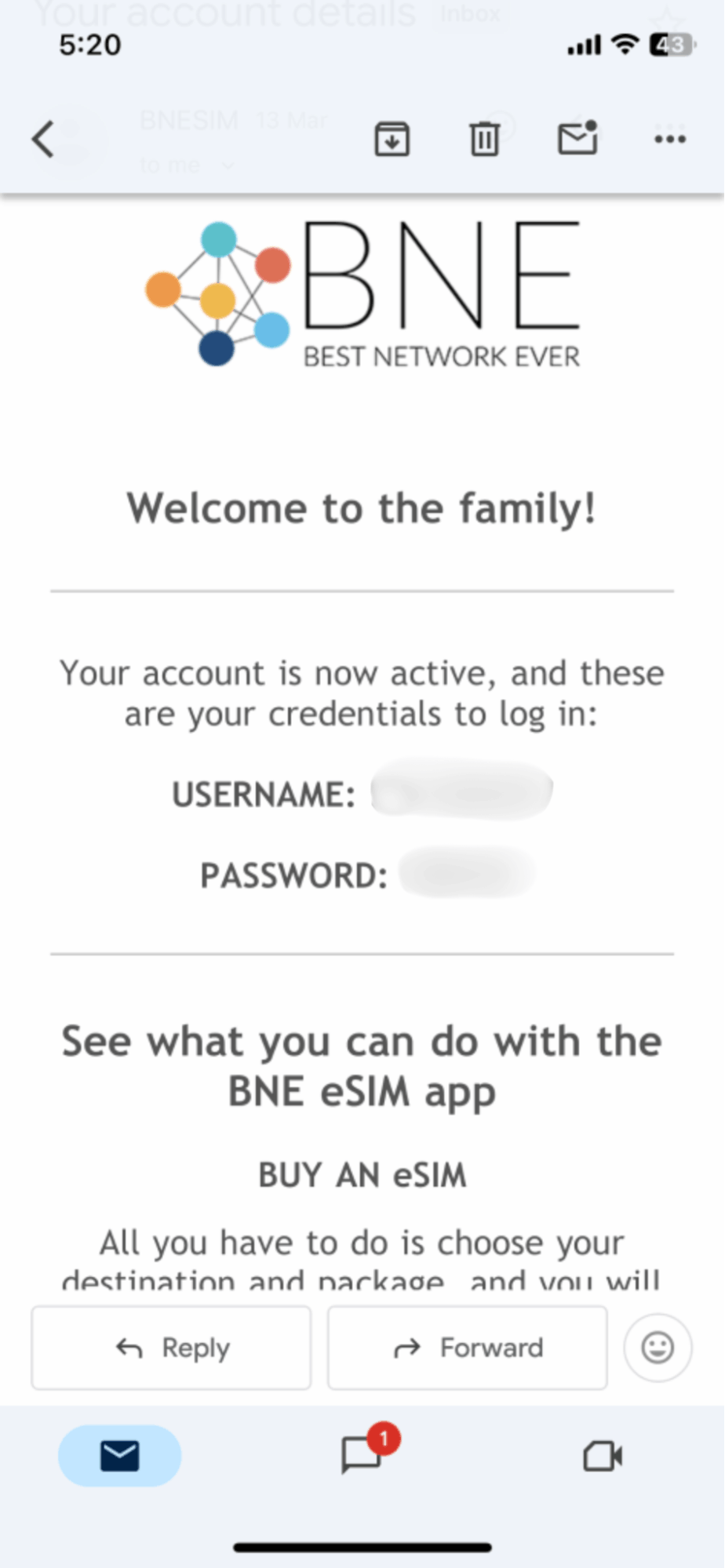
At around 12:14, I visited the BNESIM website to purchase the eSIM. At 12:16, I received the first email from BNESIM containing my account credentials (a username and password) which were required before I could proceed. Two minutes later at 12:18, a second email arrived containing the QR code, which the email noted was valid one time only. I went to Settings > Cellular > Add eSIM > Use QR Code, scanned the code, and followed the standard iOS prompts. No APN configuration was required on iOS. At 12:20, the "Cellular Setup Complete" confirmation appeared and the network connected, with mobile data fully working by 12:22.
Verdict: BNESIM ranked fifth in Egypt, with a 50-second network connection time and approximately 8 minutes 35 seconds in total from first visiting the website to working data. The two-step email delivery, with credentials arriving separately before the QR code, added a small but noticeable delay compared to providers that deliver everything in one go.
At around 11:41, I visited the Saily website and completed the purchase. At 11:41, I received a confirmation email - however, the QR code in the email was not for the eSIM itself, but to download the Saily app. The actual eSIM installation QR code was only accessible inside the app. After downloading the app and locating the QR code, I went to Settings > Cellular > Add eSIM > Use QR Code, scanned the code, and followed the standard iOS prompts. At 11:48, the "Cellular Setup Complete" confirmation appeared, and by 11:50 the network (OrangeEgypt) was connected with mobile data fully working.
Verdict: Saily ranked sixth in Egypt, with a 1-minute activation time and approximately 9 minutes in total. The mandatory app download after web purchase added an extra step that slightly slowed the overall experience.
At around 11:24, I visited the Nomad website and completed the purchase. At 11:28, the first email arrived, a welcome email with no QR code. One minute later at 11:29, the second email arrived containing the actual installation instructions, including a direct installation link for iOS, a QR code, and manual installation details. I went to Settings > Cellular > Add eSIM > Use QR Code, scanned the code, and followed the standard iOS prompts. The email also instructed me to ensure Data Roaming was toggled on and to select Nomad for Cellular Data. At 11:30, the "Activate eSIM - Connecting to your carrier" screen appeared, and by 11:33 the network (Vodafone) was connected with mobile data fully working.
Verdict: Nomad ranked seventh in Egypt, with a 1 minute 20 second network connection time and approximately 9 minutes 49 seconds in total. The process was clean and well documented, with no friction beyond the two-step email delivery.
At around 11:48, I visited the Jetpac website and completed the purchase. Unlike other providers, Jetpac required an additional step after payment: manually assigning the data pack to myself before the eSIM instructions were sent. At 11:54, three emails arrived in quick succession: a purchase confirmation, the eSIM email containing the QR code with installation instructions, and a pack assignment confirmation. I went to Settings > Cellular > Add eSIM > Use QR Code, scanned the code, and followed the standard iOS prompts, then enabled Data Roaming as instructed. At 11:57, the "Cellular Setup Complete" confirmation appeared and the network connected at 11:58. Notably, Jetpac connected on 3G rather than LTE, the only provider in this test to do so.
Verdict: Jetpac ranked eighth in Egypt, with a 1 minute 30 second network connection time and approximately 10 minutes in total. The mandatory pack assignment step added unnecessary friction, and the 3G-only connection was a clear disadvantage compared to every other provider tested.
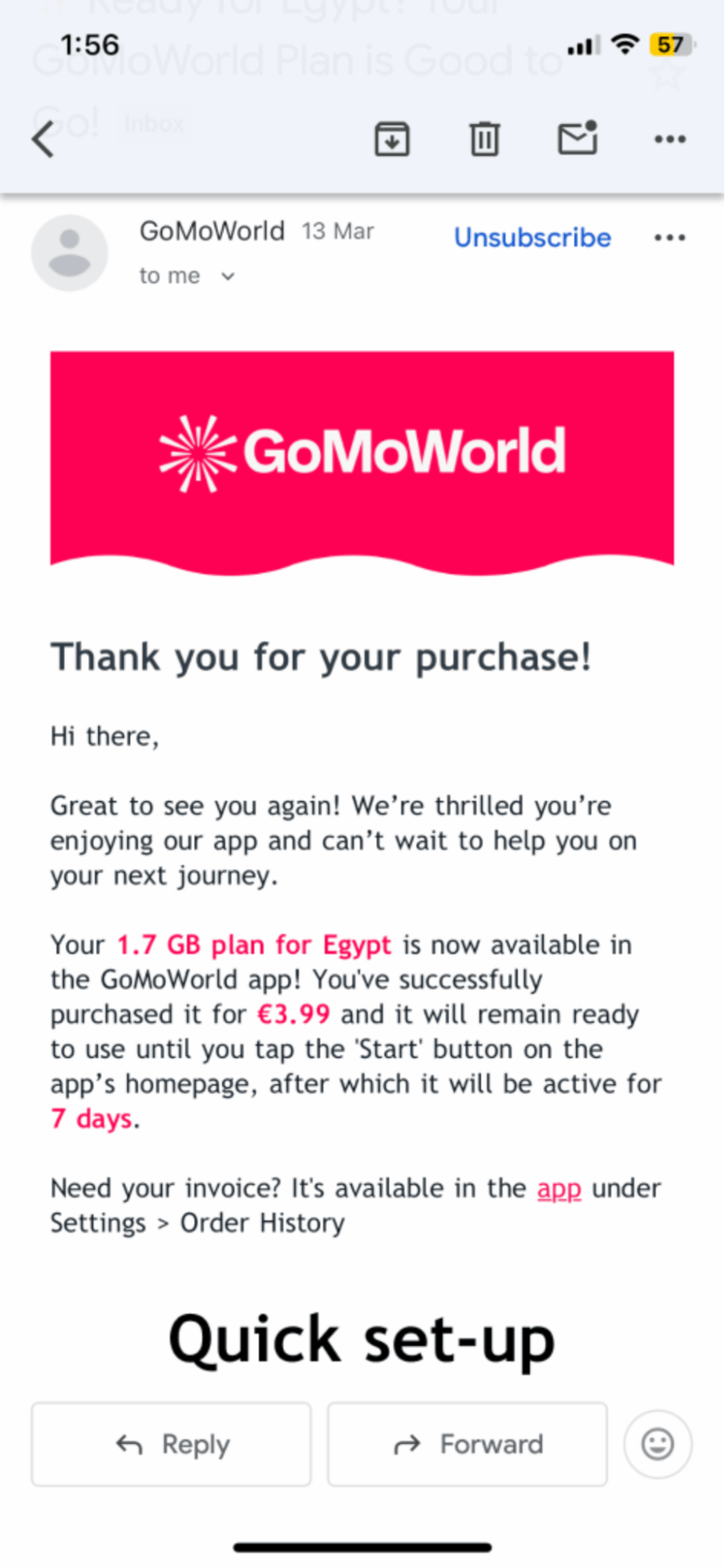
I purchased the GoMoWorld eSIM directly through the GoMoWorld app at 15:01. Unlike most providers, GoMoWorld requires an additional step after purchase, tapping the "Start" button inside the app before the plan activates. At 15:06, the confirmation email arrived confirming the 1.7 GB Egypt plan was available in the app and would only begin its 7-day validity once "Start" was tapped. I enabled Data Roaming for the GoMoWorld eSIM in Settings > Cellular, then tapped Start in the app. At 15:09, the "Activating eSIM" screen appeared, and by 15:11 the network (Vodafone) was connected with mobile data fully working.
Verdict: GoMoWorld ranked ninth in Egypt, with a 1 minute 50 second network connection time and approximately 10 minutes 10 seconds in total. The mandatory “Start” button added an extra activation step that most providers don’t require.
At around 12:03, I purchased Roamless credits through the Roamless app, which operates on a pay-as-you-go model rather than a fixed country plan. At 12:09, a receipt email confirmed the credit purchase. At 12:11, a second email arrived with several manual configuration steps - I needed to turn on Data Roaming for the Roamless eSIM, turn off Data Roaming for my regular SIM, and manually select Roamless for Cellular Data in Settings > Cellular > Cellular Data. At 12:12, the "Cellular Setup Complete" confirmation appeared and the network connected by 12:14.
Verdict: Roamless ranked last in Egypt, with an activation time of 2 minutes 14 seconds and approximately 11 minutes in total. The multi-step manual configuration required after installation made it the most friction-heavy setup in this test.
No. While activation speed is important, especially if you need data quickly before a flight or right after landing, it is only one part of the overall experience.
A fast activation means little if the eSIM struggles once you start using it. What matters more is how the eSIM performs in real-world situations like navigation, messaging, hotspot use, and video streaming.
When choosing an eSIM, you should also consider:
In short, activation speed gets you connected, but performance, reliability, and ease of use determine whether the eSIM is actually worth using during your trip.
You can refer to our Fastest eSIM in 2026 or best eSIM customer support tests to see how these providers fared in different tests and determine which one is right for you.
All of the above eSIMs were tested in Cairo, Egypt, from Friday March 13, to Sunday, March 15 on an iPhone 13.
Our fastest eSIM activation test was run be the below tester:

The best global eSIM provider
From $2.3/week
A reliable eSIM provider for budget travelers
From $2.4/week
The best global eSIM provider
From $2.3/week
A reliable eSIM provider for budget travelers
From $2.4/week
Our mission is simple: to make sure you never have to ask, “What’s the WiFi password?” again. All our tips come straight from personal experience — because we’d never recommend something we haven’t put to the test ourselves.
Reviews