
Learn everything you need to know about eSIM for Zambia: international carriers, rates, plans, mobil...


eSIM Cards
If you are wondering how many eSIMs you can have on your iPhone, the answer depends on your model and sometimes even the region where the phone was sold. In this guide, I explain how many eSIMs iPhones can store, how many can be active at the same time, and which models support dual active eSIM.

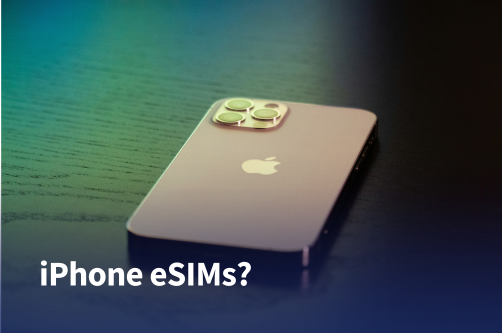
eSIM has quickly become a standard feature on modern iPhones, letting you activate mobile plans digitally without using a physical SIM card.
Apple accelerated this shift with the iPhone 14 in the United States, which removed the physical SIM slot entirely. Because of this change, understanding how eSIM works on iPhones is more important than ever.
The key thing to know is that there is a difference between stored eSIM profiles and active eSIMs.
Your iPhone can store multiple eSIM profiles that you can switch between, but only a limited number can be active and connected to a network at the same time.
If you are wondering how many eSIMs you can have on your iPhone in 2026, let me walk you through how this works across different iPhone generations.
Early eSIM iPhones allow you to store multiple eSIM profiles, but they can only run one eSIM at a time. However, that does not mean these phones support only one active line overall.
In most regions, these iPhones support dual SIM with one physical SIM and one eSIM active simultaneously.
These models include:
With these devices, you can typically use:
This means you still get two active phone lines. The main limitation is that you cannot run two eSIMs at the same time.
It is also worth knowing that hardware varies by region. For example:
So, depending on where your phone was purchased, the SIM configuration might be slightly different.
See also: How to install and activate eSIM on iPhone and Android (2026)
Apple expanded eSIM functionality starting with the iPhone 13 lineup, which introduced the ability to run two eSIMs simultaneously.
This made it possible to use dual SIM entirely through eSIM without relying on a physical SIM card.
These iPhones support two active eSIMs:
On these models, you can usually run:
Starting with the iPhone 14 sold in the United States, Apple removed the SIM tray entirely. These devices rely completely on eSIM.
In other regions, many iPhone models still include a physical SIM slot alongside eSIM support. Because Apple often releases region-specific hardware, the exact SIM configuration can vary depending on where the device was purchased.
For newer generations like the iPhone 16 and iPhone 17, current information indicates they continue supporting dual active eSIM, although regional variations may still exist.
See also: How to use eSIM on iPhone: Ultimate guide
The table below summarizes how eSIM works across major iPhone generations.
It shows how many eSIMs can be active at once, how many profiles can usually be stored, and whether the device includes a physical SIM slot.
| iPhone Model | Max Active eSIMs | Max Stored Profiles | Physical SIM | eSIM only? |
| iPhone XR | 1 | 8+ | Yes (most regions) | No |
| iPhone XS / XS Max | 1 | 8+ | Yes (most regions) | No |
| iPhone 11 series | 1 | 8+ | Yes (most regions) | No |
| iPhone SE (2nd gen) | 1 | 8+ | Yes (most regions) | No |
| iPhone 12 series | 1 | 8+ | Yes (most regions) | No |
| iPhone 13 series | 2 | 8+ | Yes (most regions) | No |
| iPhone SE (3rd gen) | 2 | 8+ | Yes (most regions) | No |
| iPhone 14 series | 2 | 8+ | Yes (outside the U.S.) | Yes (U.S.) |
| iPhone 15 series | 2 | 8+ | Yes (outside the U.S.) | Yes (U.S.) |
| iPhone 16 series* | 2 | 8+ | Likely yes outside the U.S. | Likely yes in the U.S. |
| iPhone 17 series* | 2 | 8+ | Likely yes outside the U.S. | Likely yes in the U.S. |
*Details for the newest generations can vary slightly by region and carrier, but current information indicates continued support for dual active eSIM.
It is important to understand that stored eSIM profiles are not the same as active eSIMs.
Your iPhone can keep several plans saved on the device, but only one or two can actually connect to a cellular network at the same time, depending on the model.
Most modern iPhones can store 8 or more eSIM profiles. Apple does not publish a strict limit, but most devices allow several profiles that you can switch between when needed.
Yes, but this depends on the model. iPhone 13 and newer support two active eSIMs, while older models allow only one active eSIM at a time.
Yes. Models like the iPhone XR, XS, 11, and 12 support dual SIM using one physical SIM and one eSIM in most regions.
Some iPhone models sold in China, Hong Kong, and Macau use dual physical nano-SIM slots instead of eSIM. Apple often adjusts SIM configurations depending on regional carrier requirements.
Usually not. If you reach the storage limit, you can simply remove an unused eSIM profile in the Cellular settings and add a new one.
In the United States, iPhone 14 and newer models are eSIM-only. In many other regions, Apple still includes a physical SIM slot alongside eSIM support.
Go to Settings → Cellular on your iPhone. There, you can see your active lines and stored eSIM profiles. The number of active eSIMs your phone supports depends on the iPhone model.

The best global eSIM provider
From $2.3/week
A reliable eSIM provider for budget travelers
From $2.4/week
The best global eSIM provider
From $2.3/week
A reliable eSIM provider for budget travelers
From $2.4/week


Our mission is simple: to make sure you never have to ask, “What’s the WiFi password?” again. All our tips come straight from personal experience — because we’d never recommend something we haven’t put to the test ourselves.
Reviews