

Reviews
Saily is a travel eSIM from the team behind NordVPN that offers data plans in more than 200 destinations. In this review, I tested Saily in the Philippines to evaluate its setup process, pricing, and real-world performance during everyday travel use.

If you’re exploring travel eSIMs, chances are you’ve come across Saily. Created by the team behind NordVPN, Saily offers single-destination, regional, and monthly global data plans across more than 200 destinations.
In this Saily eSIM review, I put a Saily eSIM to the test for a short trip to the Philippines and cover the buying and activation process, overall performance, ease of use, coverage, internet speeds, as well as its plans and pricing.
The verdict: I found Saily to be a dependable travel eSIM for short to mid-length trips, especially for city travel. It worked well once set up, and the built-in security features added extra peace of mind. However, activation did take a bit of effort.
⭐ Rating: 4/5
Saily offers both fixed and unlimited data plans with durations usually from 7 to 30 days. Below are Saily’s eSIM plans for the Philippines. For this test, I chose the 1 GB plan for 7 days.
| Data option | Validity | Pricing |
| 1 GB | 7 days | $3.99 |
| 3 GB | 30 days | $7.99 |
| 5 GB | 30 days | $11.99 |
| 10 GB | 30 days | $18.99 |
| 20 GB | 30 days | $29.99 |
| Unlimited | 5 days | $18.99 |
| Unlimited | 10 days | $34.99 |
| Unlimited | 15 days | $48.99 |
| Unlimited | 20 days | $59.99 |
| Unlimited | 25 days | $65.99 |
| Unlimited | 30 days | $71.99 |
With unlimited data plans, you get 5 GB of high-speed data per day, followed by unlimited data at speeds of up to 1 Mbps. All plans also include built-in security features like a VPN, an ad blocker, and web protection.
Saily also notifies you when you’ve used 80% of your data, so you can top up if needed or manage your usage more carefully.
Pricing verdict: Saily offers both fixed and unlimited data plans with durations from 5 to 30 days. You can top up if you need more data, but travelers staying longer than 30 days may find the plan length limiting.
Rating: ⭐ 4/5
Like most international travel eSIM providers, you need to go to Saily’s website and choose a plan that works for you. If you’re going to a single country, go for their single-destination eSIM plans.
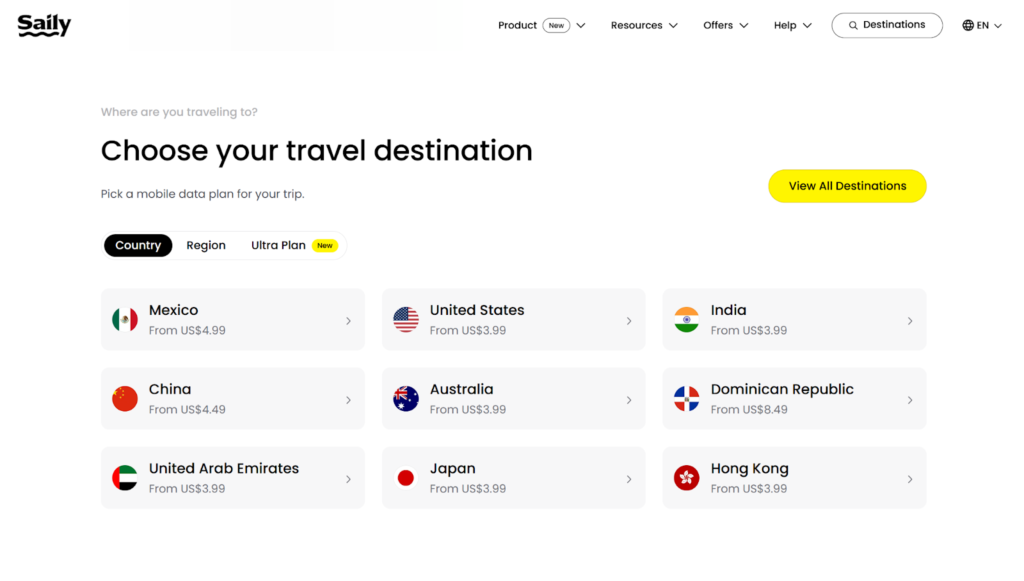
If you’re visiting multiple destinations, check out Saily’s regional, global, and pay-monthly eSIM plans. After selecting the plan type, decide how much data you need. Choose either a fixed data amount for the whole duration or unlimited data per day.
Before activating my eSIM, I first purchased a plan for a short trip to the Philippines. Saily offers both fixed and unlimited data plans for the country, all of which are data-only. For this test, I chose the 1 GB plan valid for seven days.
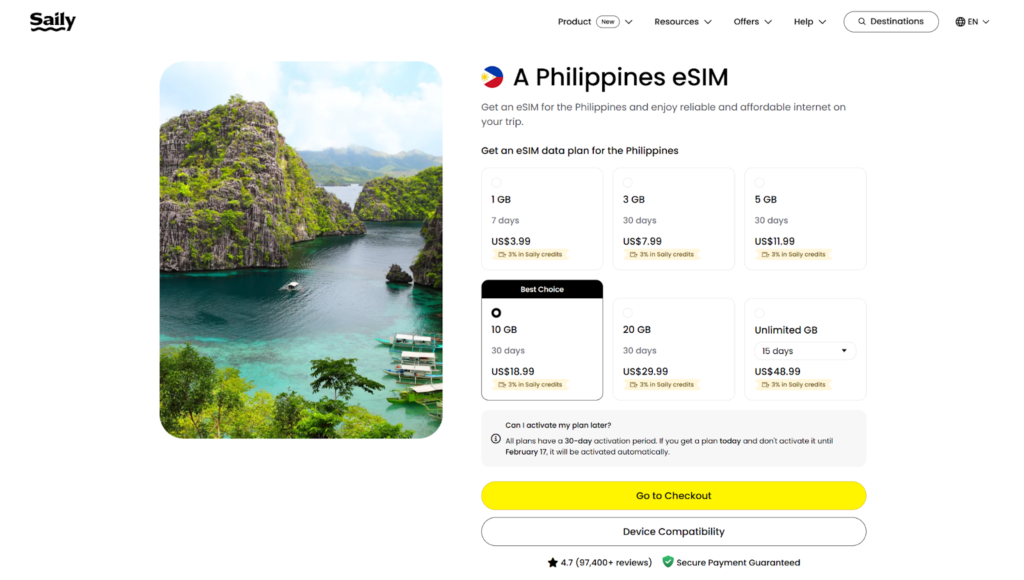
Saily Philippines eSIM plans. Source: Saily
You can pay using a credit or debit card, Google Pay, or PayPal. To continue with the payment, I had to sign in using my Google or Apple account. While the payment was processing, NordVPN appeared during the security check.
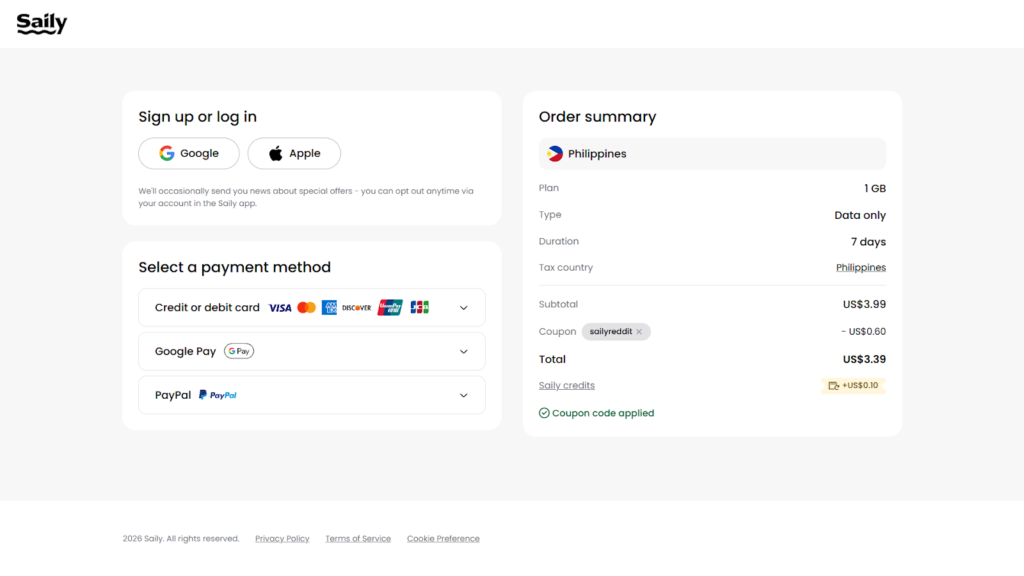
Saily payment method and order summary. Source: Saily
After paying, I was prompted to download the app from the App Store or Google Play Store to continue installing the eSIM on my device. Unlike other major eSIM providers, Saily requires its users to download its app to install the Saily eSIM profile.
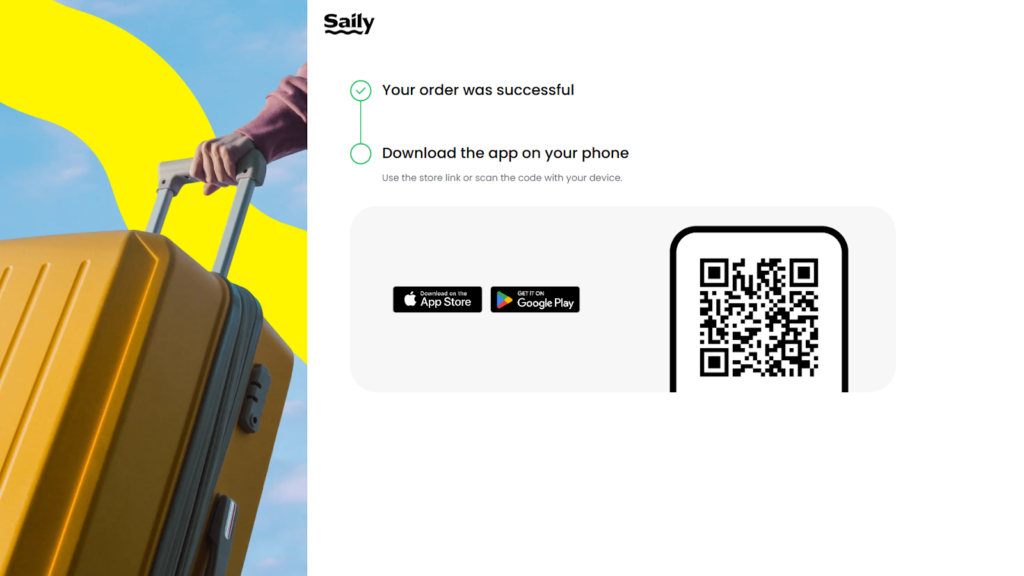
Once I downloaded the app and signed in, I saw a red dot next to “Install eSIM.” After tapping “Install eSIM,” I had the option to install the eSIM or share it with someone else.
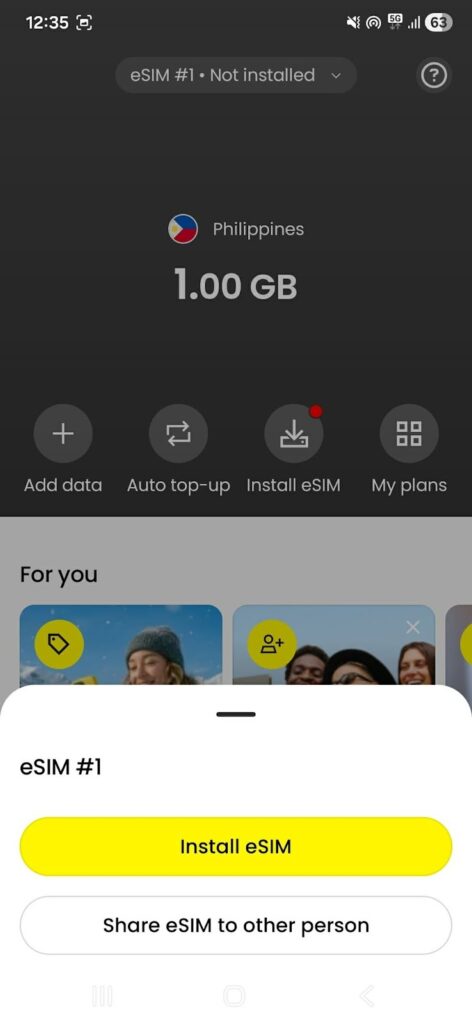
For this test, I installed the eSIM, and the process took about two minutes. At the end, I saw a reminder that the plan would activate when I arrived in the Philippines and that data roaming needed to be turned on.

When I arrived in the Philippines, I expected my eSIM to activate automatically. After checking in at the hotel, I went out for a walk, but my Saily eSIM wasn’t working. That’s when I realized it needed an internet connection to activate first. Since I didn’t have data yet, I went to the nearest coffee shop and connected to their WiFi.

But even after connecting to WiFi, the eSIM still showed as “Inactive” in the app, so I did some eSIM troubleshooting.
I went into my phone’s SIM Manager, labeled the eSIM as “Saily” to avoid confusion, set the APN to Saily APN V4, and restarted my phone. After that, the plan finally became active.
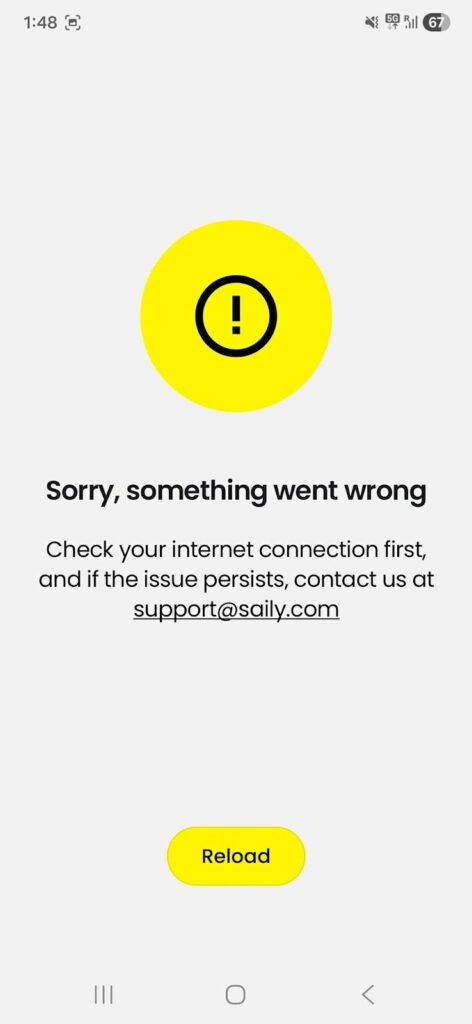
To summarize, here are the exact steps I followed to activate my Saily eSIM:
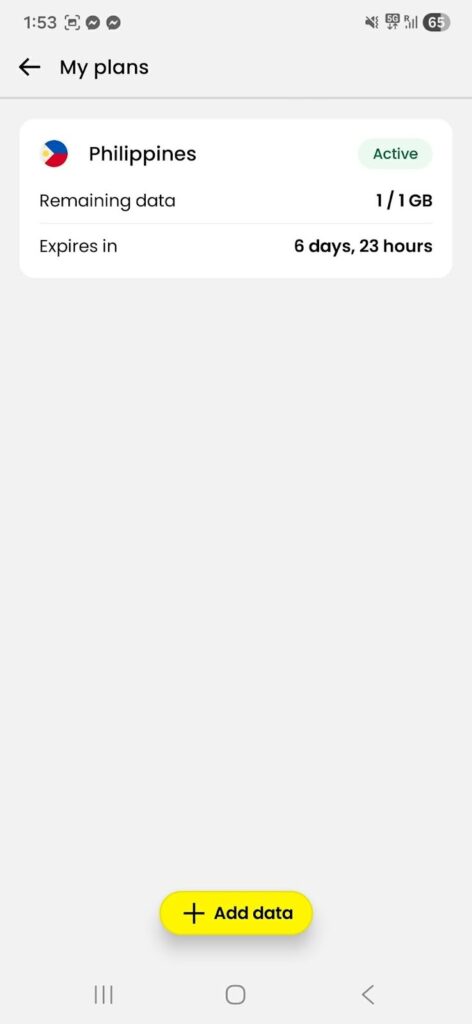
Activation verdict: Saily requires its app for installation, which adds an extra step compared to QR-code-only providers. Activation also needed manual fixes, such as adjusting APN settings, before the eSIM worked properly.
Rating: ⭐ 3/5
I used the Saily eSIM in Taguig, Philippines, mainly around Bonifacio Global City, while moving around the city throughout the day. I relied on it for navigation, messaging, light streaming, and general browsing, with testing spread across walking, commuting, and indoor use.
During the trip, Saily handled everyday tasks consistently. Maps updated in real time, messages sent without delays, and short videos played smoothly. Performance varied during speed tests, but this did not affect normal day-to-day use in the city.
I ran speed tests using Speedtest by Ookla and saw inconsistent results. The app automatically selected a server in Singapore, even though I was in the Philippines, and the connection showed 5G throughout the tests.
Using this server, download speeds ranged from 8 to 40 Mbps, upload speeds from 2.10 to 3.61 Mbps, and ping ranged from 215 to 270 ms.
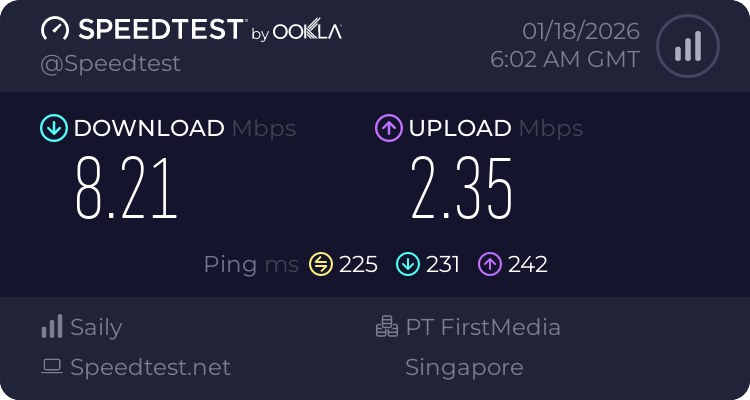
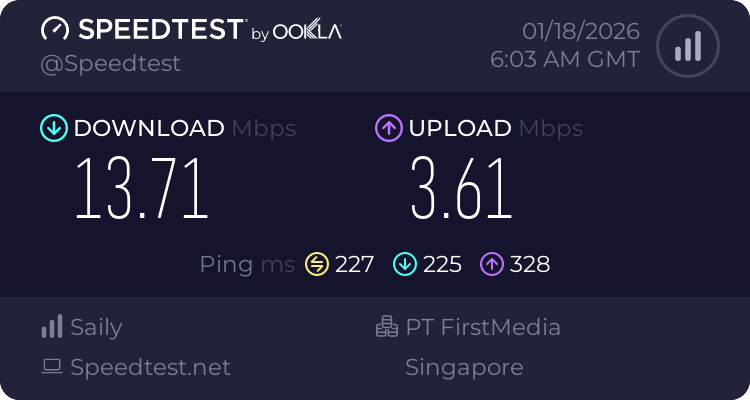
When I manually switched to a local server in Manila, download and upload speeds were lower, and ping was higher than on the Singapore server, which suggests that performance can depend on network routing rather than server distance alone.
Speed test verdict: Saily’s speeds varied widely, with results ranging from very slow to fast enough for daily use, even when testing from the same city and location.
Rating: ⭐ 3/5
For navigation, I used Saily’s data for Google Maps, and it gave me turn-by-turn directions while walking and driving. Route updates happened in real time, including quick reroutes when I missed a turn or changed direction.
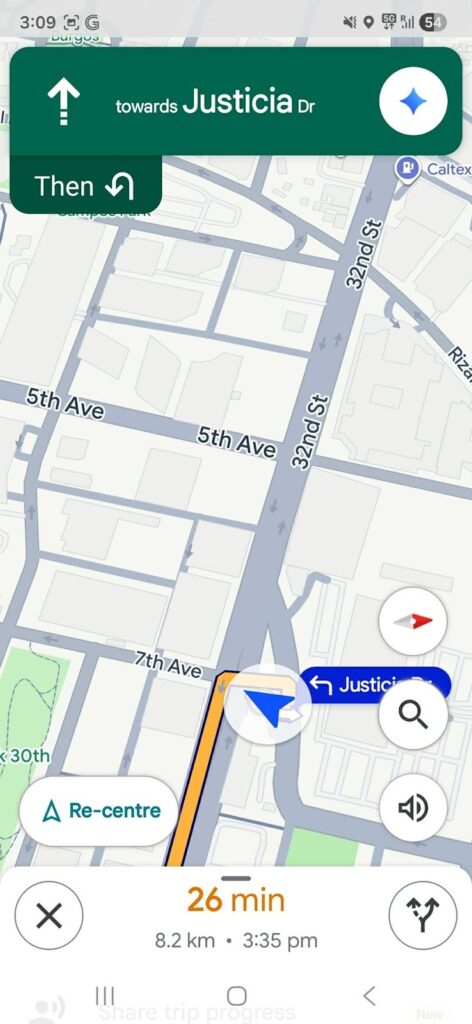
The traffic info in Google Maps stayed accurate, and navigation worked smoothly with the Saily eSIM throughout the test, with no issues.
Saily navigation verdict: Google Maps worked smoothly with real-time updates, accurate traffic information, and no delays while walking or driving.
Rating: ⭐ 5/5

To perform this messaging check, I compared the speeds in two apps: WhatsApp and Messenger. Below is a quick comparison of how Saily did for both.
| Feature | Messenger | |
| Text message | Sent instantly | Sent instantly |
| Single photo | 1–2 seconds | 2 seconds |
| Single photo (HD) | 2–7 seconds | 10–17 seconds |
| 30-second voice message | 2 seconds | 5 seconds |
Messages went through without retries on both apps. WhatsApp was usually faster than Messenger, especially for HD photos and voice messages, but Saily handled messaging reliably on both. This is perfect if you mainly rely on chat apps to communicate while traveling.
Saily messaging verdict: Messages sent instantly, media uploads went through without retries, and both WhatsApp and Messenger worked without issue.
Rating: ⭐ 5/5

To test light streaming, I used Saily’s data for YouTube to watch a few short videos, and checked how fast they started and whether the video quality remained stable.
One video (3:46 long) started at 360p, switched to 720p after about five seconds, and stayed at 720p until the end. I played another video (3:31 long) at 720p from the start, then manually switched to 1080p midway through to see if it could handle higher quality, and it stayed stable until the end.
Saily light streaming verdict: Videos loaded quickly, playback stayed smooth at 720p and 1080p, and there was no buffering or interruptions.
Rating: ⭐ 5/5
Overall, Saily handled light video streaming well. Based on these results, it should also work fine for short-form video apps like TikTok or Instagram.
Now that you’ve seen all the info above, what does it actually mean for you? With a Saily eSIM:
There are a few limitations to keep in mind. Speed test results were inconsistent, and the support bot did not always provide clear answers. However, these issues did not affect everyday travel use.
Performance verdict: Based on my test, Saily proved reliable for daily travel needs in a major city. While speeds were not always consistent on paper, real-world performance for navigation, messaging, and light streaming remained stable throughout the trip.
To give you a better idea of how Saily fares with its competitors beyond this Saily eSIM review, check out our articles on Saily vs Holafly and Saily vs Airalo.

I tested Saily’s hotspot feature by sharing data from my phone to a laptop and had no restrictions on hotspot or tethering with the plan I used. Hotspot was enabled through the phone’s standard personal hotspot settings and connected without extra configuration.
I used the hotspot for short work sessions, including email, WhatsApp Web, Google Docs, and Google Sheets, along with light browsing. The laptop stayed connected throughout testing, with no sudden dropouts or noticeable throttling. Pages loaded normally, typing felt responsive, and there was no lag during basic tasks.
Saily hotspot verdict: Saily supported hotspot sharing without restrictions and provided a stable, usable connection for everyday work tasks on a laptop.
Rating: ⭐ 4/5
Saily’s customer support responded quickly via the live chat feature on the website and app. The SailyBot AI on the app replied in under 10 seconds, and when I requested a human agent, I was connected in less than a minute.
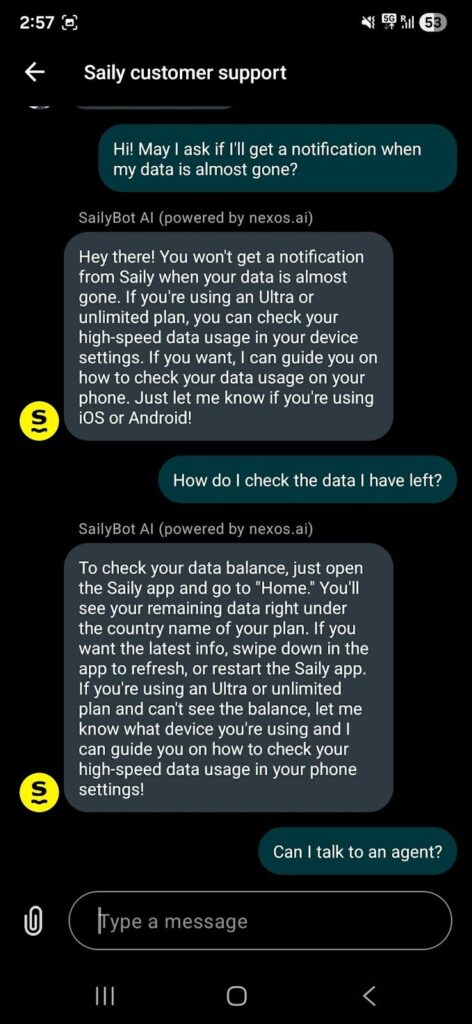
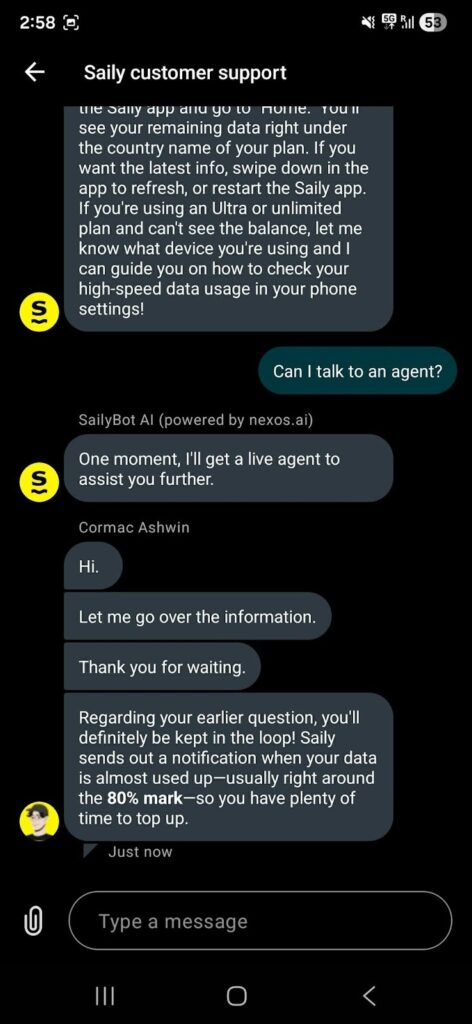
However, there was an instance where I received conflicting answers to the same question from the bot and the human agent. I asked whether I would receive a notification when my data was almost used up, and the responses did not match. This suggests the AI bot may still need improvement.
If you need accurate or detailed information, such as when requesting a Saily refund, it’s better to speak directly with a Saily support agent rather than rely solely on the bot.
Saily customer support verdict: Support responded quickly, but inconsistent bot answers could cause confusion if you rely on it instead of a human agent.
Rating: ⭐ 3/5
Yes. Saily is backed by Nord Security, the company behind NordVPN, which is well known for its focus on privacy and security. Saily also includes built-in security features like a VPN and ad blocking, which adds an extra layer of trust for travelers.
Yes. Saily is a data-only eSIM, so you keep your primary SIM and phone number for calls and texts. Your regular number continues to work alongside the Saily eSIM.
Saily is part of Nord Security, the same parent company behind NordVPN. While it’s a separate product, it benefits from the same security-focused ecosystem.
Saily’s plans typically start at around $3.99 for 1 GB valid for 7 days, with larger fixed-data and unlimited plans available depending on the destination and duration.
Saily does not support traditional calls or SMS because all plans are data-only. However, you can make calls using VoIP apps like WhatsApp, Messenger, FaceTime, or Zoom.

Our mission is simple: to make sure you never have to ask, “What’s the WiFi password?” again. All our tips come straight from personal experience — because we’d never recommend something we haven’t put to the test ourselves.
Reviews