


Staying connected while traveling isn’t always simple. Local SIM cards often mean lining up at the airport, dealing with registration requirements, or swapping out your main SIM. Roaming can be even worse, with unpredictable charges and slow speeds.
For this trip, I tried Truely eSIM as an alternative. Instead of going through the usual hassle, I wanted something I could set up in advance and use as soon as I arrived. In this review, I tested Truely for messaging, navigation, and streaming during my trip to the Philippines to see how it performs in real-world situations.
Truely is reliable for everyday travel use, with fast messaging, smooth video playback, and stable connectivity. Setup can be confusing, and customer support may require extra steps to reach a human agent.
The verdict: Truely delivers consistent performance where it matters. It’s not the most seamless to set up, but once running, it’s dependable for day-to-day use.
⭐ Overall Rating: 4/5
Truely offers both unlimited data plans and fixed (pay-per-GB) options, with durations of up to 30 days. Here are some of their available plans:
| Data | Duration | Price |
| Unlimited | 1 day | $4.64 |
| Unlimited | 15 days | $42.80 |
| Unlimited | 30 days | $62.99 |
| 300 MB | 2 days | $1.69 |
| 1 GB | 30 days | $3.99 |
| 20 GB | 30 days | $27.49 |
For the unlimited data plans, Truely provides up to 5 GB of high-speed data per day. After reaching this limit, speeds are reduced to 512 kbps for the remainder of the day.
For this review, I chose the 1 GB plan valid for 30 days, as I was staying in the Philippines for three days. Since I only needed data for messaging and light use, this option felt sufficient. The 300 MB plan seemed too limited, making 1 GB the more practical choice.
Verdict: Truely’s plans are generally affordable, especially for travelers with light data needs. However, the fixed data options are somewhat limited, with 20 GB as the highest tier. It’s a good choice for casual users, and you can easily top up if needed.
Rating: 4/5
I purchased my eSIM directly from the Truely homepage for my trip to the Philippines. I selected the 1 GB plan valid for 30 days, as it seemed sufficient for my three-day stay.
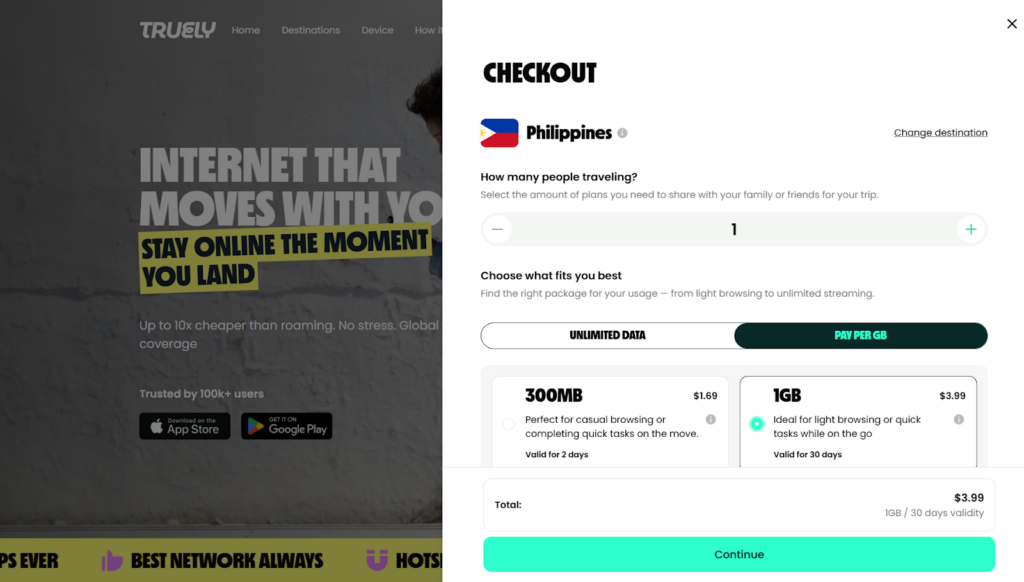
Truely checkout page for Philippine data plans
After checkout, Truely accepted payment via credit card and Google Pay. I immediately received an order confirmation and receipt via email. However, the email included no clear next steps or installation instructions, which initially made the process confusing.
To figure it out, I returned to the website and checked the “How it works” section. That’s when I learned that I needed to download the Truely app and log in to access my purchased plan.
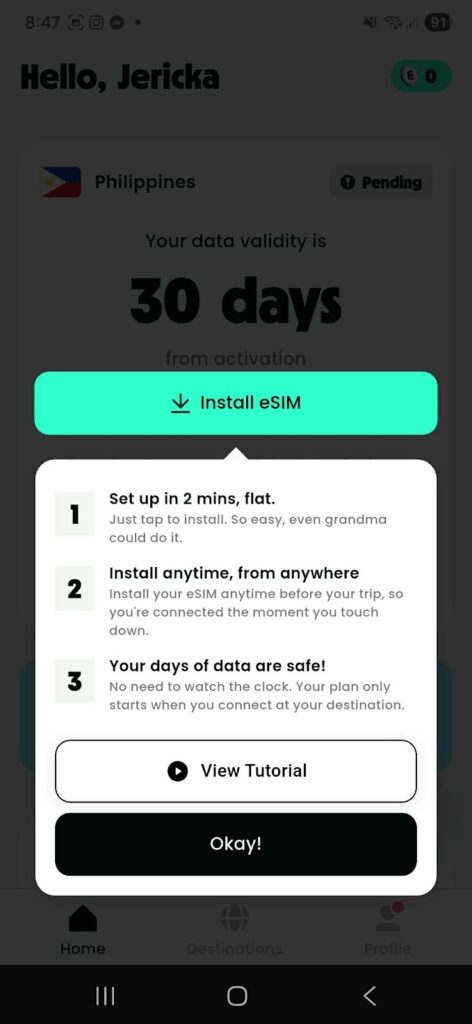
Once inside the app, I attempted to install the eSIM. The automatic installation failed despite having a stable WiFi connection, with the app suggesting it could be a network or settings issue. I then proceeded with manual installation, which was quick and took less than a minute. I also renamed the eSIM to “Truely” to avoid confusion with my other installed eSIMs.
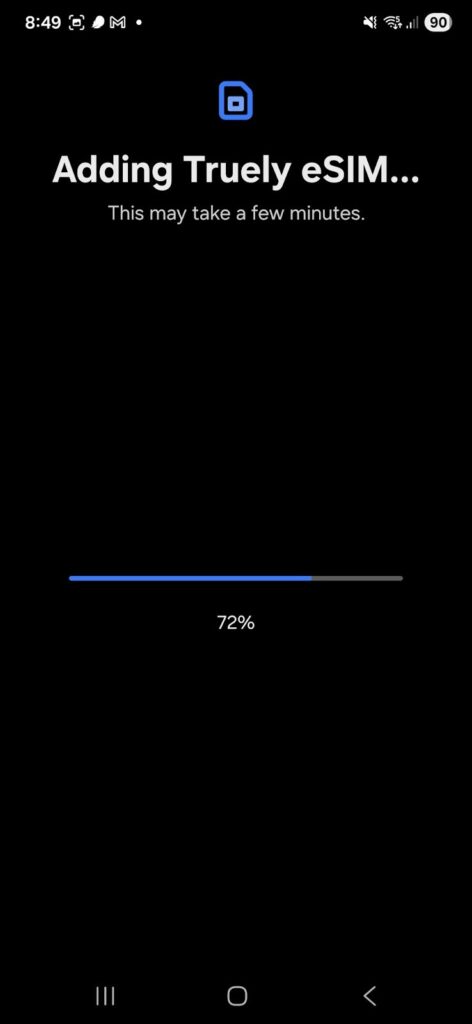
Adding Truely eSIM and naming
After enabling mobile data and data roaming, the app still showed the status as “pending” and indicated that the eSIM was switched off, even though it was already active and I could use data. I tried toggling airplane mode, but the issue persisted. It was only after restarting my phone that the app finally updated the status to “Active.”
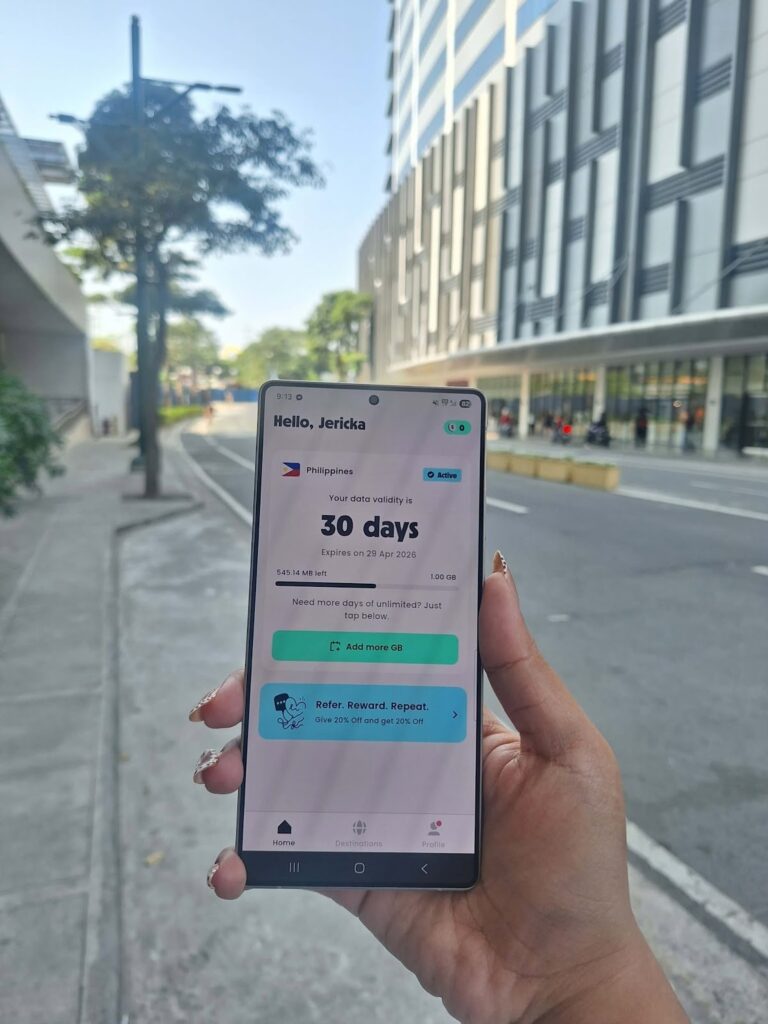
Activation verdict: If you’re familiar with installing eSIMs, the process is manageable. However, the lack of clear instructions after purchase and the need to switch between email, website, and app can make setup confusing. The app’s delayed status update also adds unnecessary friction.
Rating: 3/5
I used the Truely eSIM in Taguig, part of Metro Manila and an urban area near major business districts, malls, and commercial establishments. Overall, performance was decent, with no major connectivity issues aside from the earlier activation hiccups.
To test speeds, I used Speedtest by Ookla under consistent conditions. Each test was conducted in different spots within the same area, with WiFi turned off and the Truely eSIM set as the active data line.
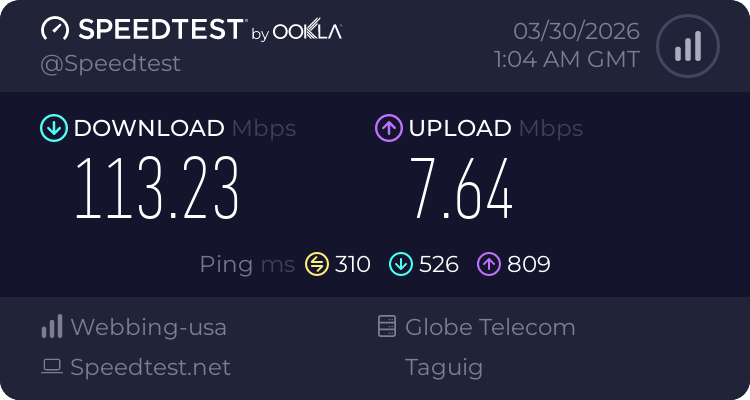
First speed test result with Truely eSIM
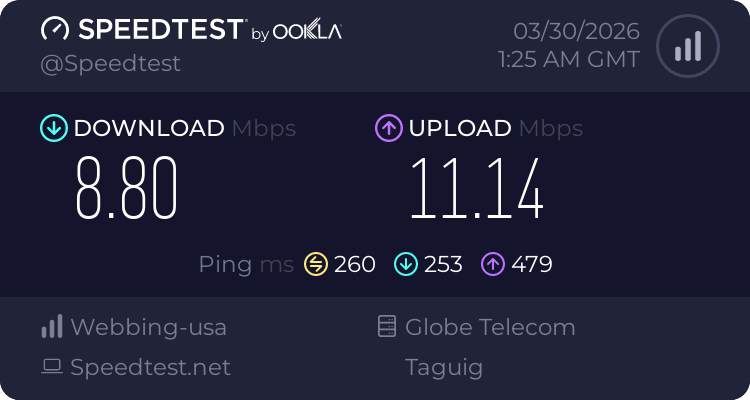
Second speed test result with Truely eSIM
These results show that performance can vary significantly depending on your exact location and network conditions.
The first test (113.23 Mbps download) is very fast and more than enough for streaming HD videos, video calls, fast browsing, and even large downloads. However, the high ping (310 ms) may cause slight delays in real-time activities like gaming or video calls.
The second test (8.80 Mbps download) is much slower but still usable. At this speed, you can comfortably use messaging apps, browse social media, check emails, and stream videos at standard definition. Upload speeds in this test were actually better, which is helpful for sending photos or videos.
In general, you can expect:
To test navigation, I used data for Google Maps to find the nearest McDonald’s to my location in Taguig.
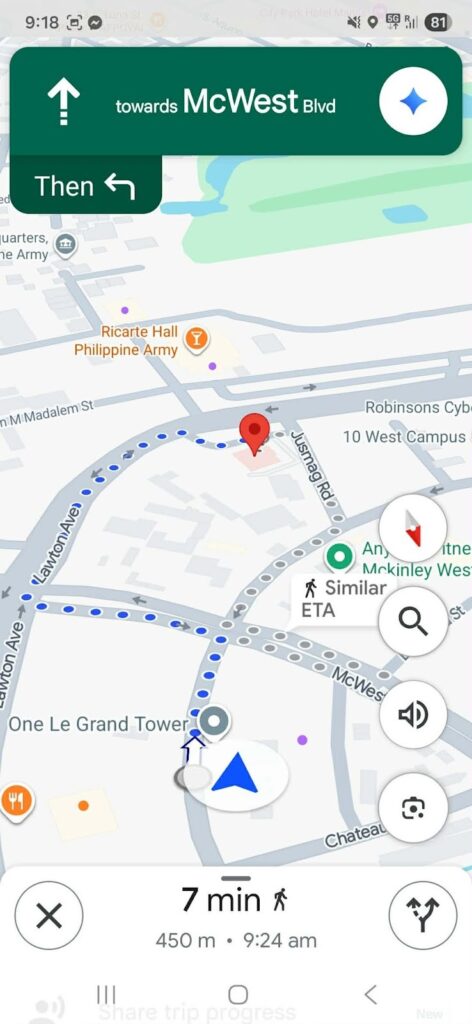
Navigation summary from my place to a nearby McDonald’s
My location was detected accurately and updated in real time as I moved. However, when I intentionally shifted to a different side of the street to trigger a reroute, the app did not immediately adjust. It continued to show the original route instead of recalculating based on my new position.
This delay suggests higher latency, not a loss of connection. The map tracks your location, but rerouting isn’t instant. In practice, this means missed turns may take longer to correct, which can be inconvenient, especially when driving. For walking, it’s a minor delay but still noticeable.
Navigation with Truely eSIM is usable, but don’t expect quick rerouting.

I tested the eSIM using the Messenger app, which is widely used in the Philippines. Here’s a summary of the results:
| Type of message | Send time |
| Text | Immediately |
| HD photo | ~5 seconds |
| 30-second voice note | ~5 seconds |
There were no delays, retries, or failed sends during testing. These results show that the connection with my Truely eSIM is stable and responsive for everyday communication.
Messages send quickly, media uploads without issues, and there’s no need to resend or troubleshoot failed deliveries. In real use, this means you can rely on Truely eSIM to stay connected, send photos, or share voice notes without interruption.
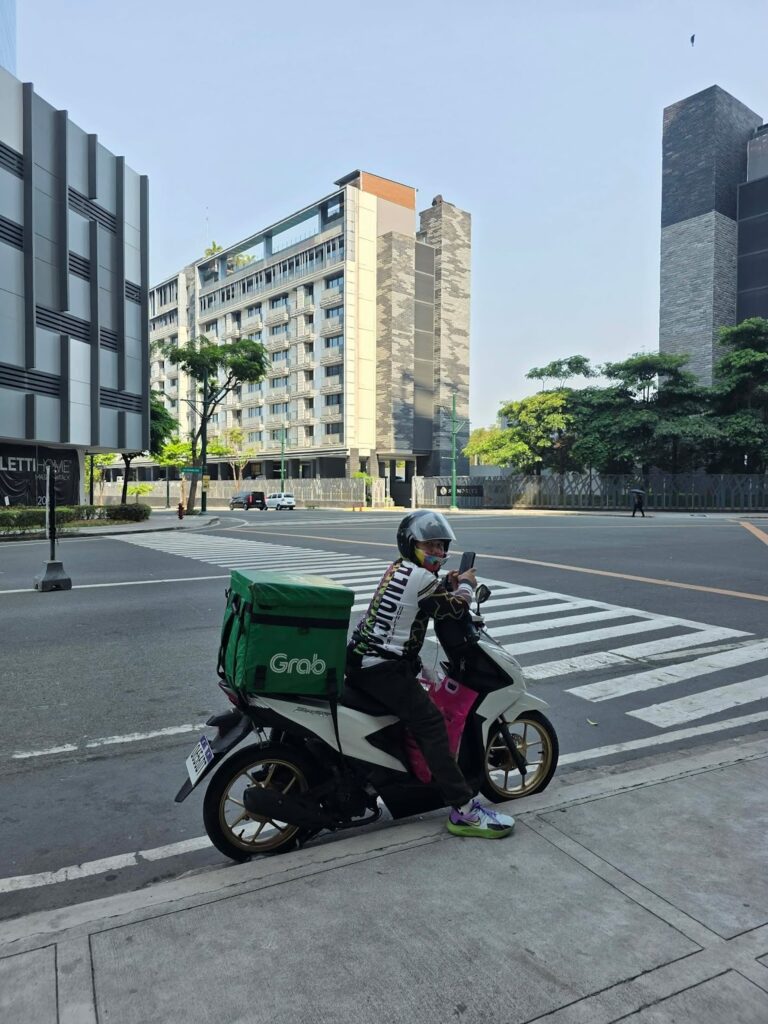
This test reflects casual travel use, not home streaming. I tested short videos on YouTube while walking around Taguig, focusing on startup time, buffering, and quality.
The video loaded quickly and played at 1080p without manual adjustment. Playback was smooth with no buffering, and the quality stayed consistent throughout.
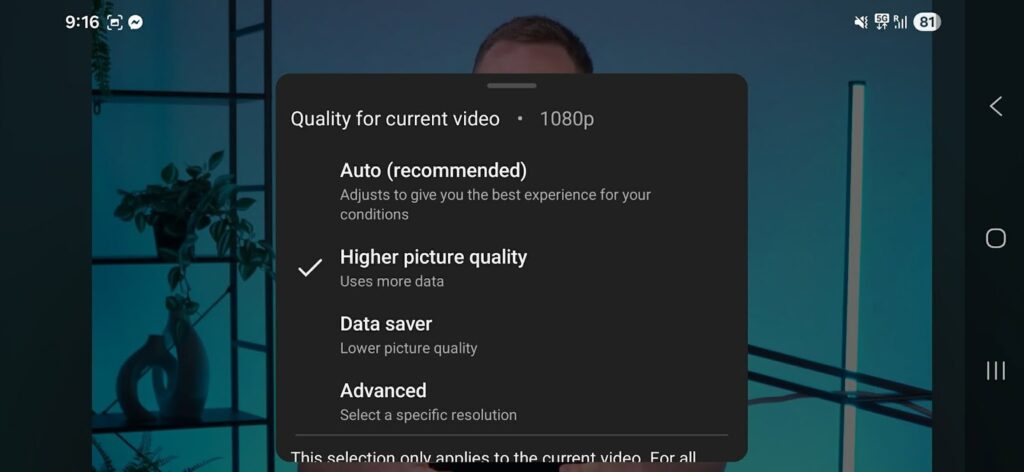
YouTube video played at 1080p from start to finish
With my Truely eSIM, you can watch short videos without issues. Expect fast loading, stable quality, and no interruptions during playback.
Performance varies by location, but everyday tasks remain stable. Consistency matters more than peak speeds, and Truely delivers a generally smooth experience for travel use. The focus here is reliable connectivity, not hitting the highest Mbps.
Performance verdict: Truely performs well for everyday travel needs. Messaging is consistent, streaming is smooth, and navigation is usable despite slight delays in rerouting. Speeds can fluctuate, but overall connectivity is reliable enough for most users.
Rating: 4/5
I used Truely eSIM hotspot to connect my Lenovo laptop through my Samsung phone. Setup was straightforward, and the connection stayed stable the whole time.
I was able to write my blog and do research without issues. Pages loaded quickly, and there was no noticeable lag while browsing or typing.
Hotspot verdict: Hotspot works reliably and is easy to set up with Truely. No issues during use.
Rating: 5/5
To test Truely’s customer support, I reached out through their website and asked whether the app is required to install the eSIM. The AI agent greets you and asks for your email, but instead of answering directly, it redirects you to WhatsApp.
From there, you’re connected to a human agent. This extra step can be inconvenient, especially if you don’t use WhatsApp. The human agent responded quickly and provided clear, helpful answers.
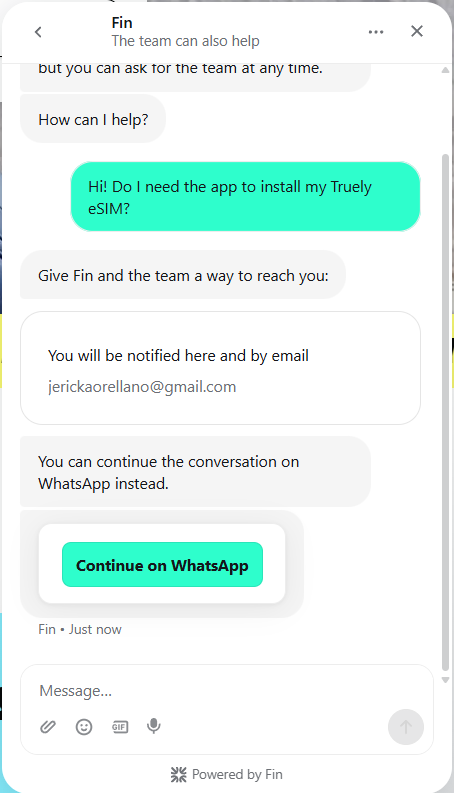
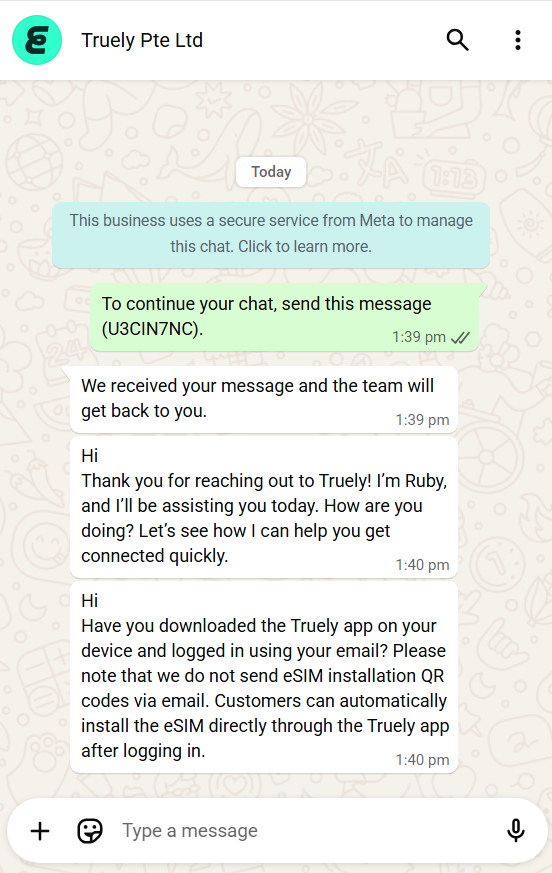
Truely customer support moving from their website to WhatsApp
Customer support verdict: Support is responsive and helpful once you reach a human agent, but the process is not seamless. Being redirected to WhatsApp adds an unnecessary step.
Rating: 4/5
Yes, Truely eSIM is a legitimate provider. It delivers working mobile data services at supported destinations, with a smooth payment process and reliable activation.
Yes, Truely eSIM offers stable connectivity with consistent speeds, making it suitable for everyday use like browsing, messaging, and navigation.
To use Truely eSIM, purchase a plan online, install the Truely app, and follow the setup instructions. Once you arrive at your destination, enable mobile data and data roaming to activate your plan.
You can access your activation code through the Truely app. Select the manual installation option to view or copy the code.
Yes, Truely eSIM offers unlimited data plans with flexible durations, typically ranging from 1 to 30 days.
For unlimited plans, Truely provides up to 5 GB of high-speed data per day. After reaching this limit, speeds are reduced to 512 kbps for the remainder of the day. Fixed data plans include the exact data allowance you purchase without daily limits.

Our mission is simple: to make sure you never have to ask, “What’s the WiFi password?” again. All our tips come straight from personal experience — because we’d never recommend something we haven’t put to the test ourselves.
Reviews