

Reviews
Traveling is fun, but setting up mobile data never is. For me, it’s the setup that’s annoying. Getting a local SIM means finding a store, showing ID, and losing time after landing. Roaming works, but I never like waiting to see the bill. On this trip, I skipped both and used GigSky instead.

GigSky is an eSIM service that lets travelers get data in multiple countries without buying a local SIM card. I wanted to see if it could really handle a full trip in Serbia. What caught my attention was how flexible the plans are. You can top up as you go and switch between countries without swapping SIMs.
For the purpose of testing the GigSky eSIM’s performance, I made it my go-to for getting around and staying connected in Belgrade. I moved between neighborhoods and explored different areas while using the eSIM. All observations come from real use, not marketing claims or specs.
The focus of the test was on how the eSIM was used in real situations. Maps, messaging apps, and video streaming were all part of my routine while moving around the city.
The Verdict: GigSky worked well enough for my trip in Belgrade. The eSIM made staying connected simple, and the setup was painless. It is not the fastest option, and prices can be high without a discount, but it is a solid choice for travelers who want convenience and flexibility without dealing with local SIMs.
Rating: 4/5 ⭐
GigSky has prepaid, data-only eSIM plans for Serbia. They can be purchased online and activated instantly. The plans vary by how much data you get and how long they last. Some are capped, while others provide unlimited data, depending on availability.
For this trip, I went with a 3-day unlimited data plan from GigSky for $13.99. It fit my stay perfectly and let me use data freely without worrying about running out while I moved around Belgrade. The plan expired right on schedule, just as I planned.
| Data option | Validity | Pricing |
| 500MB | 7 days | Free trial |
| 1GB | 7 days | $5.99 |
| 3GB | 15 days | $11.04 |
| 5GB | 30 days | $16.99 |
| 10GB | 30 days | $28.89 |
| Unlimited | 1 day/ 3 days/ 5 days/ 7 days/ 14 days/ 21 days/ 30 days | $4.89/ $13.99/ $20.29/ $26.59/ $41.99/ $52.49/ $62.99 |
Note: Prices may vary depending on promotions or location at the time of purchase.
Note: One thing worth noting is that GigSky states unlimited plans may be throttled to 500 kbps after data exhaustion, but the exact threshold is not clearly defined on the site.
The Verdict: GigSky is best for short trips. Unlimited data takes the stress out of tracking usage. It handled everyday travel tasks like maps, messaging, music, and social apps during a few days in Belgrade. For longer stays or heavy data use, other providers with clearer limits might be a better fit.
Rating: 4/5 ⭐
Here’s what I did to get the GigSky eSIM up and running.
I went to GigSky’s website on my laptop and bought a 3-day unlimited data plan for Serbia one day before leaving. It was a country-only plan, and right after the purchase, I got an email with the QR code and a link to the installation guide. I planned to activate it as soon as I landed.
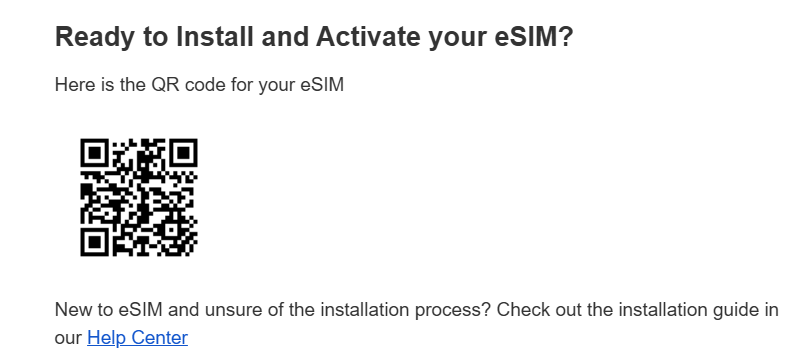
The installation took a few minutes. I have an iPhone 13, so I went to Settings → Mobile Service → Add eSIM, scanned the QR code from my laptop screen, and the phone handled the rest. I labeled it “GigSky eSIM” so I could easily spot it later.
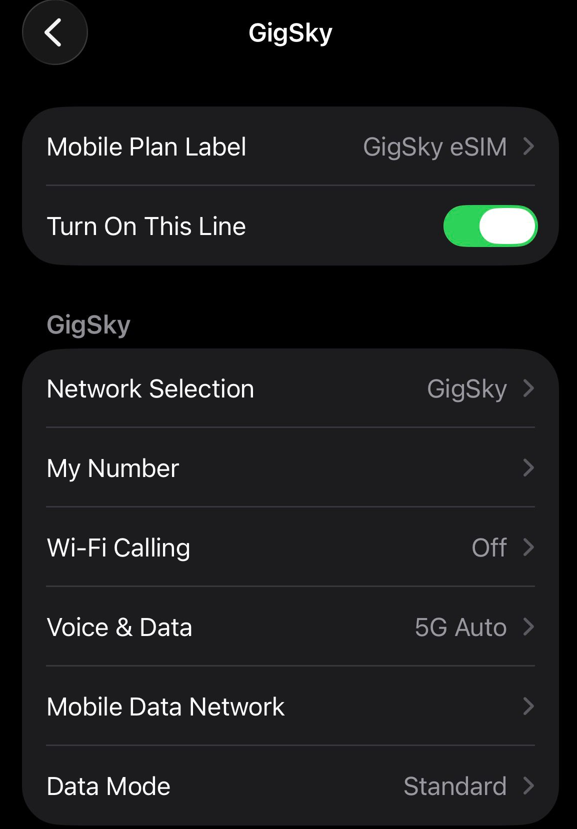
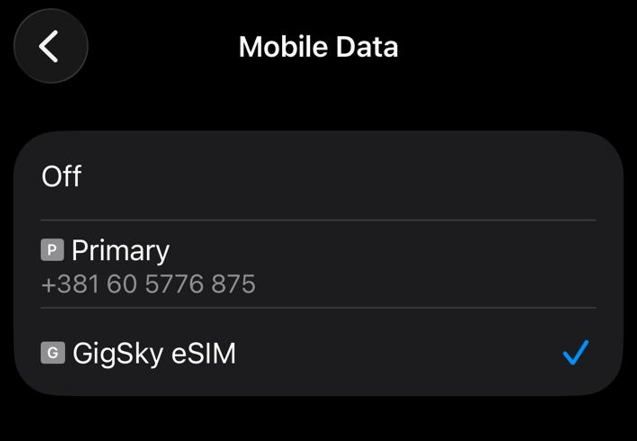
I made sure my regular SIM stayed as the main line for calls and messages, while the GigSky eSIM handled all my data. That way, I could keep using my usual number for calls and still have full mobile data on the eSIM.
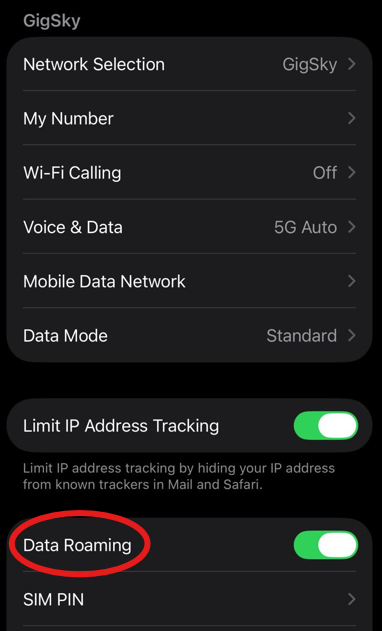
The final step was turning on data roaming once I landed in Belgrade. The GigSky eSIM connected in just a few seconds and I was online immediately.
One thing to know as well is that GigSky also has an app. You can use it to track your data usage and manage your plan. I didn’t need it since I bought an unlimited pack. But it could be really handy if you’re on a capped plan.
Activating the GigSky eSIM was smooth from start to finish. The QR code arrived quickly by email after purchase, installation took only a few minutes, and once I turned on data roaming in Belgrade, the eSIM connected within seconds without any issues.
Rating: 5/5 ⭐
Since the activation went smoothly, I wanted to see how the GigSky eSIM would perform while I was out exploring Belgrade. I walked through Knez Mihajlova, Republic Square, and Kalemegdan. To get to Novi Beograd, I took a bus and crossed Branko’s Bridge.
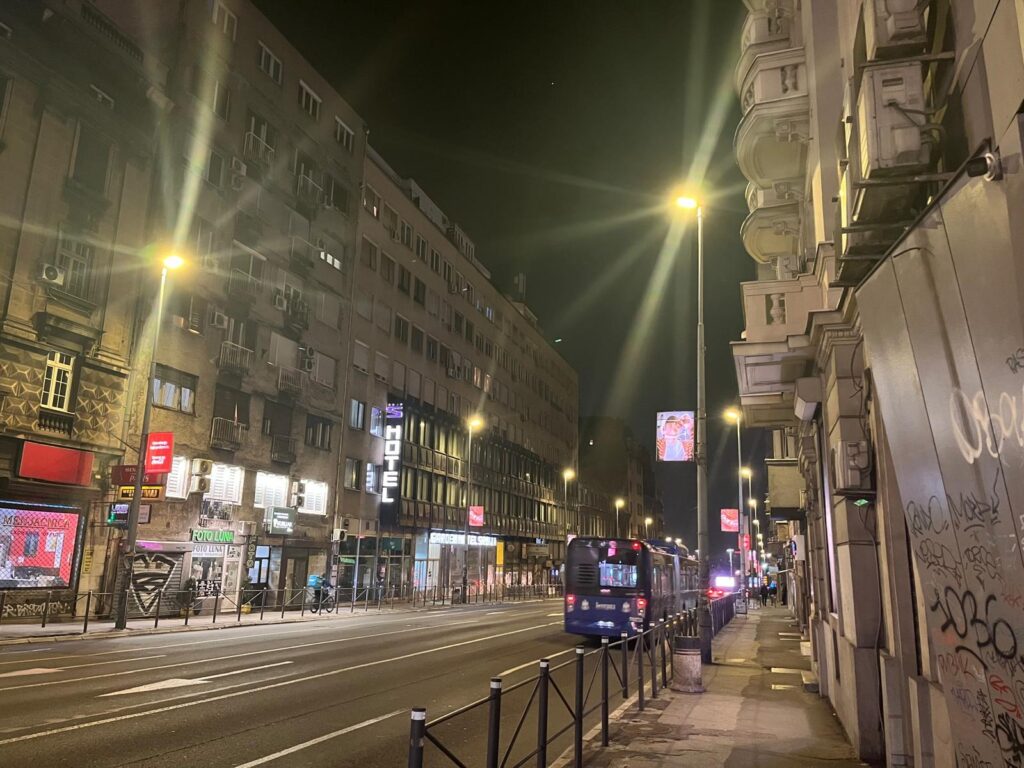
While moving around the city, I relied on the eSIM for everything I needed. Google Maps kept me on track, and while stuck in traffic on buses, Spotify helped pass the time and I scrolled through TikTok. Photos and short videos sent over WhatsApp worked well.
It wasn’t flawless. Some longer videos buffered and map updates slowed occasionally. Sending videos took a little extra time. Still, the connection stayed reliable enough to navigate the city and stay connected without stress.
To check the GigSky eSIM in action, I turned off WiFi and made sure it was the active data line on my iPhone 13. I ran Speedtest by Ookla in Belgrade’s city center and recorded download, upload, ping, and the network type.
Download speeds came in around 31 Mbps, with uploads 1.3 Mbps, and ping stayed steady the whole time. The connection held up well, without any sudden drops or network switches.
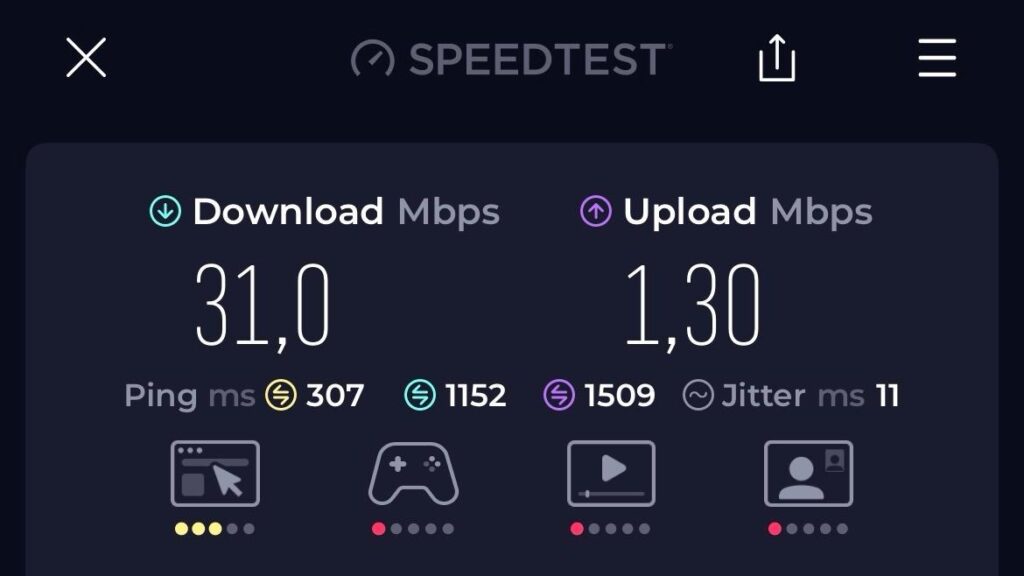
In practical terms, this meant maps worked smoothly, and sending photos on WhatsApp didn’t cause any problems, though short videos sometimes took a few extra seconds. Heavy streaming or large downloads were noticeably slower, so this eSIM is really aimed at light travel usage rather than intense data tasks.
I tested Google Maps in real situations, both on a bus and on foot, to see how the GigSky eSIM handled navigation.
One route was from Republic Square to Ušće Mall in Novi Beograd, which required taking a bus and crossing Branko’s Bridge. While riding across the bridge, I entered a new destination on purpose to force a reroute. The map did not update instantly and took about 6–7 seconds to recalculate.
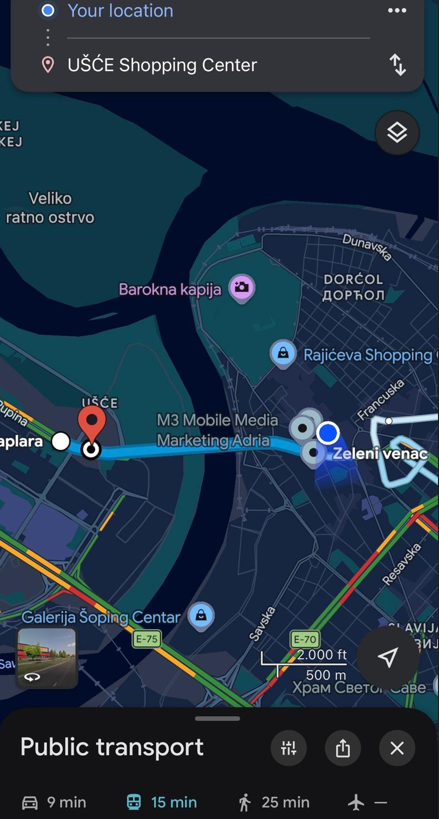
Then I wanted to test the navigation on foot, going from Zeleni Venac toward Kalemegdan. To trigger another reroute, I deliberately turned toward Balkanska Street. The same thing happened as it did on the bus.
During the walk, I also made smaller route mistakes on purpose. These were corrected a bit faster, usually within 4–5 seconds, but still slow enough to feel noticeable if you were moving by bus or car.
Aside from these forced reroutes, navigation stayed stable and accurate. The map didn’t freeze, and location tracking remained correct.
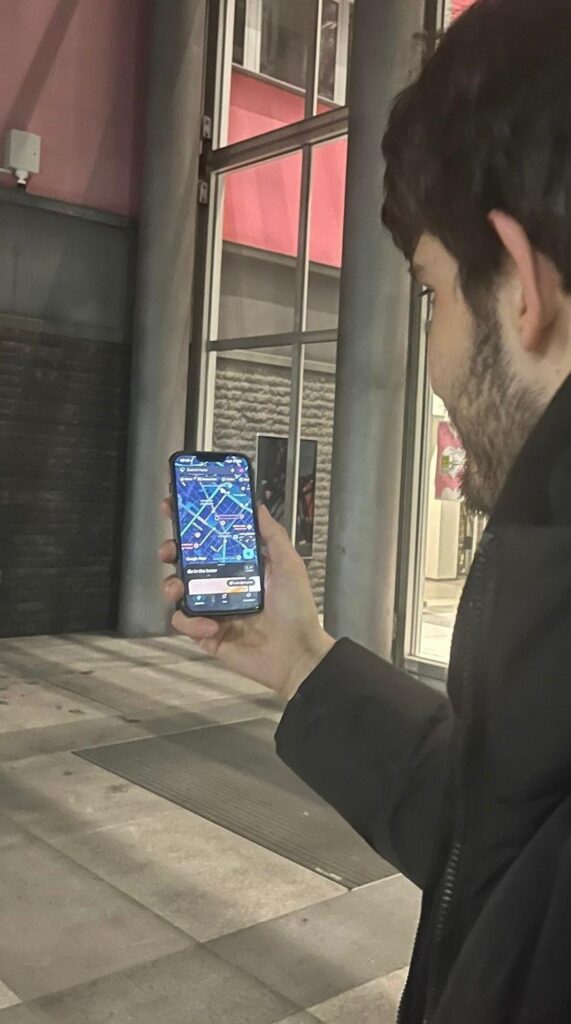
For travelers, this matters because delays can be stressful in an unfamiliar city. Even with slower recalculations, navigation remained usable and reliable enough to get around without getting lost.
I wanted to see how WhatsApp handled messaging while exploring Belgrade. My test included sending a text, sending a single photo, and sending a 30-second voice message.
Text messages went through instantly every time. Single photos, like one of Knez Mihajlova, sent quickly. When I sent multiple photos of Kalemegdan to a family group chat, there was a short delay of 10–15 seconds. Voice messages worked fine without any buffering.
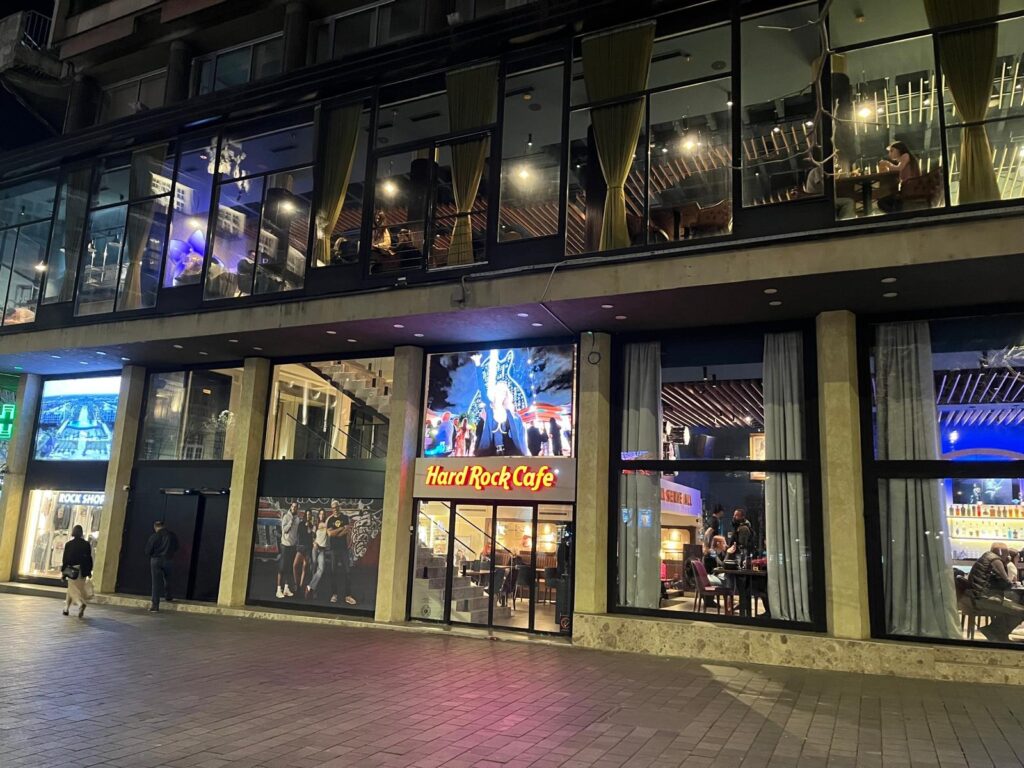
I also tested a longer video of the Hard Rock Café in Republic Square. It took about 30 seconds to send. Nothing failed or needed retries during my trip.
Reliable messaging is important when visiting a city that’s unfamiliar. Nobody wants the stress of messages barely going through and feeling disconnected from the world, especially when trying to meet up with friends. This wasn’t the case with GigSky, because messages went almost immediately.
We’ve all been in that situation, arriving on time while someone else is running late. So, I used the waiting time at a café in Belgrade to watch a podcast about local sights on YouTube.
Longer clips were not perfect. Every video started at 360p or 480p, and switching to 720p worked, but trying to skip ahead or speed up caused buffering.
But I was curious if shorter clips would perform better. Then I played a 3-minute music video. This time, playback was smooth from start to finish, with no buffering or interruptions.
For travel use, this means the eSIM is fine for short, casual videos while waiting or passing time, but heavier or longer videos can be frustrating if you try to skip around or speed them up.
Navigation stayed accurate, though recalculating after wrong turns took a few seconds. Smaller mistakes corrected faster, but delays would be noticeable on a bus or in a car.
WhatsApp texts and voice messages went through instantly, while multiple photos or longer videos took a few extra seconds.
Short clips played smoothly, but longer podcasts sometimes buffered when skipping ahead.
Though it can be frustrating in certain situations, GigSky still proved dependable. At times, it may force you to slow down your pace while exploring. Overall, it showed that steady, reliable connectivity matters more than peak speeds for travel.
Performance Verdict
For short trips or when you are already familiar with the city, GigSky makes staying connected simple and stress-free. For longer journeys, occasional delays might become frustrating, so another provider could be a better choice for more demanding travel.
Rating: 4/5
Even though we often only think about a hotspot when we need it, it’s an important feature, especially when traveling with friends.I realized I needed it when I had to send an email to my boss, so I decided to test it. I sat in a café and pulled out my laptop.
Hotspot was fully enabled on the GigSky plan I purchased, with no restrictions. I shared my phone’s internet via Personal Hotspot and connected my laptop.
I used the connection to respond to work emails and draft travel notes in Google Docs, including parts of this article. Web pages loaded quickly, and even with several tabs open at once, everything worked smoothly.
The connection never dropped, and there were no throttling issues. The only slowdown happened when attempting to stream a full episode on Netflix at 720p, but for typical work tasks, the hotspot performed flawlessly.
Hotspot Verdict: GigSky’s hotspot proved reliable and worked well for light work and short online sessions while traveling.
Rating: 5/5
I didn’t run into any issues during my trip, so support wasn’t something I needed. Still, I decided to test it as a traveler would, just to see how it works in practice.
GigSky offers support through its website, email, and website chat. I logged into the site and submitted a question about hotspot connectivity. An AI chatbot responded immediately, asked what the issue was, and then said a human agent would join the conversation shortly.
That handoff never really happened. I waited about 15 minutes without a reply, sent a follow-up message, and still didn’t get a response. No agent joined the chat, and the question wasn’t resolved.
Based on this experience, customer support doesn’t seem to be GigSky’s strong point. It may have been bad timing, but it’s not something I would want to rely on while traveling.
Customer Support Verdict: GigSky’s support felt unreliable, and not something you can count on if you need help while traveling.
Rating: 1/5 ⭐

Our mission is simple: to make sure you never have to ask, “What’s the WiFi password?” again. All our tips come straight from personal experience — because we’d never recommend something we haven’t put to the test ourselves.
Reviews