

Reviews
Here’s my honest Maya Mobile review after using the Bosnia eSIM for several days across the country. I cover the setup issue I ran into, how support helped fix it, and the actual speeds and reliability I experienced around the city.

Getting mobile data is one of the first things you deal with when you arrive somewhere new. The usual routine involves tracking down a carrier shop, comparing plans, waiting for setup, and swapping a SIM card - it works, but it’s not exactly the smoothest start to a trip.
For my time in Bosnia and Herzegovina, I decided to try Maya Mobile instead. The pricing looked fair, the setup seemed simple, and the idea of getting connected without the usual SIM-card hassle sounded like the better option.
In this review, I’ll walk through the real experience: what worked, what didn’t at first, how I got it running, and the actual speeds and performance I saw around the city. I tested it with Google Maps navigation, WhatsApp messages and photos, Ookla speed tests, streaming, and even hotspot tethering for some laptop work.
Here’s how it went.
⭐ Rating: 4.5/5
Maya offers a solid range of Bosnia eSIM plans depending on how long you're staying and how much data you actually need. Here's what was available when I bought mine:
| Data | Validity | Price (USD) |
| 5 GB | 10 Days | $8.99 |
| 10 GB | 10 Days | $15.99 |
| 20 GB | 10 Days | $25.99 |
| 50 GB | 10 Days | $46.99 |
| Unlimited | 10 Days | $34.99 |
I went with the 5 GB / 10-day plan at $8.99. For my trip, I was mainly going to be using Google Maps for driving, WhatsApp for coordinating with people, and occasional browsing. I didn't need unlimited data for that, and 5 GB turned out to be more than enough.
If you're traveling across multiple Balkan countries, Maya also has a Balkans regional eSIM starting at $5.99 that covers 9 countries with a single plan. That's worth considering if you're doing a road trip through Bosnia, Serbia, Croatia, and so on.
A few things worth knowing: all Maya plans are data-only, so no voice calls or SMS, you'll use WhatsApp or similar apps for that. Hotspot is included for free on every plan, which is a big deal since some competitors charge extra or block it entirely.
Verdict: Maya's Bosnia pricing is genuinely competitive. The 5 GB plan was plenty for a week of normal travel use, and not having to pay extra for hotspot is a nice bonus. If you plan to work remotely for hours, go for the unlimited plan. For everyone else, the mid-range options are solid value.
⭐Rating: 4/5
I bought my eSIM the morning of my trip directly on maya.net. The process was straightforward: I picked Bosnia as my destination, selected the 5 GB / 10-day plan, set the starting date, and paid $8.99 via credit card. The whole purchase took maybe two minutes.
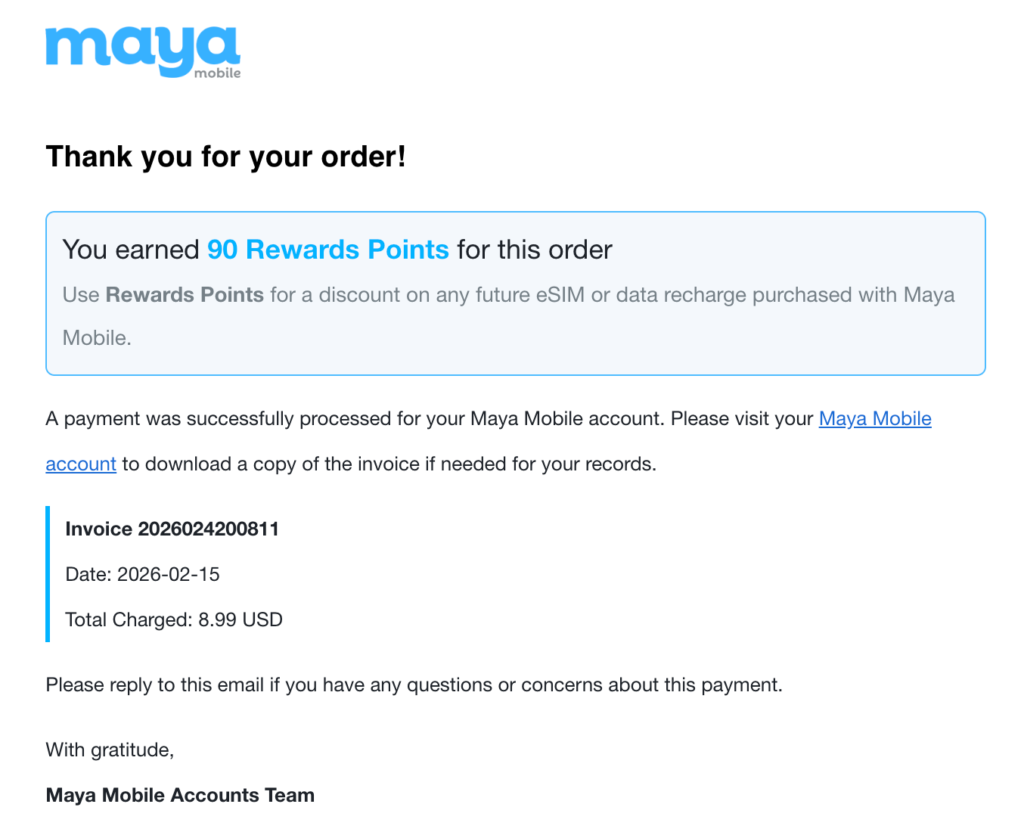
Within seconds of paying, I got a confirmation email from Maya with my invoice and 90 Rewards Points. Right after that, a second email arrived with the QR code and step-by-step installation instructions for both iPhone and Android.
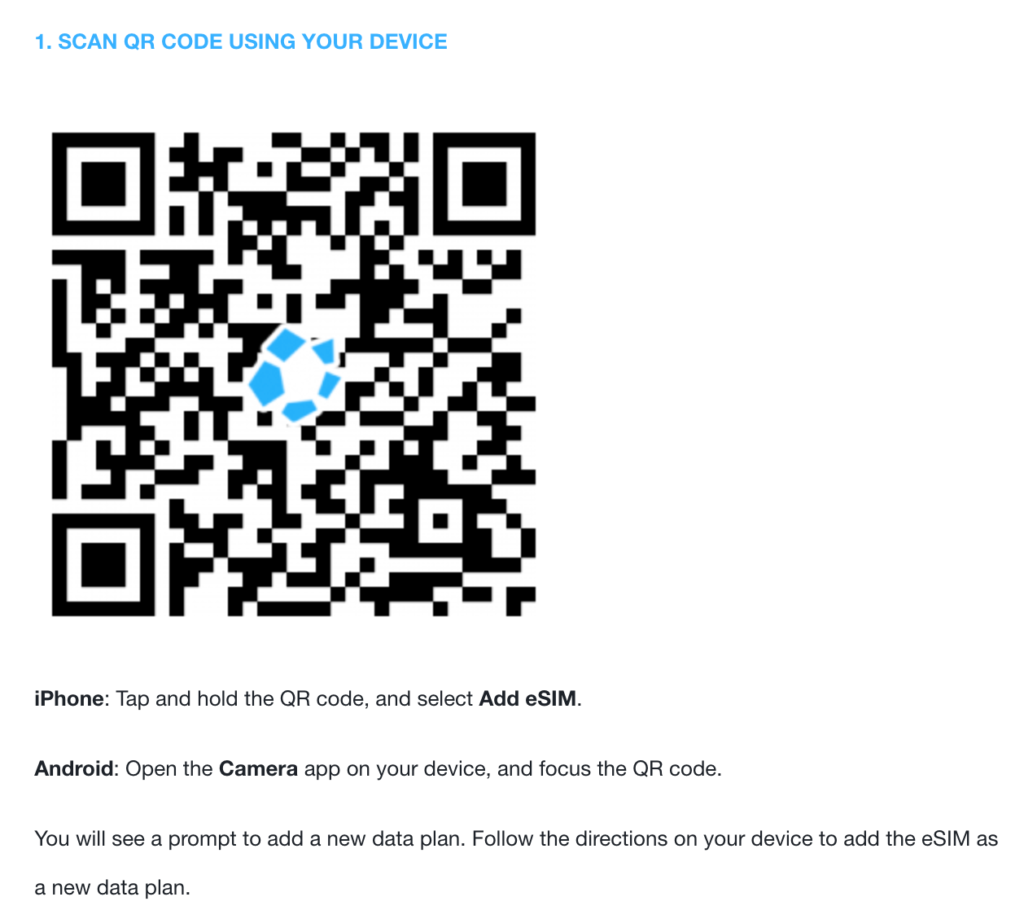
I opened my Samsung's camera, pointed it at the QR code, and it prompted me to add the eSIM plan. The whole installation took under two minutes. In my SIM Manager, the new eSIM appeared as "MayaBosnia", sitting alongside my physical m:tel SIM (SIM 1).
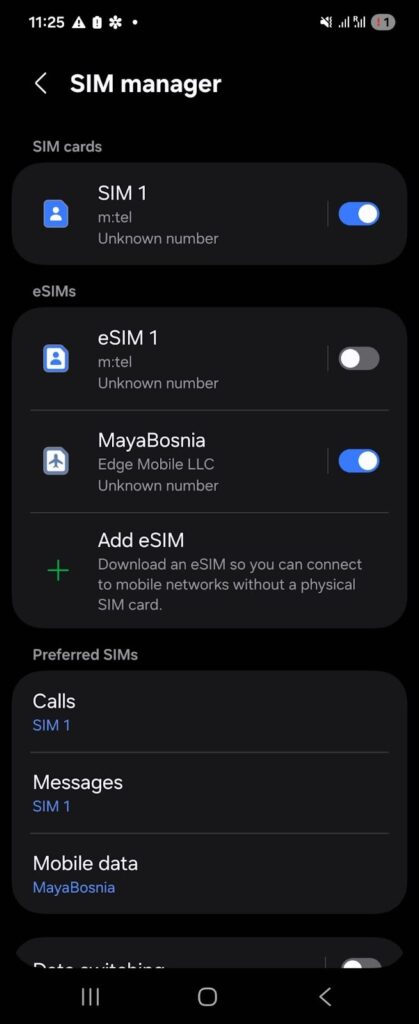
I set my physical m:tel SIM for calls and messages, and expected MayaBosnia to handle data automatically. That's where things went sideways.
After installing the eSIM, I still couldn’t get mobile data to work. The eSIM showed signal, but apps like Speedtest just kept searching without connecting.
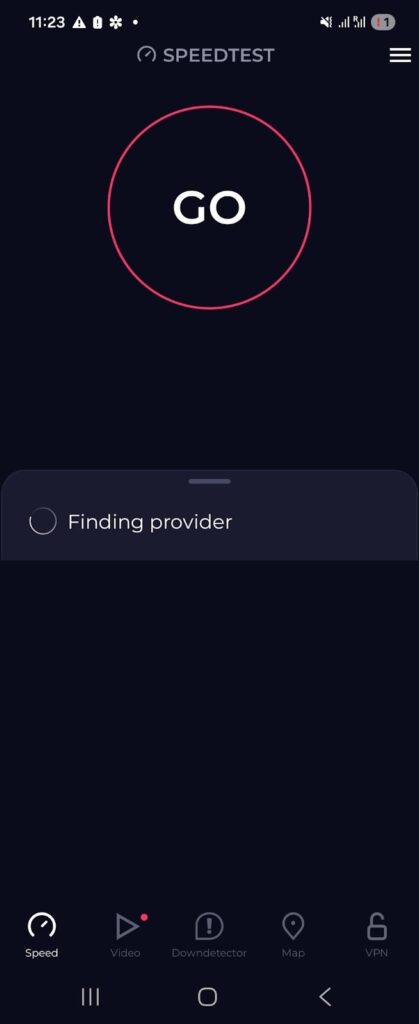
I contacted Maya Mobile support, and they confirmed that the eSIM was properly installed and active. I’ve tested many eSIMs before without any setup issues, but in this case a few additional steps were needed.
Following their guidance, I:
After that, the connection activated and mobile data started working normally.
Activation Verdict: The eSIM itself was correctly installed from the start. The connection issue came down to device settings. Once the phone was configured to use the eSIM for data and refreshed its network connection, everything worked as expected.
⭐ Rating: 3/5
I tested the Maya eSIM over several days in Banja Luka - walking around the city center, sitting in cafés, driving to the suburbs, and doing general day-to-day travel stuff. The eSIM connected to the m:tel network (one of Bosnia's main operators).
After the initial setup drama, the performance was legitimately impressive. No random disconnections, no dead zones in the city, and speeds that were way more than enough for anything I threw at it.
Before running any tests, I made sure Wi-Fi was completely off and MayaBosnia was set as my active data line in SIM Manager. I used Speedtest by Ookla, which is the standard most people use for this kind of thing.
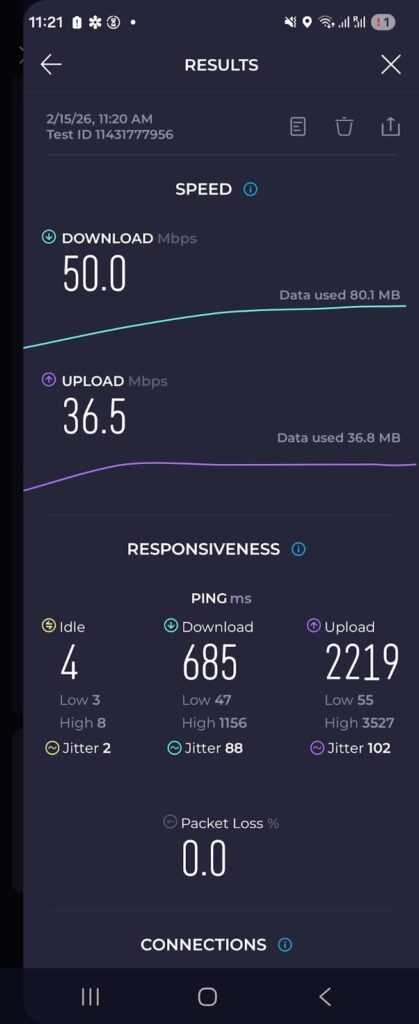
Now, let me break down what these numbers actually mean for real travel use:
The bottom line: 50 Mbps is more than most travelers will ever need. You're not going to feel any slowdown doing normal travel stuff with speeds like these.
I used Google Maps for driving around the country, including getting directions to spots outside the center. This matters because if you're renting a car in Bosnia (which a lot of people do for day trips to Jajce, Travnik, or the Vrbas canyon), you need reliable navigation.
Google Maps loaded routes quickly, turn-by-turn worked without any hiccups, and the map tiles loaded smoothly even when zooming in and out. To really test it, I deliberately missed a turn to see how fast it would reroute. The recalculation happened in about 2–3 seconds.
Even when driving through less central areas on the outskirts of the city, the connection held steady and navigation stayed responsive. If you're worried about whether an eSIM can handle Google Maps in Bosnia, the answer is yes - it worked flawlessly for me.
For most people, WhatsApp is one of the main ways to stay in touch. So I tested all the things you’d actually use it for.
I sent dozens of messages over the course of my stay and didn't have a single failed send or retry. For something that sounds basic, this is exactly what you need from a travel eSIM - you just want it to work without thinking about it, and Maya delivered on that.
Let me be clear: I wasn't trying to binge-watch a whole Netflix series on mobile data. This is a travel eSIM test, not a home broadband replacement. But sometimes you want to watch a quick video in your hotel or catch up on something while waiting, so I tested YouTube at 720p.
I played a 5-minute video. Startup time was about 1 second, basically instant. There was zero buffering during the entire playback, and the quality stayed stable at 720p without dropping down to potato resolution at any point. At 50 Mbps, this wasn't surprising, but it's still nice to confirm it works as expected.
If you need to stream for longer sessions, it'll eat into your data allowance obviously, but the connection itself can handle it without any issues.
After testing everything, here’s what I found:
The real takeaway here isn't the peak speed number, it's the consistency. Over several days of use, I never had a random dropout, never had a moment where I was staring at a loading screen, and never had to restart my phone to get the connection back.
Once the eSIM was properly set up, it just worked. And for a travel eSIM, that consistency matters way more than chasing Mbps numbers.
Performance Verdict: Maya Mobile delivered reliable, fast 4G in Banja Luka across every real-world task I tested. Navigation, messaging, and streaming all worked without a hitch. After the initial setup issue, I had zero complaints about performance.
⭐ Rating: 5/5
One thing that sets Maya apart from some competitors is that hotspot is included for free on all plans. I tested this by connecting my laptop to my Samsung Z Flip5's hotspot. I used it for about 30 minutes doing typical work stuff: checking email, editing a Google Doc, using WhatsApp Web, etc.
The connection stayed stable the entire time. My laptop connected immediately and didn't drop once during the session. Page loads were slightly slower than using the phone directly (which is normal for any hotspot setup), but totally usable for getting work done.
If you're someone who occasionally needs to pull out the laptop at a café to send a few emails or hop on a quick call, the Maya hotspot handles it just fine. I wouldn't plan to work a full 8-hour remote day off it (your data allowance would take a hit), but for short work sessions it's more than capable.
Hotspot Verdict: Hotspot works reliably and is included at no extra cost on all Maya plans. It's fast enough for email, documents, and browsing, and the connection stayed stable for my entire work session. A genuine plus over competitors who charge extra or block it.
⭐ Rating: 5/5
This is honestly where Maya impressed me the most, and it happened because things went wrong first.
When my eSIM wasn't connecting (the "Mobile Data: Off" issue I described earlier), I went to the Maya Mobile website and opened their live chat widget. The Maya Help Bot greeted me and asked what I needed. I clicked "Talk to an agent," and the bot confirmed that a human agent would join in 3–5 minutes.
Within that window, an actual human responded. I explained my situation: I'd bought the Bosnia eSIM, installed it, had signal bars but no data, and Speedtest was stuck on "Finding provider." I shared my invoice number and phone model.
The agent walked me through checking my SIM Manager settings and confirming that MayaBosnia was set as the mobile data line. The instructions were specific to Samsung (not generic copy-paste advice), and they clearly understood the dual-SIM issue I was dealing with.
The issue was resolved in a single chat session. And here's the cherry on top: after the chat ended, I received the full chat transcript via email. That's a small thing, but it's professional and useful.
Customer Support Verdict: Maya's support was fast, knowledgeable, and actually solved my problem in minutes. The agent gave Samsung-specific instructions, not generic advice, and the emailed chat transcript was a thoughtful touch.
⭐ Rating: 5/5

Our mission is simple: to make sure you never have to ask, “What’s the WiFi password?” again. All our tips come straight from personal experience — because we’d never recommend something we haven’t put to the test ourselves.
Reviews