


Mobile Internet
At Incheon International Airport, you can rent pocket WiFi from providers such as KT, SK Telecom, and LG U+ to get internet access as soon as you arrive. Pocket WiFi is a small portable router that provides internet across South Korea without relying on public WiFi or expensive roaming.

You can reserve a device online and pick it up at the airport, with plans and pricing that vary by provider. This 2026 guide covers how pocket WiFi works at Incheon Airport, current rental prices, which providers to choose from, and how to rent one quickly so you can get to your hotel without delays.
A pocket WiFi is a small wireless device that connects to South Korea’s mobile networks and creates a private WiFi hotspot. You can use it to get around the city or look up interesting facts about South Korea while you travel.
I think of it as carrying a tiny router in my bag. It uses a local SIM or eSIM inside the device, then shares that mobile data connection with your phone, laptop, or any other WiFi-enabled device.
Most rented pocket WiFi units are designed for travelers and are very simple to use. You turn it on, connect like you would to any WiFi network, and you are online within seconds.
Why travelers choose pocket WiFi:
Pocket WiFi vs SIM or eSIM:
Here are the best and most reliable pocket WiFi providers at Incheon International Airport.
| Provider | Data allowance | Devices supported | Pickup method | Pricing |
| Klook (KT-powered Pocket WiFi) | Unlimited 4G LTE | Up to 3 devices | Airport pickup | From $2.19 |
| Pocket WiFi Korea (KT Olleh) | Unlimited 4G LTE | Up to 3 devices | Airport pickup and return | From $3.99 per day |
| LG U+ Pocket WiFi | Unlimited 4G LTE | ~3 devices | Airport pickup | From 4,400 KRW per day (~$3.40) |
| Korea Wireless | Unlimited 4G LTE | ~3–5 devices | Pre-book online, airport pickup | From $4.10 per day |
| WiFi Dosirak | Unlimited or 2 GB per day (4G LTE) | Multiple devices | Pre-book online, airport pickup | From 2,900 KRW per day (~$2.20) |
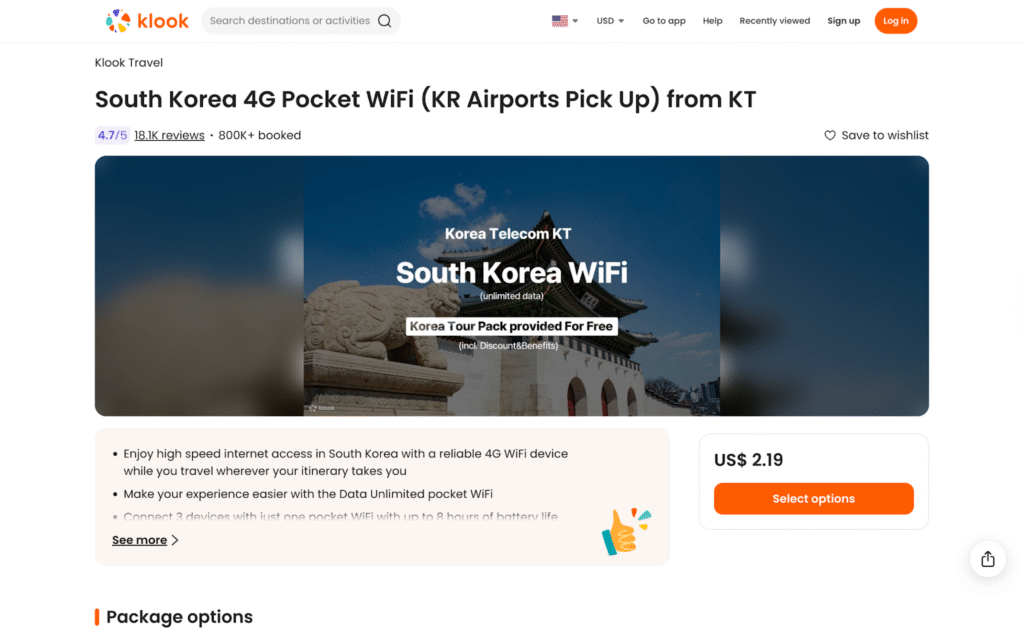
Klook offers a KT-powered 4G pocket WiFi that you can pre-book online and pick up at major airports in South Korea, including Incheon Airport Terminals 1 and 2. The booking process is simple, confirmation is instant, and the device works nationwide for navigation, messaging, and daily travel use. Pickup and return are handled at airport service counters, making it easy to get connected as soon as you arrive.
Key Features:
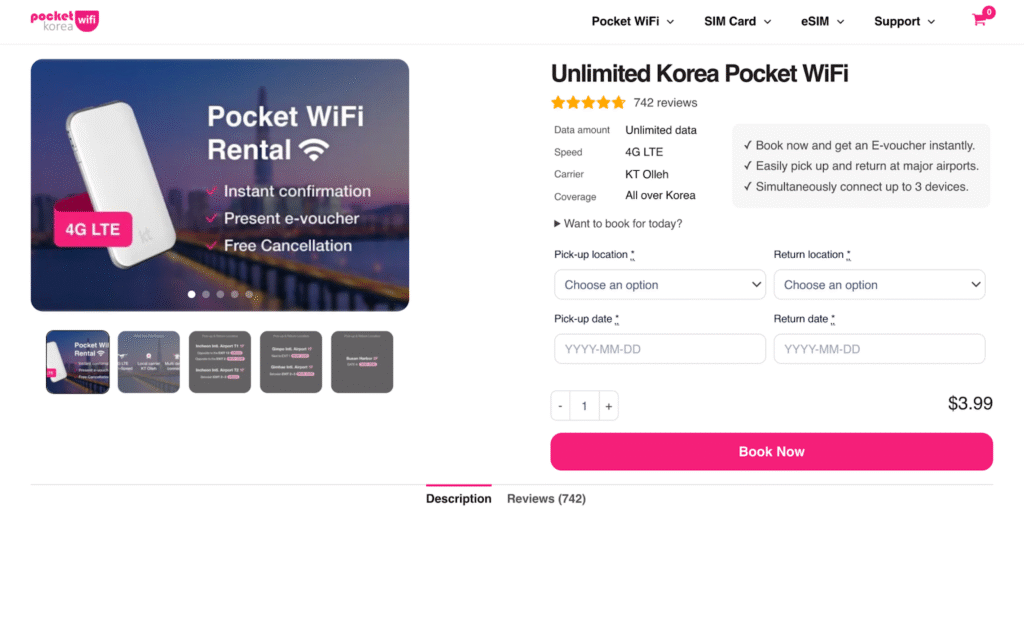
Pocket WiFi Korea offers unlimited 4G LTE pocket WiFi powered by the KT Olleh network and is designed specifically for travelers. The service includes online booking with airport pickup and return, and the devices work nationwide across South Korea. Reservations must be made in advance, with the entire process handled digitally from booking to voucher confirmation.
Key Features:
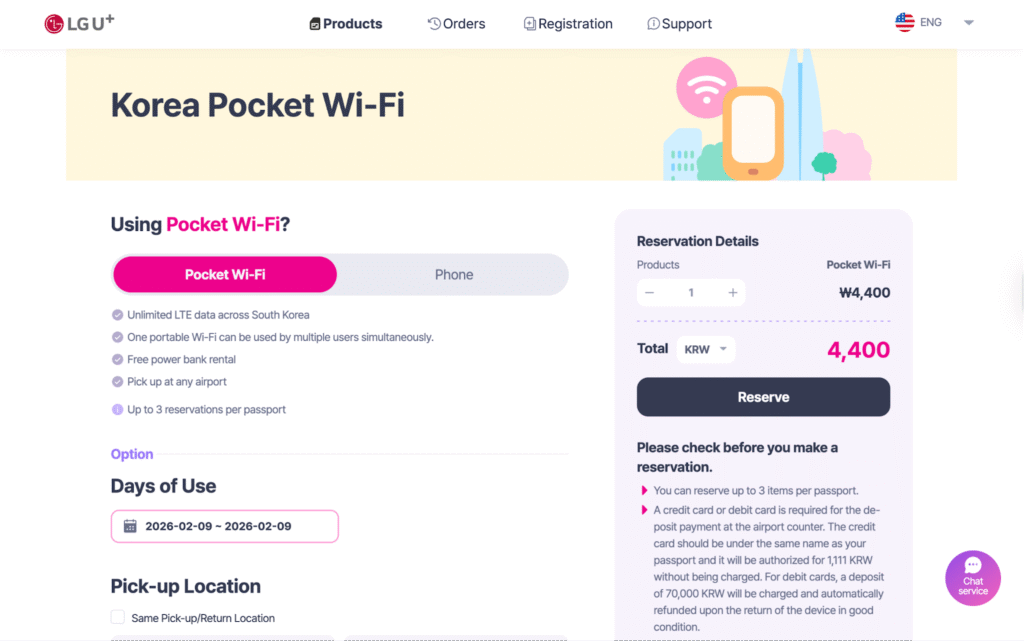
LG U+ offers unlimited 4G LTE pocket WiFi rentals with online booking and airport pickup and return across South Korea, including Incheon Airport Terminals 1 and 2. The service provides reliable nationwide coverage and allows multiple devices to share one connection. A free power bank rental is included, which is useful for all-day navigation and messaging.
Key Features:
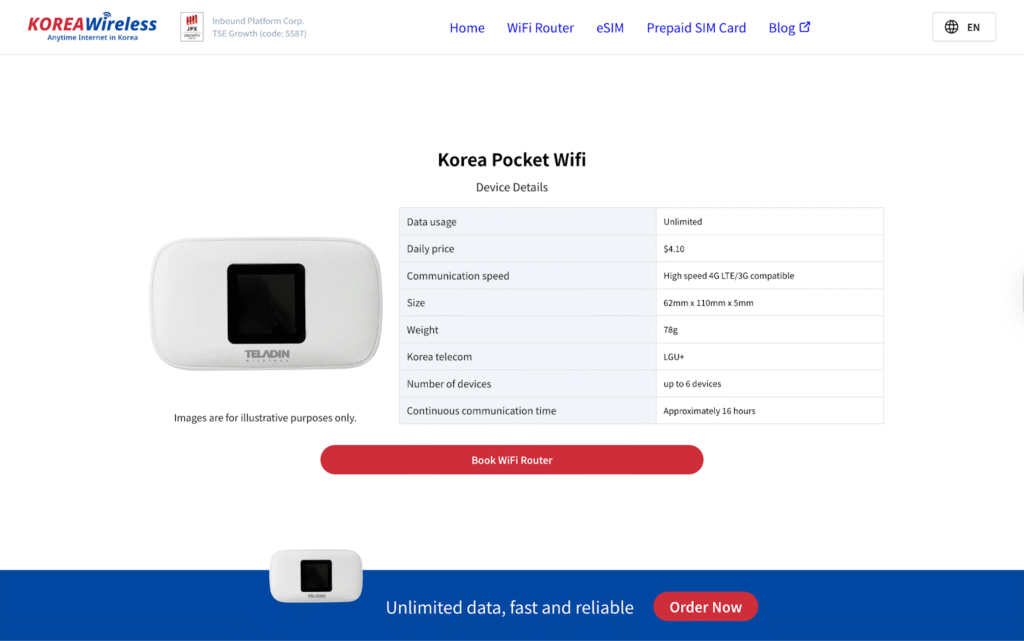
Korea Wireless offers unlimited pocket WiFi rentals with online booking and airport pickup across South Korea. The devices run on the LG U+ network and provide nationwide coverage, making them suitable for travel between cities. Pickup and return are handled at dedicated airport counters for a straightforward setup.
Key Features:
WiFi Dosirak is a budget-friendly pocket WiFi rental service in South Korea with low daily rates, especially for longer stays. It runs on a 4G LTE network with nationwide coverage and offers online booking with airport pickup at multiple locations. The devices support sharing among several users, making them suitable for small groups traveling together.
Key Features:
You can rent a pocket WiFi online before your trip and pick it up at Incheon Airport. Most providers do not support true walk-in rentals, so advance online booking is required, with pickup and return handled at airport service counters.
Based on the providers shown, pocket WiFi rentals in South Korea are structured around pre-booked reservations, airport logistics, and device availability. While airport pickup is convenient, inventory is allocated in advance, which is why same-day walk-in rentals are generally not supported.
If you do not want to carry an extra device, an eSIM can work as an alternative to pocket WiFi in South Korea. An eSIM installs directly on your phone and connects to local Korean mobile networks. Once active, you can use your phone’s hotspot feature to share data with another device, similar to how pocket WiFi works.
eSIMs are best for solo travelers or light data sharing. They remove the need for airport pickup, deposits, or returns, and activation can be done digitally in just a few minutes.
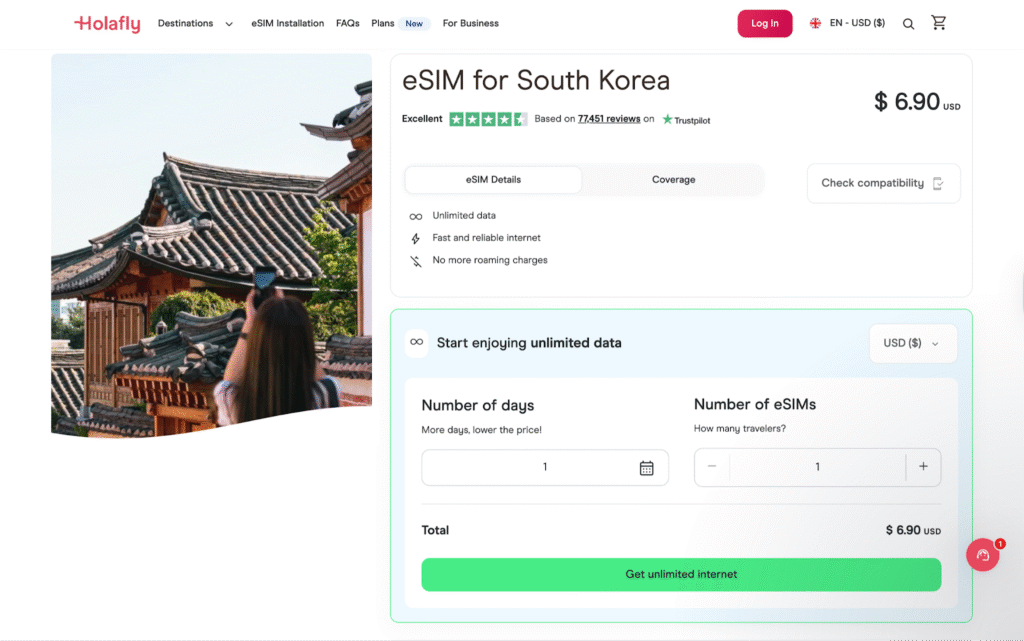
Holafly offers unlimited data eSIMs for South Korea that connect to major local networks. It is designed for travelers who want simple setup and do not want to worry about data limits. Hotspot use is allowed with fair-use restrictions.
Price plans:
| Duration | Price (USD) | Data |
| 1 day | $6.90 | Unlimited |
| 3 days | $12.90 | Unlimited |
| 5 days | $20.90 | Unlimited |
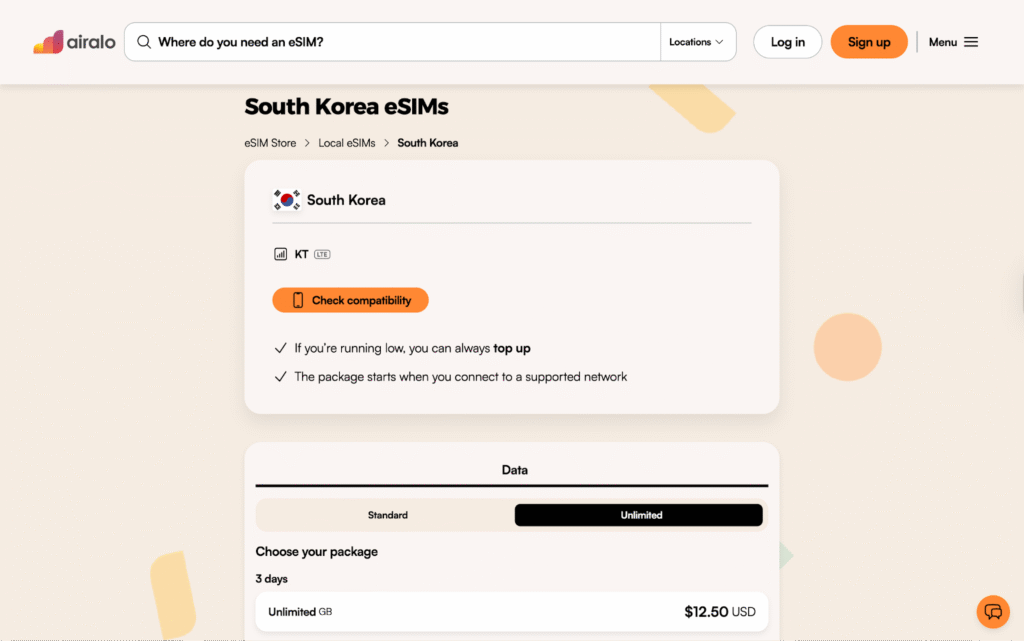
Airalo provides prepaid South Korea eSIMs with fixed data allowances. These plans are suitable if you want more control over usage and lower upfront costs. Most plans support hotspot sharing.
Price plans:
| Duration | Price (USD) | Data |
| 3 days | $12.50 | Unlimited |
| 5 days | $20.50 | Unlimited |
| 7 days | $9 | 3 GB |
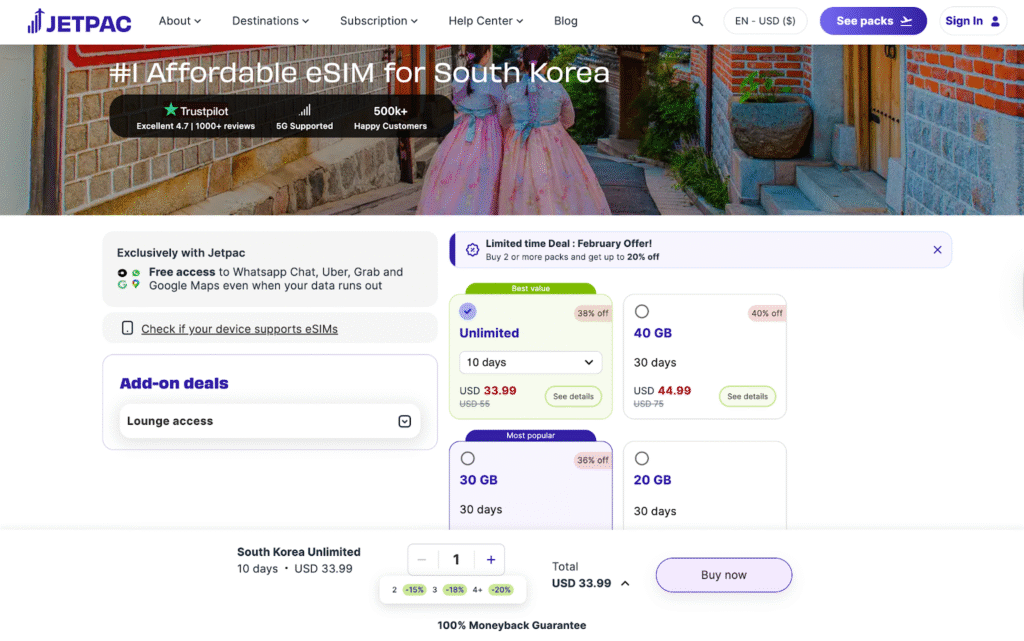
Jetpac offers travel eSIMs for South Korea with straightforward data plans and hotspot support. It is a good option if you want to share data occasionally without carrying a pocket WiFi device.
Price plans:
| Duration | Price (USD) | Data |
| 4 days | $1 | 1 GB |
| 10 days | $33.99 | Unlimited |
| 30 days | $44.99 | 40 GB |
How to activate your eSIM for South Korea on iPhone and Android
Activating an eSIM for South Korea is straightforward and can be done before you fly or after you arrive. I usually install the eSIM in advance, then turn it on once I land so it connects immediately to a local network.
On iPhone:
On Android:
There are several ways to get internet at Incheon International Airport, and the best option really depends on how you travel.
From using roaming, pocket WiFi, and eSIMs on different trips, pocket WiFi consistently stands out in South Korea for groups, multiple devices, or longer stays.
Booking online and picking it up at the airport keeps things simple and avoids last-minute issues.
If you are traveling solo or want something lighter, eSIMs are an easy alternative that can be activated digitally in minutes.
Yes, you can get pocket WiFi at Incheon International Airport, but most providers require you to book online in advance. After booking, you pick up the device at an airport counter upon arrival.
Portable pocket WiFi typically costs between ~$2.20 and ~$4.10 per day, depending on the provider and plan. Prices vary based on data allowance, rental length, and whether you choose unlimited or capped data.
Yes, pocket WiFi works very well in South Korea and connects to local mobile networks like KT and LG U+. Coverage is nationwide, including cities, transportation, and most tourist areas.
Yes, Incheon Airport offers free public WiFi throughout the terminals. However, it is mainly useful inside the airport and does not replace mobile internet once you leave.
The best pocket WiFi in South Korea for tourists depends on your budget and travel style, but popular options include Klook (KT-powered), Pocket WiFi Korea (KT Olleh), LG U+, Korea Wireless, and WiFi Dosirak. All offer nationwide coverage, airport pickup, and unlimited data plans, making them reliable choices for short trips or longer stays.

Our mission is simple: to make sure you never have to ask, “What’s the WiFi password?” again. All our tips come straight from personal experience — because we’d never recommend something we haven’t put to the test ourselves.
Reviews