

Reviews
Ubigi is an eSIM provider offering global mobile connectivity. In this review, we will explore its features, device compatability and pricing, to help you decide whether its the right provider for you.

Landing in a new country and immediately needing internet is always stressful. Choosing the right tariff when buying a prepaid SIM, finding a shop to rent a pocket WiFi when you’re already tired from the flight, or worrying about roaming charges can easily eat into your first few hours.
That’s why I decided to test Ubigi. I wanted something I could install before departure and activate as soon as I landed, without visiting a store or navigating local tariff options.
During my testing, I used Ubigi for navigation, messaging, hotspot sharing, and some light video streaming to see how it handled everyday travel needs while moving around the city with friends.
Ubigi delivered fast, reliable data for navigation, messaging, and light streaming, making it a strong choice for travelers who mainly need smooth mobile data on their phone. However, the non-working hotspot and limited customer support may be a concern if you rely on tethering or expect live assistance.
Rating: ⭐⭐⭐ (3.5/5)
For my trip to the Philippines, I tested Ubigi’s 1GB / 7-day plan for $4, since I only needed light data for maps, messaging, and occasional browsing. I wanted to see how the most affordable option performed in real-world travel conditions rather than jumping straight to a large or unlimited plan.
While Ubigi offers higher-data and unlimited plans, the 1GB plan was enough for short daily navigation, WhatsApp, checking emails, and light hotspot use.
| Data option | Validity | Price (USD) |
| 1 GB | 7 days | $4 |
| 3 GB | 15 days | $8 |
| 10 GB | 7 days | $14 |
| 10 GB | 30 days | $16 |
| 25 GB | 30 days | $29 |
| 50 GB | 30 days | $49 |
| Unlimited | 7 days | $24 |
| Unlimited | 15 days | $44 |
| Unlimited | 30 days | $59 |
I like that Ubigi offers a wide range of plans suited for different types of travelers. There are smaller data packages for short, quick trips and lighter use, as well as larger and unlimited options for heavier usage or longer stays.
Rating: ⭐⭐⭐⭐⭐ (5/5)
I purchased a plan using my laptop and credit card. I completed the purchase a few days before departure so everything would be ready in advance.
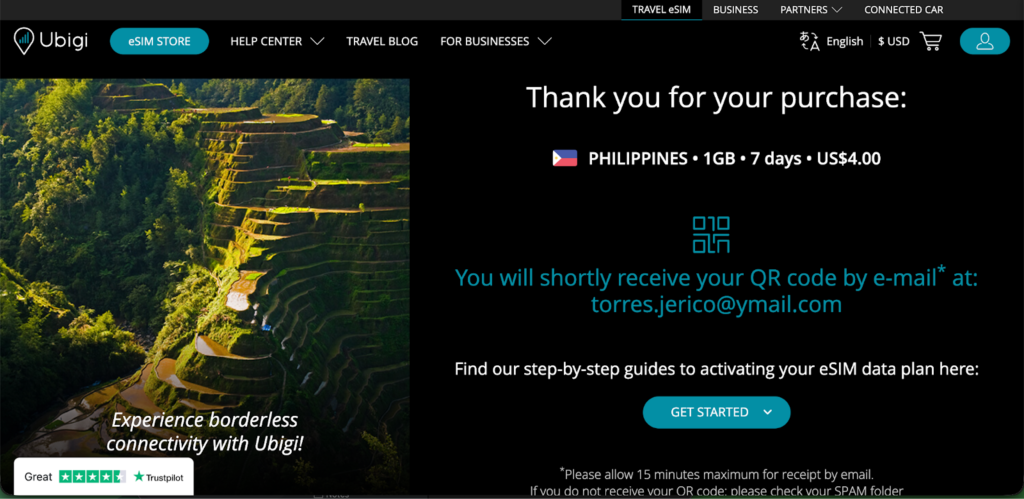
As soon as the payment went through, I received an email containing the QR code. I opened the email on my phone and simply tapped the QR code directly.
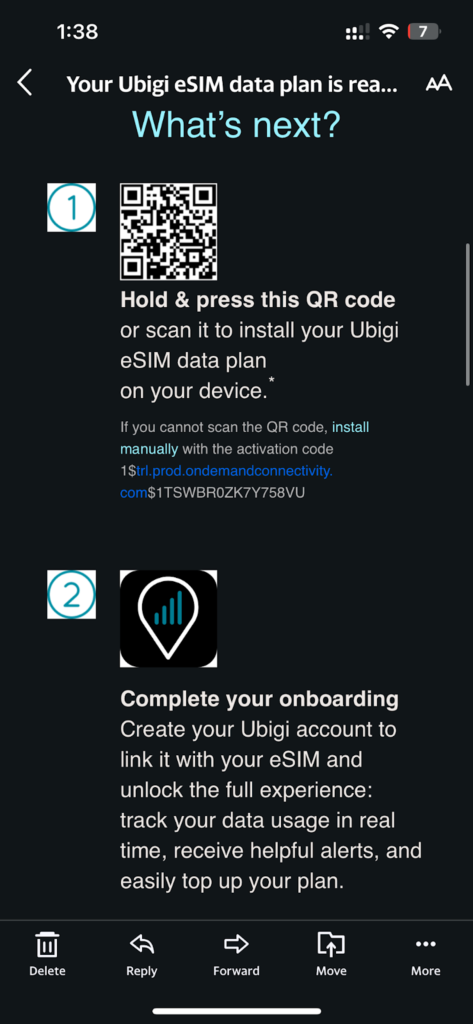
An option popped up that said “Activate eSIM,” and I selected it. I didn’t have to manually scan anything or go deep into settings. The installation started automatically and took less than a minute.
After installation, I labeled the eSIM “Ubigi” so I wouldn’t confuse it with other providers I’ve used before. I kept my primary SIM set for calls and SMS, and selected the Ubigi eSIM for mobile data.
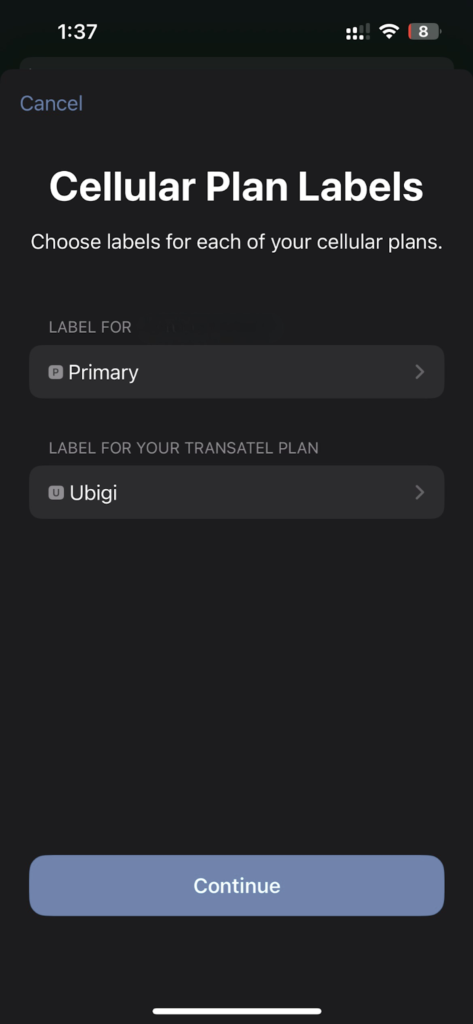
Once I landed, I turned on data roaming for the Ubigi line. Within about 30 seconds, it connected to a local network and I was online.
The installation was very quick and straightforward. I liked that I could simply tap the QR code in the email and activate the eSIM without needing to scan it from another device, so I didn’t need multiple devices to complete the setup. The installation itself took about a minute or less - noticeably faster compared to Jetpac, which took around three minutes in my experience.
Rating: ⭐⭐⭐⭐⭐ (5/5)
I used the Ubigi eSIM while moving around the city, relying on it for navigation, messaging, commuting, and light streaming. Most of my testing happened on the go rather than in one fixed location, which gave me a clearer picture of how stable the connection felt in real travel conditions.
While walking around in Metro Manila, I was constantly checking maps, messages, and nearby places, including quick stops at street food stalls like this.

Overall, performance was strong for everyday use. Navigation updated quickly, messages sent instantly, and 720p streaming stayed smooth. The only downside was the higher ping shown in the speed test, but in real-world travel use, I didn’t experience noticeable interruptions.
I wanted to know the speed of the internet I’d be getting, so I opened a browser on my phone and went to Ookla’s Speedtest. Here’s what it showed: 88.89 Mbps download speed with a 398 ms ping.
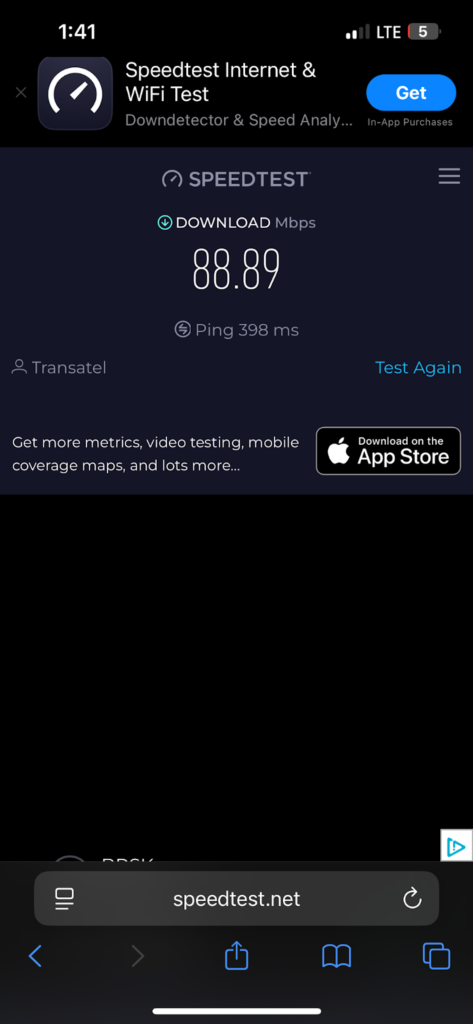
The download speed is considered fast and more than enough for everyday travel use. At nearly 89 Mbps, I was able to stream videos, use maps, scroll social media, and share hotspot to another device without any noticeable slowdown. Apps loaded quickly and browsing felt smooth overall.
The ping, however, was relatively high at 398 ms. That mainly affects real-time activities like online gaming or anything requiring instant response. For navigation, messaging, browsing, and streaming, I didn’t notice any major issues despite the higher latency.
I used Google Maps while heading to a café in an area I was not familiar with. After following the directions there, I ordered a coffee and continued checking nearby spots and routes on the map.

I kept turn by turn navigation on and had live traffic enabled the entire time.
During the ride, traffic conditions changed and Google Maps automatically adjusted the route. With a download speed of 88.89 Mbps, the new route loaded almost immediately and the ETA updated within seconds. The map remained smooth while zooming, loading nearby places, and refreshing traffic data. There were no freezes or loading delays.
This matters for travelers because navigation apps depend on constant data updates. When you are in a new place, you need directions, traffic updates, and nearby results to load quickly. In my test, Ubigi handled real time navigation reliably and kept the experience smooth.
To test messaging performance, I used WhatsApp on mobile data and ran three everyday scenarios that travelers commonly rely on.
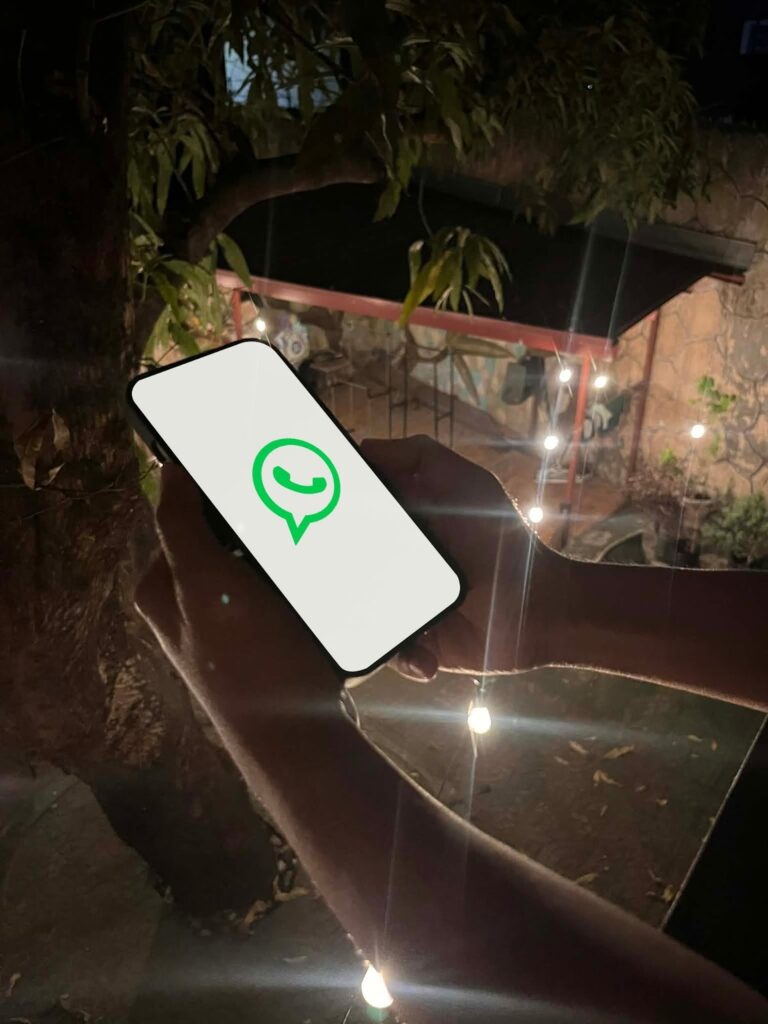
During the trip, I was also sending photos like this to family, and uploads went through quickly without delays.

There were no failed sends, no retry notifications, and no noticeable lag during any of the tests.
Clear and responsive messaging is important when you are coordinating airport pickups, sending hotel details, or sharing live locations. Delays in uploads or voice notes can create unnecessary friction, but in this case communication felt immediate and dependable throughout.
For streaming, I kept it realistic. This was casual travel use, not heavy home streaming or long binge sessions. I tested YouTube at 720p resolution, which is a typical setting when using mobile data.
I played several short videos ranging from about 3 to 8 minutes. Each video started within about one to two seconds after pressing play. There was no buffering during playback, and the quality remained stable at 720p the entire time without dropping resolution.
For everyday travel use such as watching quick clips, checking guides, or passing time during transit, the experience felt smooth and consistent with no interruptions.
Across all tests, Ubigi delivered consistent performance in practical travel situations. Navigation stayed reliable with fast route recalculations and smooth map updates.
Messaging was instant and stable, with no delays when sending texts, photos, or voice notes. Streaming at 720p started quickly and played without buffering or quality drops.
While the speed test showed strong download numbers, what stood out more was consistency. Even with a higher ping, real-world usage felt smooth and uninterrupted. For travel, dependable connectivity matters more than peak Mbps, and Ubigi delivered that throughout testing.
Based on navigation, messaging, streaming, and overall responsiveness, Ubigi performed reliably across the trip. It handled everyday travel tasks without hiccups, making it a dependable option for staying connected abroad.
Rating: ⭐⭐⭐⭐⭐ (5/5)
Ubigi states that hotspot is supported on all plans. However, during my testing, it did not work.
I first tried connecting my laptop to the hotspot, but it would not establish a usable connection. I restarted both my laptop and my phone, toggled the hotspot on and off, and tried again, but nothing changed. I then attempted to connect a second iPhone to test if it was device-specific.
Although my phone indicated that one device was connected, the receiving device didn’t recognize or receive any internet connection. In practical use, the hotspot feature was not usable at all.
This was disappointing, especially considering the strong download speeds shown in the speed test. Hotspot functionality can be important when you need quick access on a laptop for work or urgent tasks.
Rating: ⭐☆☆☆☆ (1/5)
Since the hotspot feature didn’t work, I contacted Ubigi customer support for assistance. I accessed their website and used the AI chatbot while connected to my hotel WiFi, since I was unable to rely on the Ubigi hotspot for internet access.
One of the first things I noticed was that the chat only allowed me to select from predefined options. There was no immediate way to type out my issue in detail, which made the process feel slower than necessary. It was only further into the conversation that I was given the option to explain my issue more specifically.
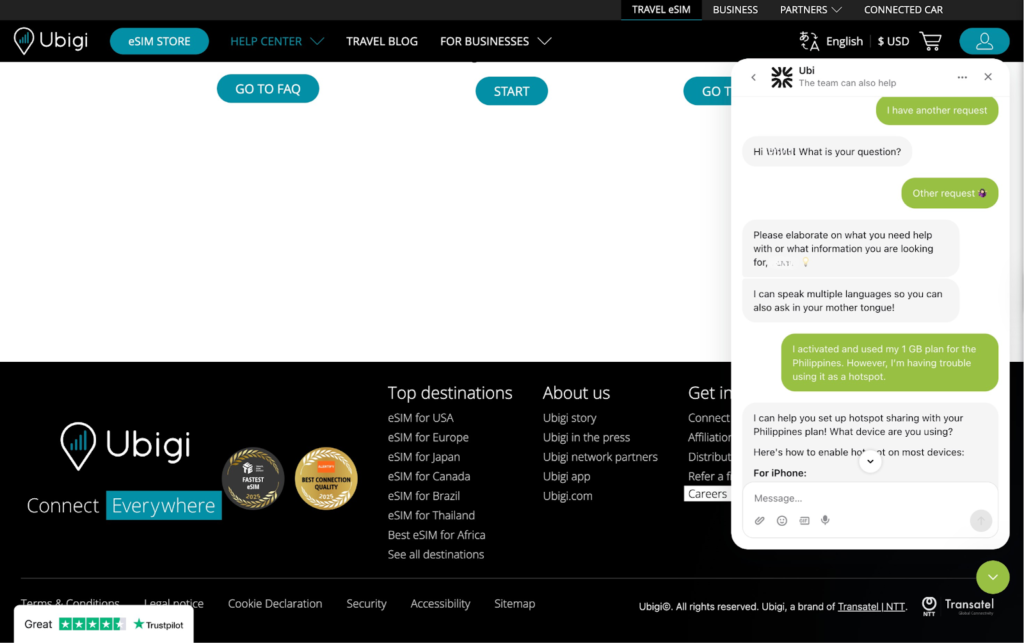
This was frustrating, especially since hotspot access can be urgent when you need to connect a laptop for work. Despite going through the chatbot flow, my issue was not resolved. Support confirmed that hotspot is available on all plans, but there was no escalation offered and no option to speak with a human representative.
The customer support experience was disappointing. The AI-based system felt limited, with no clear escalation path and no resolution provided for the hotspot issue.
Rating: ⭐☆☆☆☆ (1/5)
Ubigi performed very well for navigation, messaging, and light streaming during my trip, with fast speeds and stable connectivity. However, the hotspot feature did not work in my test, which may be a drawback if you rely on tethering.
I purchased my 1GB / 7-day plan online using a laptop and credit card before my trip. After payment, I received a QR code by email, tapped it on my phone, selected “Activate eSIM,” and the installation completed in under a minute.
Yes, WhatsApp worked smoothly for text messages, photo uploads, and 30-second voice notes with no delays. Messaging was instant and reliable throughout my testing.
Yes, I installed mine before departure so everything was ready upon landing. Once I turned on data roaming, it connected to a local network within about 30 seconds.
The data plan expires based on the validity you purchase, such as 7 days for the 1GB plan I tested. Once the validity period ends, you need to buy a new plan to continue using mobile data.

Our mission is simple: to make sure you never have to ask, “What’s the WiFi password?” again. All our tips come straight from personal experience — because we’d never recommend something we haven’t put to the test ourselves.
Reviews