

Reviews
The moment I land in a new country, I know what’s coming. Either I stand in line for a local SIM, hand over my passport, or turn on roaming and hope the bill doesn’t hurt later. On this trip, I skipped all of that and tried Airalo eSIM instead.

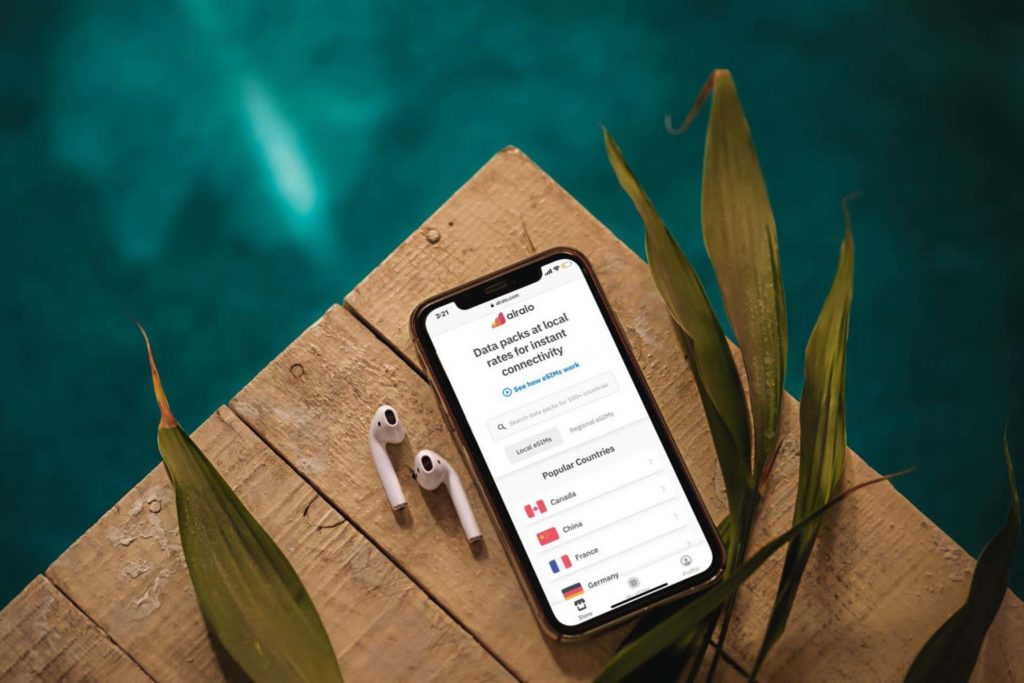
Airalo eSIM was something I bought before my trip so I wouldn’t have to scramble for mobile data upon arrival in Serbia. I wanted to see if it could actually replace a local SIM card and keep me connected without any stress.
I tested the eSIM on real travel days, using it for maps, messaging apps, and video streaming while moving through both busy city streets and quieter towns. This is based entirely on my experience.
Over several days of travel, I tracked how reliable the connection was, how easy it was to top up data, and whether it could handle the tasks I rely on most when I’m on the move. Here’s what I discovered.
Airalo eSIM delivered a smooth and hassle-free experience during my trip. Installing it before travel meant I had data immediately upon arrival, and it stayed dependable throughout. It’s ideal for travelers who want flexibility and convenience without dealing with physical SIM cards.
⭐ Rating: 5/5
Airalo keeps it simple. You pick a plan for the number of days you’re traveling, install the eSIM, and you’re good to go. I was in Serbia for three days, so I grabbed the three-day unlimited plan for $20.50. It handled maps, WhatsApp, and Spotify on the bus without me worrying about running out.
| Data option | Validity | Pricing |
| 1GB | 3 days | $4.00 |
| 3GB | 3 days/ 7 days | $7.50/ $8.00 |
| 5GB | 7 days/ 15 days/ 30 days | $10.00/ $10.50/ $11.00 |
| 10GB | 7 days/ 15 days/ 30 days | $16.50/ $17.00/ $18.00 |
| 20GB | 15 days/ 30 days | $26.00/ $27.00 |
| 50GB | 30 days | $49.00 |
| Unlimited | 3 days/ 5 days/ 7 days/ 10 days/ 15 days/ 30 days | $20.50/ $29.50/ $36.50/ $38.00/ $49.00/ $99.00 |
Local plans like this are great for short stays in one country. My Airalo eSIM connected to Yettel Serbia’s network, giving me unlimited data throughout Belgrade without needing to swap SIMs or hunt for Wi‑Fi.
Verdict: Airalo is ideal for travelers who want reliable data without overthinking usage. It’s perfect for short trips or multi-day city stays where you’ll be navigating, messaging, and streaming casually. The setup is fast, the connection is solid, and it removes the stress of finding local SIMs.
⭐ Rating: 5/5
Setting up my Airalo eSIM before the trip was my first test to see if it could really make traveling stress-free, and here is a step-by-step walkthrough of the process.
I purchased the three-day unlimited data plan for Serbia before my trip directly on the Airalo website. Right after the purchase, I received a confirmation email with my receipt, followed shortly by a second email containing the QR code for installation.
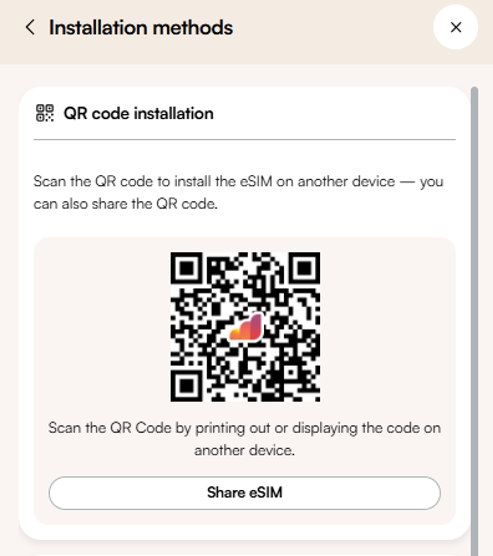
On my iPhone, I went to Settings > Cellular > Add eSIM > Scan QR Code and followed the instructions. The installation took only a few minutes, and I labeled the eSIM “Airalo Serbia” so I could easily tell it apart from my regular SIM.
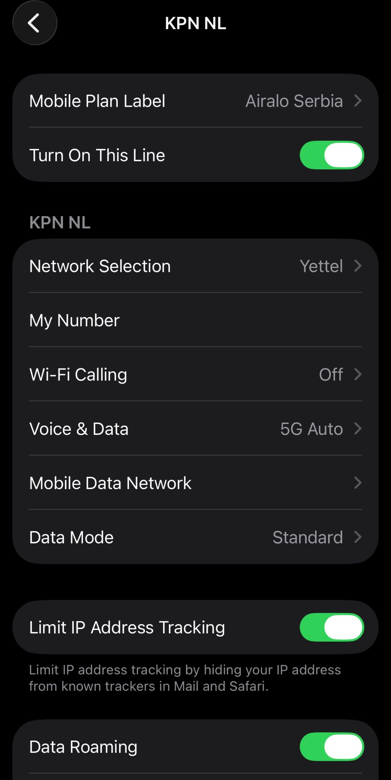
Next, I set my main SIM to handle calls and texts, while the Airalo eSIM became my primary data line. After landing, I made sure data roaming was turned on for the eSIM, and the connection came up instantly.
I opened the Airalo app to check my plan, mainly out of curiosity. Seeing the data ready and active made it easier to relax and focus on navigating from the airport to my apartment instead of worrying about connectivity. It was reassuring to see that everything was working well.
Activation Verdict: Setting up the Airalo eSIM was straightforward and fast. From purchasing the three-day unlimited plan to scanning the QR code and labeling the eSIM, everything took only a few minutes. The connection came online immediately, worked reliably during navigation from the airport to my apartment, and there were no issues at any point.
⭐ Rating: 5/5
During my trip in Belgrade, I relied on the Airalo eSIM for all my mobile data needs. I moved through busy streets, took buses across the city, and even explored quieter neighborhoods, using the eSIM for navigation, messaging, and light streaming.
The connection was mostly smooth. Maps updated accurately, messages went through quickly, and music played without interruptions. Larger photos or videos sometimes took a bit longer to upload, and video quality occasionally started lower before adjusting. Even just outside the city center, coverage stayed consistent.

For everyday travel, the Airalo eSIM was dependable and made staying connected simple. It gave me confidence to navigate the city, coordinate plans, and enjoy entertainment on the go without constantly checking for Wi-Fi.
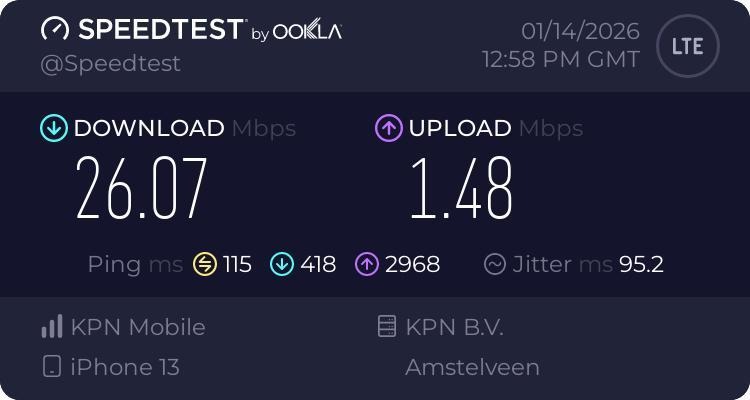
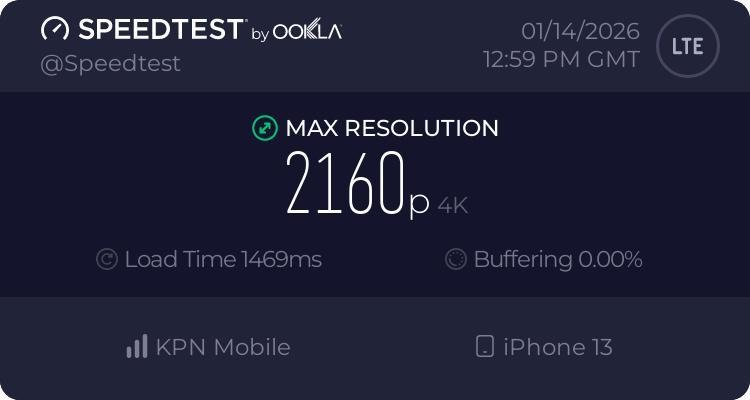
To test Airalo’s performance, I turned off WiFi and set the eSIM as my active data line so all traffic ran through the Airalo plan. I used Speedtest by Ookla for consistency and to keep the results comparable with other networks I’ve tested.
During the test, I recorded the download and upload speeds along with the network type. The results showed a download speed of 26.07 Mbps and an upload speed of 1.48 Mbps, which gave a clear picture of how the connection performed in everyday use.
In real-world terms, apps like Shazam and Manga Plus loaded quickly, maps worked reliably, and I was even able to download two Zakk Wylde albums on Spotify for offline listening pretty fast.
Uploading images to WhatsApp or Instagram worked as expected, although larger files weren’t instant and sometimes took a few extra seconds. This matched the lower upload speed shown in the test and was noticeable mainly when sharing photos or short videos.
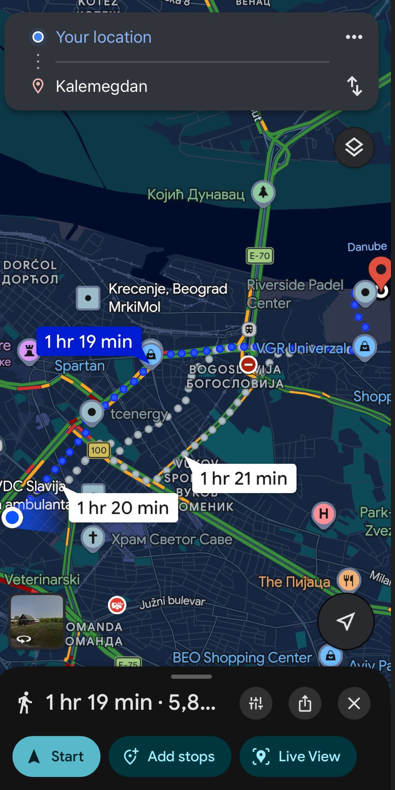
I wanted to go see Kalemegdan, so I put Google Maps to the test, following its turn-by-turn directions on both foot and by bus. The directions appeared quickly, my location was tracked accurately, and the app kept up with my movements without any noticeable problems.
To see how well the connection handled changes, I forced reroutes by missing turns and changing direction. In most cases, Google Maps recalculated the route smoothly and kept navigation running without interruptions.
After using the app continuously for four to five hours, I noticed a few minor lags. Closing and reopening Google Maps solved the problem right away, and the app quickly calculated the nearest route again. Overall, navigation remained reliable and accurate throughout my use.
I wanted to see how well WhatsApp worked using Airalo’s internet, so I started by sending regular text messages. They went through instantly without any delays or retries, which made messaging straightforward and reliable.
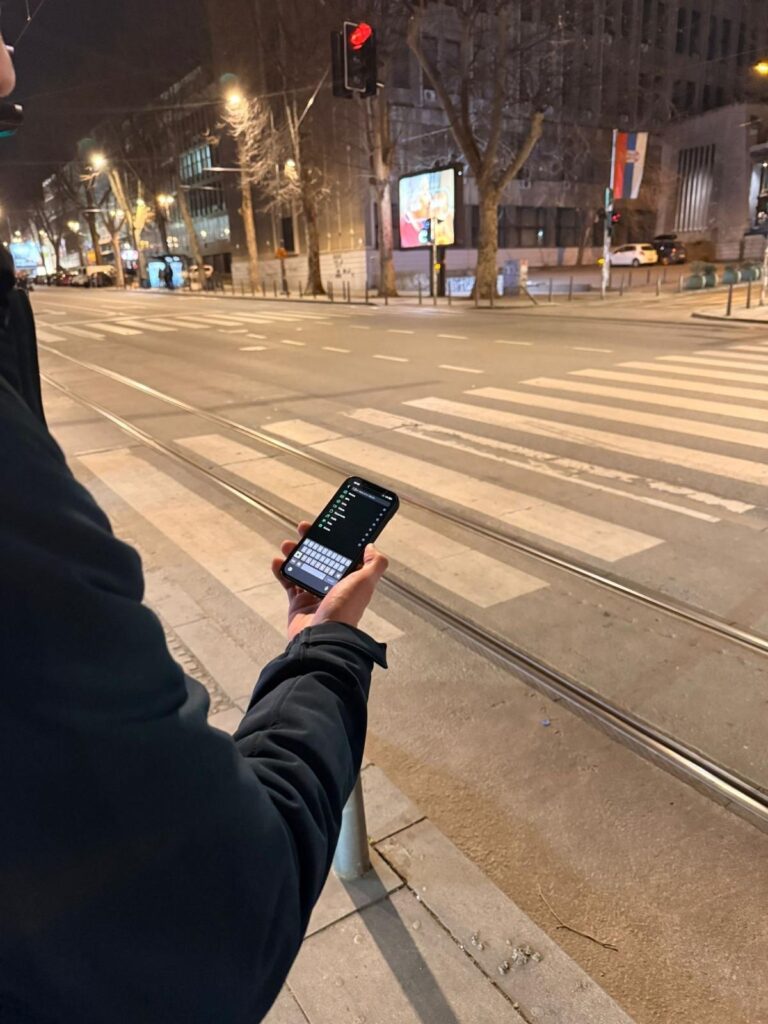
Next, I shared images of the Danube from Branko's Bridge with my family group chat. Single photos uploaded quickly, and even when I sent multiple images at once, there was just a brief pause of a few seconds, nothing that disrupted the flow.
I also sent short videos of street performers in Knez Mihailova to my friends. Each video uploaded smoothly, and when I was in a hurry, I could quickly send voice messages longer than 30 seconds without any issues.
Messaging over Airalo’s connection felt seamless throughout my trip. Whether checking in with family, coordinating plans with friends, or sharing updates on the go, everything worked reliably, making it easy to stay connected while moving around the city.
To see how Airalo handled casual streaming, I watched the full EuroLeague highlights of Milan vs. Crvena Zvezda on YouTube. The video started instantly at 720p without any buffering, making it easy to jump straight into the action.
During playback, the quality stayed stable for the most part. Occasionally, some larger videos, like a BasketNews podcast, would start at 480p, but as soon as I switched to 720p, they ran smoothly without any buffering or interruptions.
The test focused on light, on-the-go streaming rather than heavy home-style viewing. When I was on a bus to New Belgrade, I was able to listen to Spotify the whole time, and the music never skipped or paused.
I also ran a quick test with Speedtest by Ookla, which confirmed that the speeds were consistent enough to keep video playback smooth throughout.
So how did Airalo actually perform while I was moving around Belgrade? Google Maps kept me on course when walking through Kalemegdan and later on buses across the city. When I deliberately took a wrong turn to test rerouting, the app recalculated almost instantly, keeping my route smooth.
WhatsApp was effortless. I sent texts, shared photos of the Danube, and uploaded short clips of street performers without waiting or retrying. Even voice messages longer than 30 seconds went through immediately, which made coordinating plans and updating friends and family easy while I explored.
Streaming light video on YouTube at 720p worked without interruptions. Longer videos occasionally started at lower quality, but switched up in seconds and played smoothly. Music on Spotify streamed continuously while I was on the bus, and I never had to pause or refresh.
Performance Verdict
Airalo kept me reliably connected during my whole trip. Navigation stayed accurate, messaging went through instantly, and light streaming ran without noticeable pauses. Speeds weren’t record-breaking, but the service delivered exactly what you need for stress-free travel in a city: a connection you can count on.
⭐ Rating: 5/5
Hotspot support is easy to overlook until you actually need to open a laptop and get something done. During my time in Belgrade, I tested whether Airalo’s eSIM could handle tethering for basic work tasks, not just quick sharing.
I used my iPhone 13 to create a personal hotspot and connected it to my laptop. Over roughly 60 minutes, I ran a video call with friends to chat about last night’s game, answered emails, and wrote parts of this article. Google Docs loaded quickly, pages opened without delays, and the connection stayed stable the entire time.
The hotspot handled all these tasks reliably, with no drops or noticeable slowdowns, making it perfectly usable for short, on-the-go productivity.
Hotspot verdict
Airalo’s hotspot works reliably for tethering a laptop for short work sessions, providing stable connectivity for video calls, document editing, and messaging.
⭐ Rating: 5/5
Even though I didn’t run into any problems activating my eSIM, I decided to test Airalo’s customer support to see how it would handle a real traveler’s question.
I first reached out to the chatbot in the app to ask about activating my eSIM. The bot replied within about 30 seconds, providing clear step-by-step guidance. Then I tested the human customer support separately with the same question. The agent joined the conversation immediately, and the chat lasted about three to four minutes.
Both approaches were straightforward and easy to follow. The bot gave quick automated instructions, while the human agent offered precise, personalized guidance without me having to repeat myself. Everything worked smoothly, and I didn’t need any follow-up messages.
Customer Support Verdict
Airalo’s support, whether through the chatbot or a human agent, is fast, clear, and reliable, providing precise guidance even when no real issues are present.
⭐ Rating: 5/5
Yes, I used WhatsApp with my Airalo eSIM without any issues. Texts, photos, and voice messages all went through smoothly, just like with a regular SIM.
I found it easiest to install the eSIM before my trip. That way, I could start using data as soon as I arrived without needing to visit a store or swap physical SIMs.
Yes, I made sure to turn off my phone’s data roaming for my primary SIM. This prevents accidental charges and ensures that all mobile data goes through the Airalo eSIM.
After purchasing a plan on Airalo’s website, I received an email with step-by-step instructions and a QR code. I scanned the code on my phone, followed the instructions, and my eSIM was ready to go. You can also install it via the Airalo app if you prefer.
No, Airalo eSIMs are data-only. They don’t provide a local phone number, so you’ll need apps like WhatsApp, Messenger, or Skype to make calls or send messages.
From my experience, the main limitations are that uploads can be a bit slower and it’s not ideal for heavy streaming or constant home-style use. Also, it’s data-only, so you won’t get a local phone number.
I didn’t need to completely turn off my primary SIM, but I did set the Airalo eSIM as my primary data line. This ensures all internet traffic goes through the eSIM and avoids accidental roaming charges.

Our mission is simple: to make sure you never have to ask, “What’s the WiFi password?” again. All our tips come straight from personal experience — because we’d never recommend something we haven’t put to the test ourselves.
Reviews